DMD1050TS Satellite Modem Board
Revision 1
TRANSEC Module SSH CLI Operation 9–7 MN-DMD1050TS
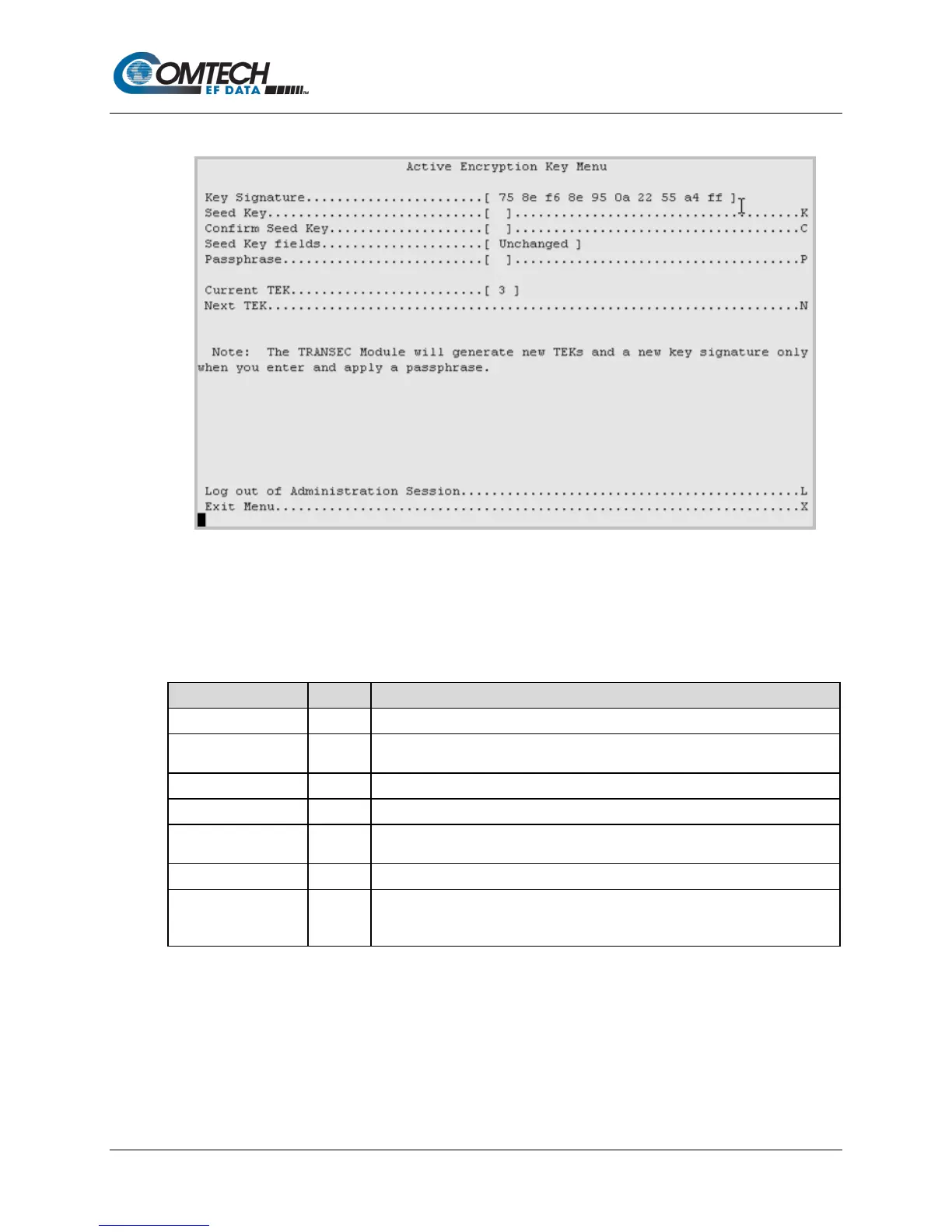
9.2.4.1 Configuration | Active Encryption Key Menu [A]
Figure 9-4. Active Encryption Key Menu Example
Table 9-3. Active Encryption Key Menu Options
The active Key Signature is shown here.
Seed Key K
Enter a 32-character active Seed Key to generate a TEK when the TRANSEC
Module is given a Passphrase.
Confirm the active Seed Key .
Shows the status of the active Seed Key in real time.
Passphrase P
Enter a 10- to 32-character Passphrase that is combined with the active Seed
Key to generate TEKs.
Identifies the Current TEK (1 through 26).
Next TEK N
Generates the next available TEK; the Current TEK field updates accordingly.
Note: This command is disabled when the module is in secondary mode, and
the Current TEK mirrors the TEK used by the connected primary modem.



 To Next Page