DMD1050TS Satellite Modem Board
Revision 1
Appendix I I–14 MN-DMD1050TS
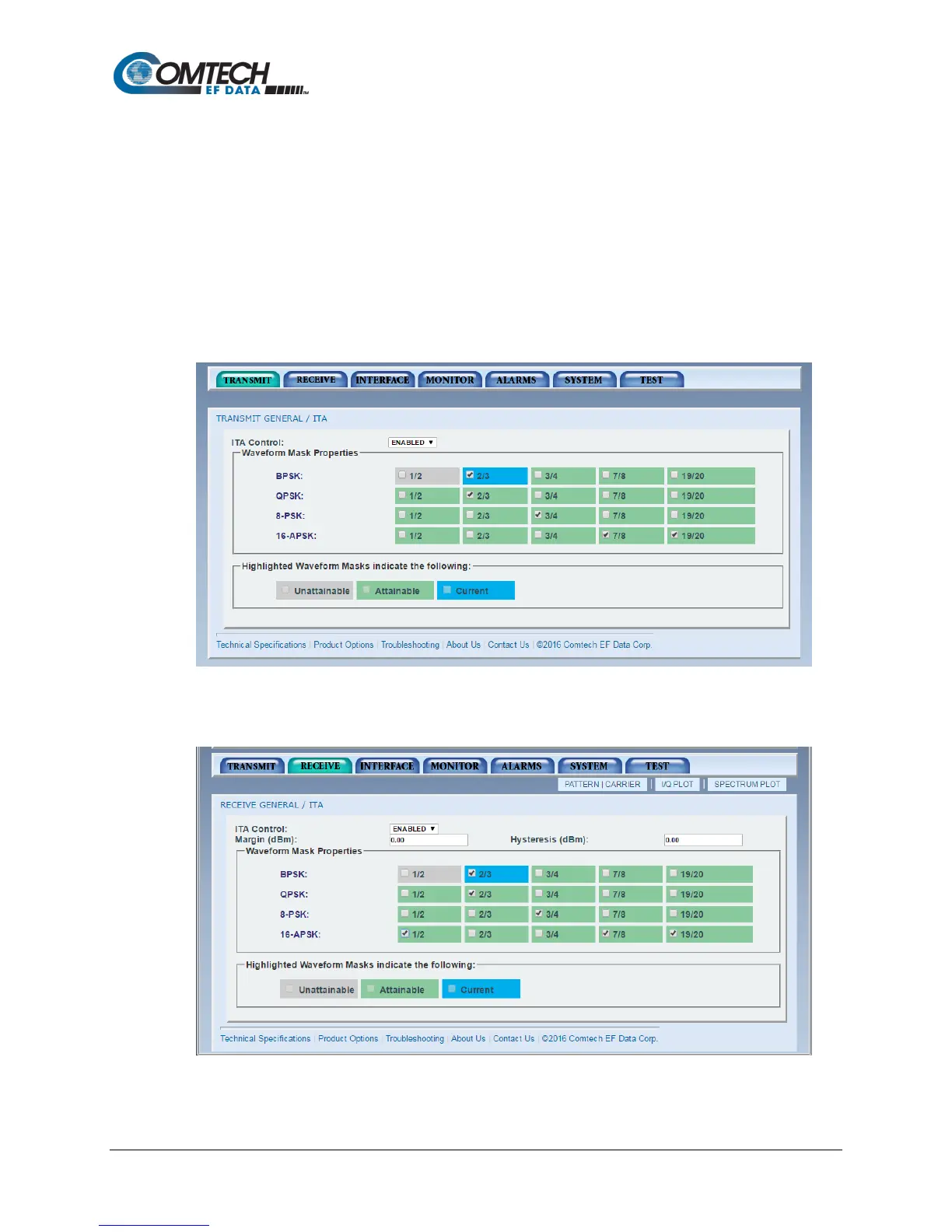
To setup ITA Mode, first select all the appropriate waveforms you are intending to run.
Waveforms marked “unattainable” are not allowed because the current symbol rate cannot be
obtained based on the current serial rate selected. The remaining Ethernet rate will be less than
zero. Set the same waveforms in both the TX ITA and RX ITA functions so they match.
Adjust uplink power to a moderate value of approximately 16 dB C/N at 8.3 MSPS.
On the receiver, set the margin to 1 dB and leave the hysteresis at 0.
Next, enable the ITA control. The Web page status will indicate and the indicator for the current
waveform will follow what the system is currently operating at. This is the case in both the
transmission and receives functions. This will start the process of adaptation. At 16 dB Es/No,
the mod/cod will ramp up every thirty seconds until the threshold value is reached.
Figure I-9. Initial Setup DMD1050TS, Modulator ITA (Enabled)
Figure I-10. Initial Setup DMD1050TS, Demodulator ITA (Enabled)



 To Next Page