Installation Manual: Standard 360a Model Y (360y) Label Applicator
4
Instructions for Unboxing:
1. Open the applicator box and remove all loose items. These items are dispersed around the box and will either be in a bag,
wrapped in bubble wrap, or wrapped in foam. The display unit is in its own foam box. These loose parts may include the
following:
• Power cord
• HMI (Human-
Machine Interface)
Display screen
• Rewind pin
• Product detect
sensor
• Air assist tube
• Light stack
• Crossover cable
• Encoder
• Multiple manifolds
(if purchased)
• I/O cable
NOTE: Every appl
icator may or may not have all the above listed parts. Each applicator should have a variation of the
above list.
2. M
atch all items to the items checked off on
the Applicator Component Checklist provided
[1A]. The parts listed on this checklist are
specific to each customer.
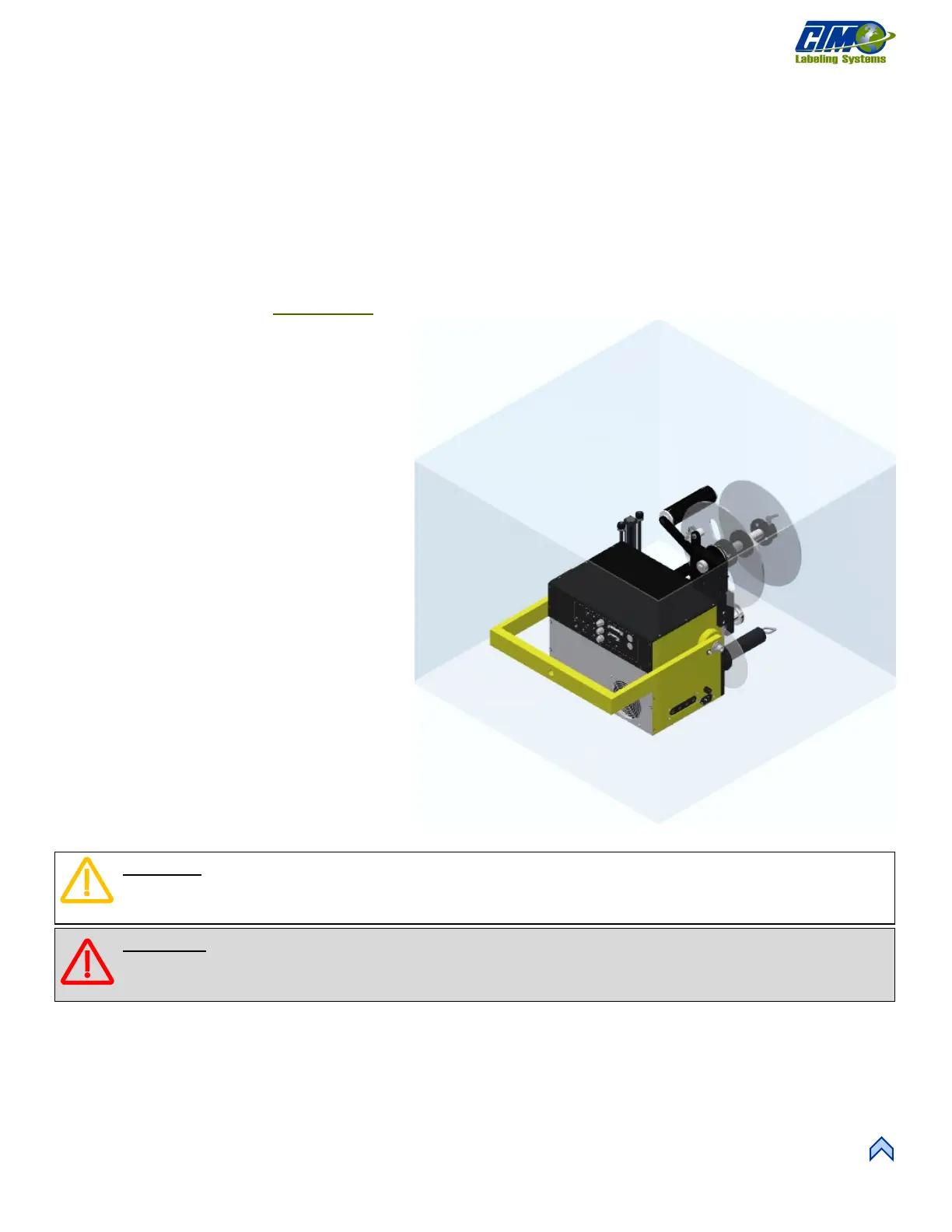
3. Remove applicator from the box. Figure [3]
highlights in yellow the correct places to lift
the applicator out of the box.
a. Use the help of a second person, a
pump lift jack, or a powered system
to lift the applicator. The easiest
place to lift is from the U-arm which
is designed to withstand the weight
of the applicator.
b. If there is no U-arm, lift from where
the U-arm would be attached: the
brackets/bolts.
c. If lifting from the brackets/bolts is
not possible, lift from underneath.
The box may have to be destroyed to
do this. Refrain from lifting at the
front of the applicator to minimize
possible damage.
CAUTION: When lifting the applicator out of the box, do NOT lift by the dancer arm because it is held on by a
spring. It is delicate and can be bent and/or broken. Refrain from lifting by any other part on the front of the
applicator as these can also get damaged in the process.
WARNING: Applicators can weigh 120lb or more. If there is no access to a pump lift pallet jack or powered
system to lift the applicator out of the box, more than one person will be needed to lift and apply the applicators to
the base system. Follow to your company’s weightlifting guidelines!



 To Next Page