Operator’s Manual: Standard 360a Model Y (360y) Label Applicator
5
Basic TEACH Instructions
1. Align the sensor to a stable reference surface and firmly mount the sensor in this alignment.
2. Press and hold TEACH button for longer than 2 seconds to start the TEACH mode.
3. Press again to teach the reference surface. After the reference surface is taught, the currently selected switch point value is
displayed, and the sensor returns to RUN mode.
4. Present the target and press again to teach the target. After the target is taught and the sensor waits for the second target
(but only if required by the selected TEACH mode or returns to RUN mode.)
5. Complete steps (a.) and (b.) only if prompted by the sensor for the selected TEACH mode:
a. Present the second target.
b. Press to teach the target. After the target is taught, and the sensor returns to RUN mode.
Manual Adjustments
1. Manually increase or decrease gain using the and buttons.
2. From RUN mode, press either or one time. The current signal strength value flashes slowly.
3. Press to increase the sensor gain or press to decrease the sensor gain. After one second of inactivity, the new
normalized signal strength value flashes rapidly, the new setting is accepted, and the sensor returns to RUN mode.
Banner Q4X Laser Sensor
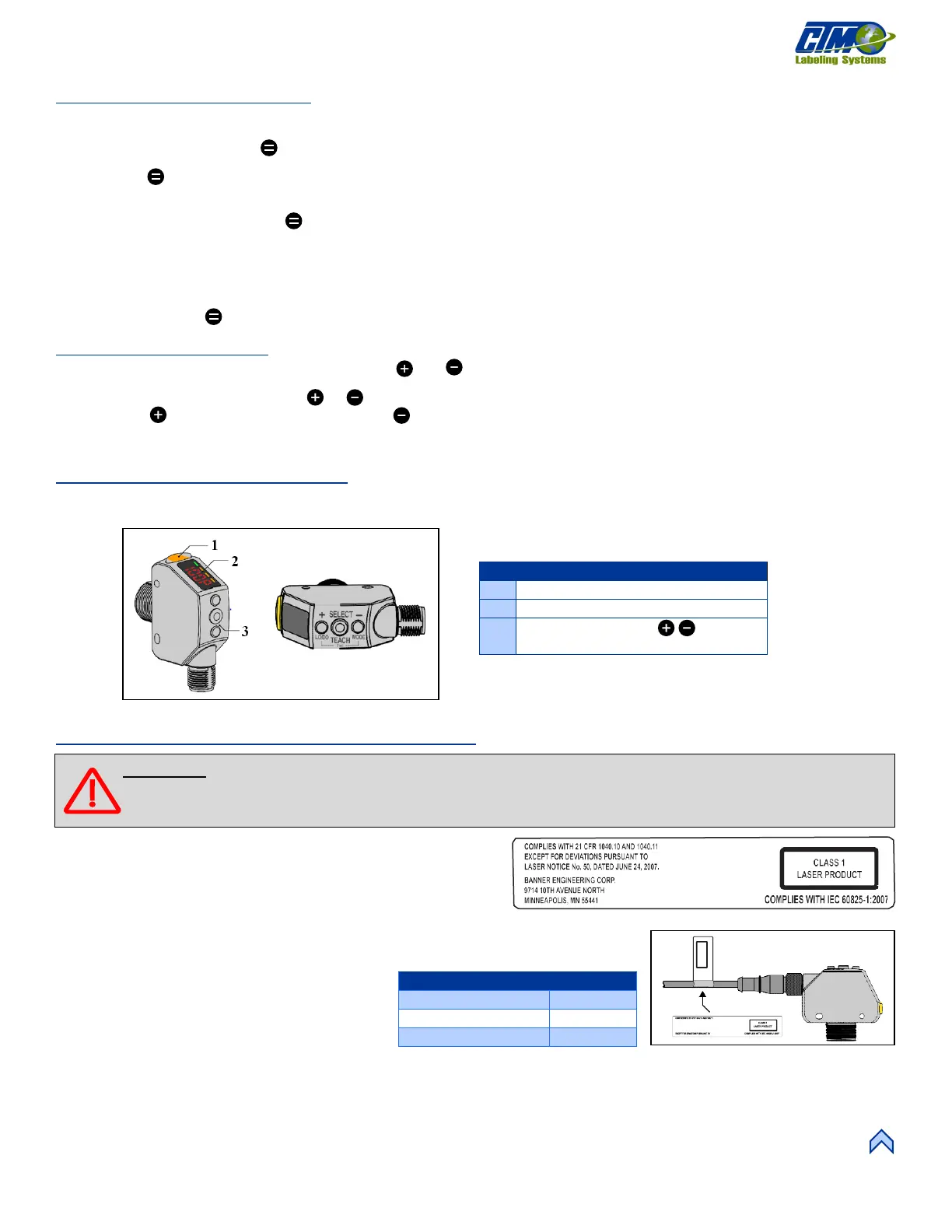
This laser sensor [12] is used to sense products on a system. Basic instructions and descriptions are listed in this section. If additional
information is required refer to the manufacture instruction literature.
Laser Description and Safety Information
Class 1 Lasers
Class 1 lasers are safe under reasonably foreseeable conditions of
operation, including the use of optical instruments for intrabeam
viewing.
The safety label [13] must be installed on Q4X
sensors that are used in the United States.
1. Remove the protective cover from the
adhesive on the label.
2. Wrap the label around the Q4X cable [14].
3. Press the two halves of the label together.
NOTE: Position the label on the cable in a location that has minimal chemical exposure.
SELECT:
TEACH: LODO, MODE
[12] Banner Q4X Laser Sensor
[14] Label Insalled on Sensor
WARNING: Use of controls or adjustments or performance of procedures other than those specified herein may
result in hazardous radiation exposure. Do NOT attempt to disassemble this sensor for repair. A defective unit
must be returned to the manufacturer.



 To Next Page