Operator’s Manual: Standard 360a Model Y (360y) Label Applicator
13
360y HMI Applicator Display
• Multi-Label Centerline-to-Centerline Distance Is Too Low: Occurs when the multi-label option is on, and the applicator
cannot place labels at the desired center-line distance. If the application permits, increase the label centerline-to-centerline
distance to correct the problem.
o For non-merge applicators, increase the web speed value or decrease the conveyor speed value.
o For tamp applicators, reduce the tamp extend and retract times to the minimum.
o For air blow applicators, reduce the air blast time to the minimum and increase the pre-dispense time if possible.
o For merge applicators contact the factory concerning the appropriate accel. and decel. values for your applicator.
• Label Placement is Too Low: Occurs in encoder-based applicators when the label placement distance is too small for
encoder compensation to work correctly. During label placement a speed dependent distance is subtracted from the label
placement value to properly position the label. If this alarm occurs, move the product detect sensor upstream more, decrease
the conveyor speed, or increase the label placement value.
• Imprint Dwell Too High for Label Cycle: Occurs if the imprinter valve is on when the applicator is ready to dispense a label
to the product, air blow grid, or tamp pad. For merge applications, no label will be dispensed. Air blow and tamp applicators
will wait for the imprint dwell to timeout before dispensing a label to the grid or label pad.
Critical Alarms
Critical Alarms cause the applicator to stop dispensing labels until the problem is fixed
and wakes the display if it is in backlight saving mode at the time of the alarm. The
Critical Alarm screen covers the current screen explaining the alarm type with an
Alarm Reset button at the bottom of the page to clear the alarm [21]. The following
are some of the critical alarms:
• End of Web Alarm: Occurs when the end of web sensor detects a break in the
web.
• No Labels Found Alarm: Occurs when the number of consecutive missing
labels on the liner exceeds the missing label count value. If a No Labels Found alarm occurs when labels are present on the
liner, re-teach the label sensor sensitivity settings.
• Printer Not Ready: Occurs when the printer is paused while the applicator is controlling a printer in a loose loop format with
the printer ready input signal active.
• Operator Interface Cleared: Occurs when the display is disconnected from the applicator.
• Read or Write Errors: Occurs when the applicator has trouble communicating with the display. An intermittent connection
determines whether the alarm is displayed.
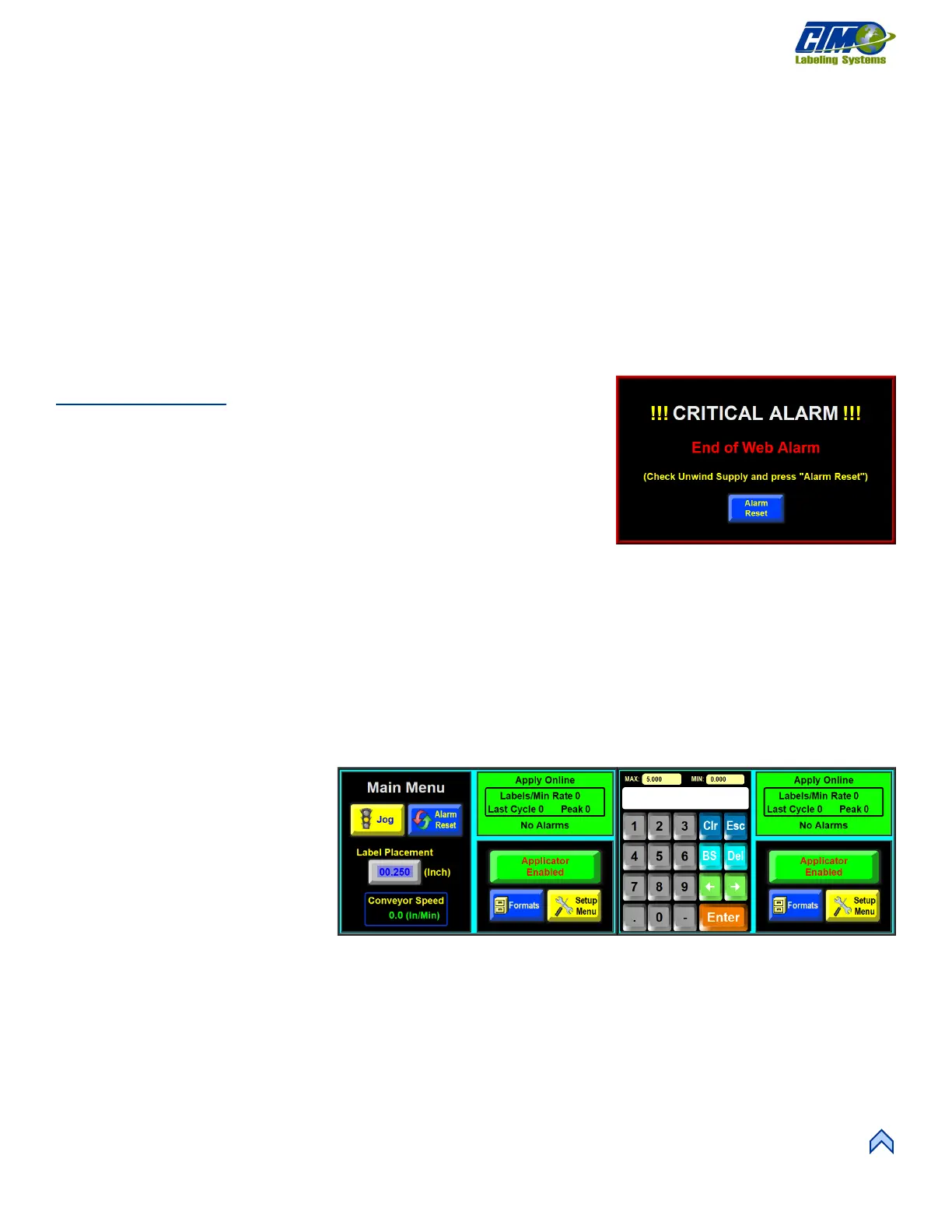
Changing Numeric Values
Values that can be changed are typically
shown as blue colored values on buttons
which display the current value. In Figure
[19A], Label Placement has a value of
0.250. To change this value, complete the
following:
1. Tap the button with a value that
needs changed, in this case, it is
the Label Placement value. A
numeric keypad appears on one
side of the screen [19B].
2. Type a new variable. The old variable is cleared, and the new value is input to the keypad value display.
a. Tap Esc to leave the screen without changing the value.
b. Tap Clr to clear the value being changed.
c. Tap Enter to finish the process
NOTE: Min and Max values are shown in small, yellow boxes above the keypad value display. Usually an out-of-range value does
not produce a warning message, but the variable does return to the original value after pressing “Enter.”
[22] Changing Variables Display



 To Next Page