Maintenance Manual: Standard 360a Model Y (360y) Label Applicator
3
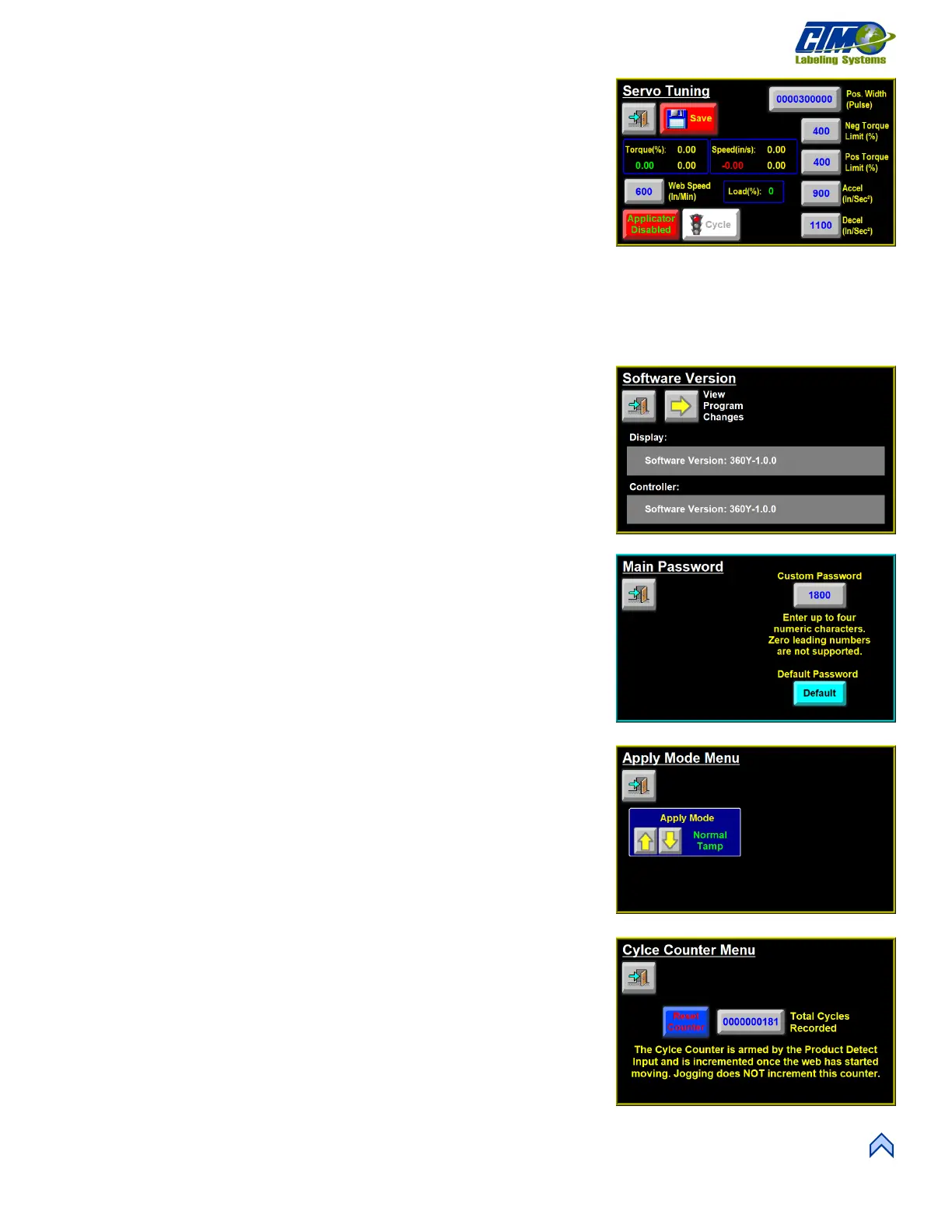
Servo Tuning
This menu [5] allows the operator to adjust parameters related to the applicator’s
stepper motor.
• Pos. Width (Pulse): Value in amplifier pulses, the position deviation between
the position reference value and the actual position is used as the value for
acceptable “in position.”
• Neg. Torque Limit (%): Value in percentage of rated motor torque, the
amplifier limits maximum output torque during normal reverse direction
movement.
• Pos. Torque Limit (%): Value in percentage of rated motor torque, the amplifier limits maximum output torque during
normal forward direction movement.
• Accel / Decel: Rate the motor starts and stops its moves. Increasing these values can lead to quicker starting and stopping and
potentially cause erratic web handling.
• High / Low Motor Current: Amount of current provided to the stepper motor.
Consult factory prior to changing.
Software Version
This screen [6] displays the software versions for the display interface and the
controller. Operators can also see the different software versions that were previously
used.
Change Main Password
This screen [7] shows the default password 1800. This can be changed to any number
1-9999. All applicators from the factory have this default password.
NOTE: When changing the password, the applicator will not recognize leading
zeroes as numbers (I.E., 0001 is the same password as 1).
Apply Mode Menu
This menu [8] allows the operator to choose the type of application by tapping the Up
or Down arrows. Hit the Back button and the new Apply Mode is saved.
Total Cycle Counter
This menu [9] shows the Total Cycles Recorded and gives the operator the option to
reset the counter. The counter starts when the web liner starts moving and increases by
the Product Detect Input.



 To Next Page