Maintenance Manual: Standard 360a Model Y (360y) Label Applicator
2
360y GENERAL MAINTENANCE PROCEDURES
The procedures listed in this manual detail the maintenance of various components that can be included with a standard 360y.
SPECIAL OPTIONS MENU
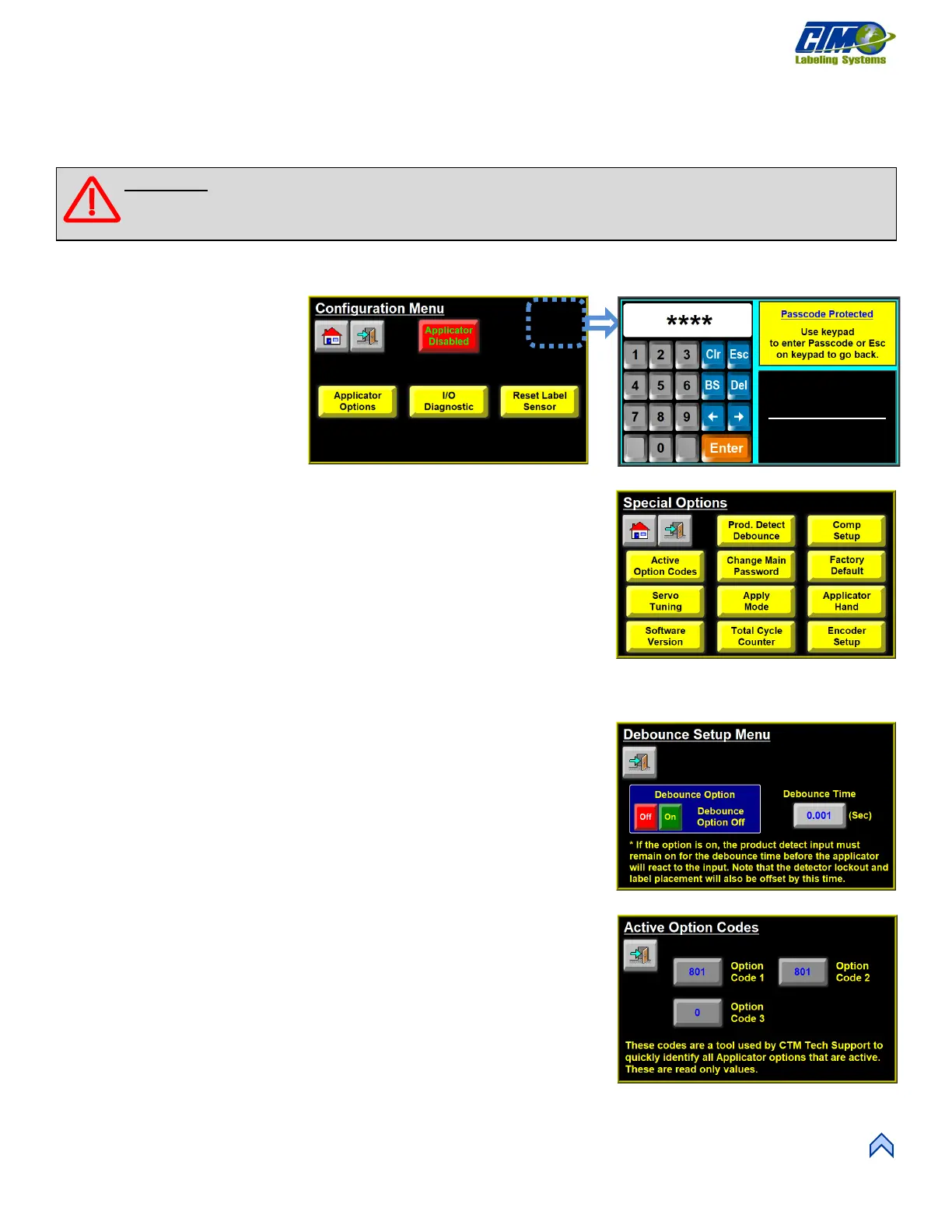
The Special Options menu is a
hidden menu that is accessed from
the Main Menu by tapping the
Setup Menu > Configuration
Setup Menu and tapping the top
right corner of the screen in Figure
[1]. The operator is prompted to
enter the special options password:
5115.
After typing the password, you are brought to the Special Options menu with the
following parameters [2]:
• Product Detect Debounce
• Active Option Codes
• Change Main Password
• Factory Default
• Servo Tuning
• Apply Mode
• Applicator Hand
• Software Version
• Total Cycle Counter
• Encoder Setup
NOTE: These parameters should only be changed after contacting the factory.
Debounce Setup Menu
This menu [3] allows the applicator to ignore product detect signals that are not held on
for the duration of the timer when enabled. Increasing debounce time increases the
minimum value for label placement.
Active Option Codes
This screen [4] shows codes used by CTM Tech Support to identify active options.
These are read only and cannot be changed.
WARNING: Disconnect the air and power to the applicator BEFORE performing the following procedures.
Injury from moving parts and/or electrical shock may occur.
[1] Accessing the Special Options Menu
Special Options
[3] Product Detect Debounce Time



 To Next Page