Maintenance Manual: Standard 360a Model Y (360y) Label Applicator
17
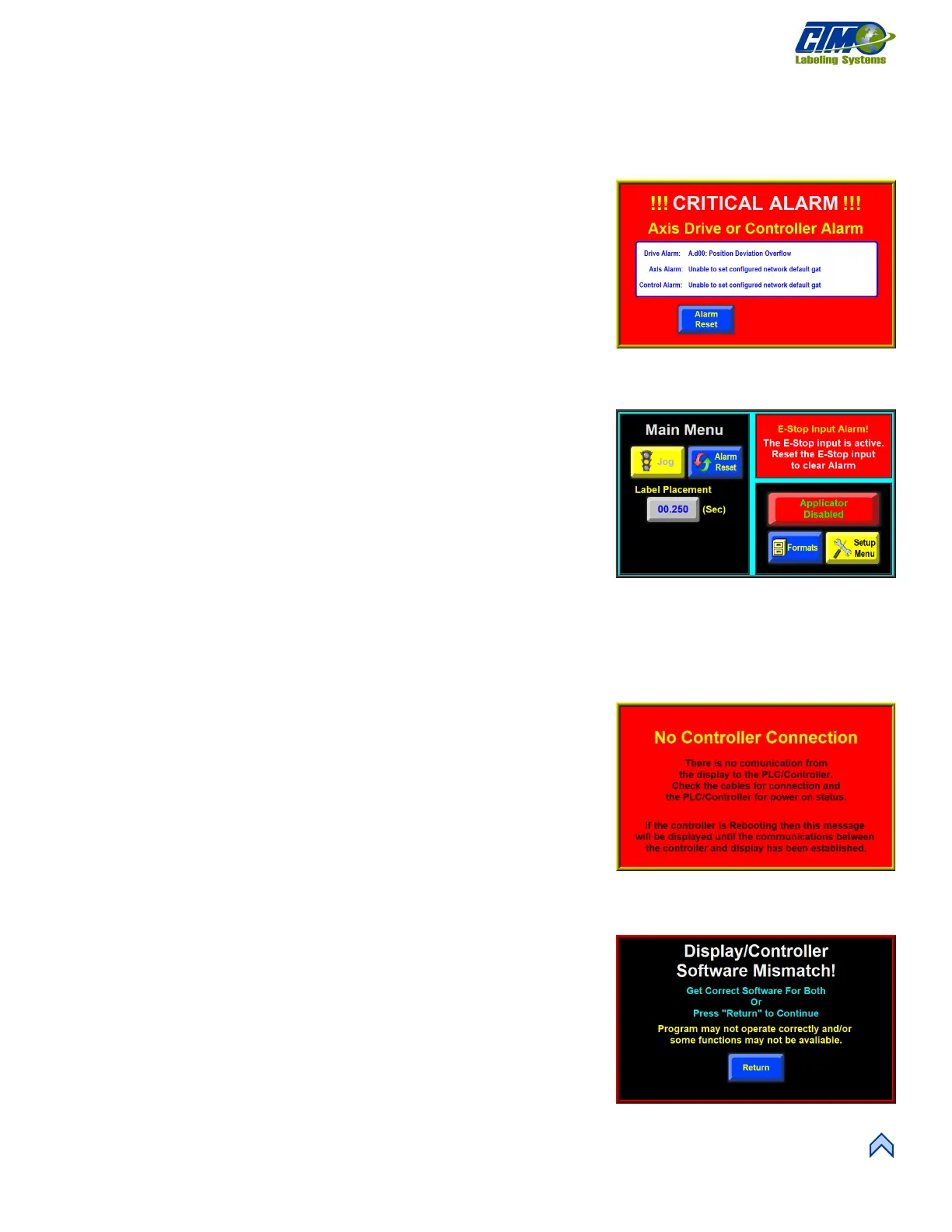
360Y DISPLAY FAULTS
The operator interface displays warnings and alarms that pertain to the application. These alarms are more serious in nature than the
standard alarms, but they usually do not happen as often. The following are screens that will help diagnose a drive or display problem.
Drive Faults
The drive fault screen will list four things that stop the applicator from running when
they occur. Without this screen, it would be impossible to know why the applicator
stopped.
• Overcurrent Fault: Occurs when the drive current has exceeded its
configured maximum value.
o Ensure there are no obstructions in the web path and the unwind
brake releases properly.
o Reduce the motor accel and decel values to their factor default values
and re-run the application.
o If the mechanical system and setup is correct, consult the factory to
determine if the current value is appropriate for your application.
• Amp Fault: Occurs when there is a failure on the drive board. Contact the
factory if this occurs.
• E-Stop: [27] Occurs when the operator is allowed to enable the e-stop
protection circuit (and the circuit is enabled and open) to the drive.
NOTE: This is currently disabled in the applicator.
• Amp Temp: Occurs when the drive amplified temperature exceeds the upper
limit.
o Clean the applicator’s air filter and ensure the colling fan is running
properly.
o Reduce the accel. And decel. Values to factory defaults and lower the application speed.
o If the mechanical system and setup is correct, consult the factory to determine if the drive current value is
appropriate for your application.
No Controller Connection
The No Controller Connection Alarm screen [28] displays if communication between
the Controller and Display is interrupted. Check cables for connection and check the
Controller for power-on status. If the Controller is rebooting, then this message
displays until communications between the Controller and Display are established.
Software Mismatch Error
[29] Occurs when the display and controller programs do not match and warns the
operator that both devices do not support some screens or functions. This can happen if
the drive program is updated and the display program is not, or vice versa.
[29] No Controller Connection Fault
[30] Software Mismatch Error



 To Next Page