Operator’s Manual: Standard 360a Model Y (360y) Label Applicator
22
360y HMI Applicator Display
Multi-Panel Setup
Before setting up multi-panel, ensure that the encoder option is installed and
configured properly. Follow the below steps to set up the applicator for a multi-
panel apply:
1. Enter a value for product clearance.
This value should be approximately
the product length or slightly longer.
2. Perform an auto teach with multi-
panel enabled. For the label stop
value, extend the label to the proper
flagged position [58C].
3. Run products and verify that the label is applied as desired.
a. If the label is wrapped too far around the product,
reduce the label stop value to bring the leading edge
towards the applicator.
b. If the label is not wrapped enough around the
product, increase the label stop value.
c. If the label stop value is changed, the short feed value needs to change to the same amount in the opposite direction.
Over Speed Menu
This menu [59] allows a Merge applicator to get up to web speed faster by dispensing a
set number of labels at a higher speed. This option is used only in merge applicator
setups. The following variables affect overspeed:
• Pre-Apply Feed: Distance the applicator feeds labels at the higher speed while
over speed is turned on.
• Pre-Apply Speed: Speed at which the applicator feeds the pre-apply feed.
o Pre-apply speed = (Web Speed) * (Pre-Apply Ratio)
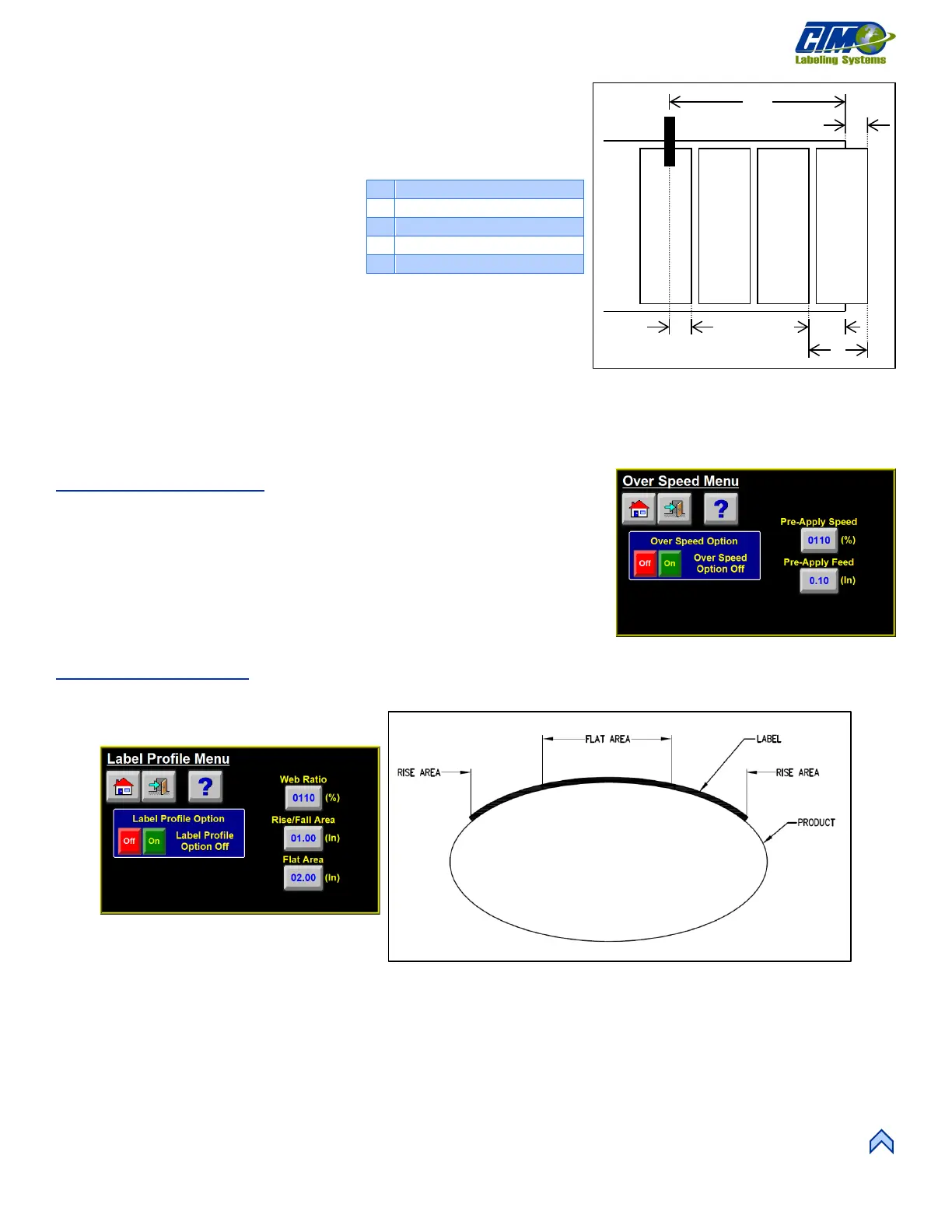
Label Profile Menu
This menu [61] allows a Merge applicator to apply labels onto a concave or convex surface. This is done when the web ratio is on and
does not equal 100% of the profile option. Figure [62] illustrates a label profile for a convex surface. The following variables affect
label profile:
• Web Ratio: Scaling percentage applied to the web speed to adjust the labelling speed during the flat area move of the profile.
• Rise/Fall Area: Distance the label travels before changing to the flat area speed. The applicator runs at web speed during rise
area.
• Flat Area: Distance the applicator travels at the web ratio speed.
Label Sensor to Peel Edge
A
D
C
[58] Multi-Panel Auto Teach Variables



 To Next Page