Operator’s Manual: Standard 360a Model Y (360y) Label Applicator
26
360y HMI Applicator Display
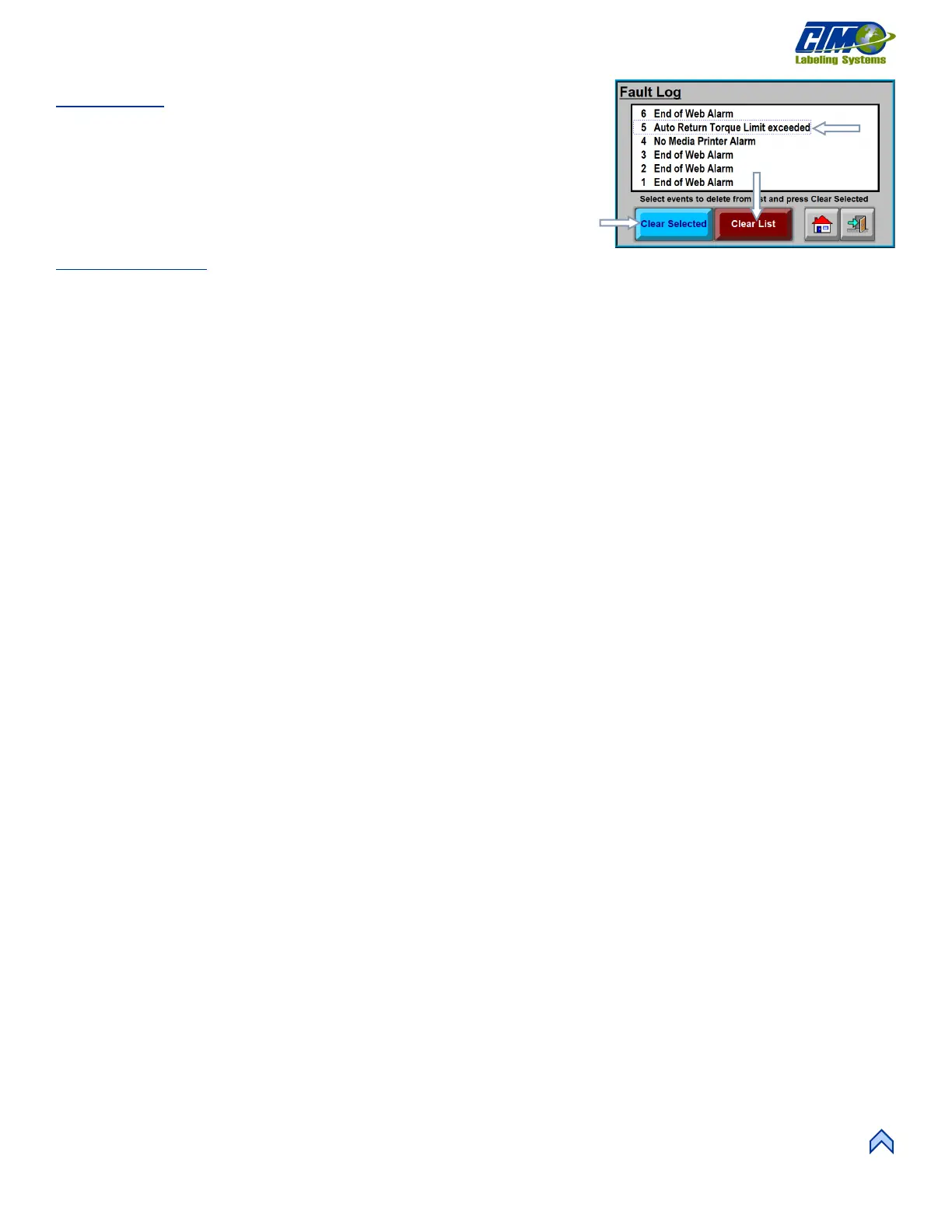
Fault Log
The Fault Log [75] tracks and sequentially numbers the critical faults. The entire list
can be cleared and/or specially selected faults can be cleared. The last ten faults are
displayed and can be scrolled through on the right side if the list is longer than the
viewing window.
NOTE: The displayed faults in the log are not all the faults that can affect the
applicator.
Clearing Faults
1. Select an individual fault by tapping the screen. The text is surrounded by a dashed blue line [75A].
2. Tap the “Clear Selected” button [75B] to clear the fault from the list.
3. Tap “Clear List” button [75C] to clear the complete list.
NOTE: Faults displayed depend on the applicator and options. Figure [43] is a representation and may not show faults that apply
to every system. Current active faults displayed in red before selecting cannot be cleared individually.



 To Next Page