Installation Manual: Standard 360a Model Y (360y) Label Applicator
8
Connecting Cables
Two cables always included with the 360y are the display cable and the power cable. The display cable is attached to the HMI display
screen and the power cable is packed separately. Other cables included depend on customer choice. These cables plug into the back of
the applicator on the connector faceplate [6]. The following are optional cables:
• I/O cable
• Encoder cable
• Crossover (Link) cable
• Low Label cable
• End of Web cable
• Product Detect cable
• Alarm (Light Stack) cable
If the cables do not have identification labels, each cable has a unique end connector so users can determine where they go by
matching the cable’s connector end to the applicator faceplate. The following are the standard connectors on the connector faceplate:
• Alarm: 7-pin CPC-13, socket connection for a three-stack alarm light: red light for Critical Alarms; amber light for Warning
Alarms; and green light for when the applicator is ready to label.
• Display: 9-pin DB connection for the HMI display screen.
• Encoder: 8-pin, CPC-11 socket contact reverse gender receptacle for an external encoder connection.
• End of Web (EOW): 5-pin M12, B-code, socket contact reverse key receptacle for the end of web sensor connection.
• I/
O: 15-pin, DB-15 connection, pre-wired for the operator to tie into to monitor various signals. For more information on the
I/O signals and pin numbers see the “I/O Harness” drawing in the “Drawings” section of the Maintenance Manual.
• Link: 9-pin DB connection for the crossover (link) cable when two applicators are used for zero downtime labeling
sequences.
• Low Label: 5-pin M12, A-code, socket connection for the low label sensor connection.
• Product: 4-pin M12, A-code, socket connection for the product detect sensor connection.
• Valve: 9-position CPC-13, pin connection for the valve bank connection to the applicator control.
Correct Connections Instructions
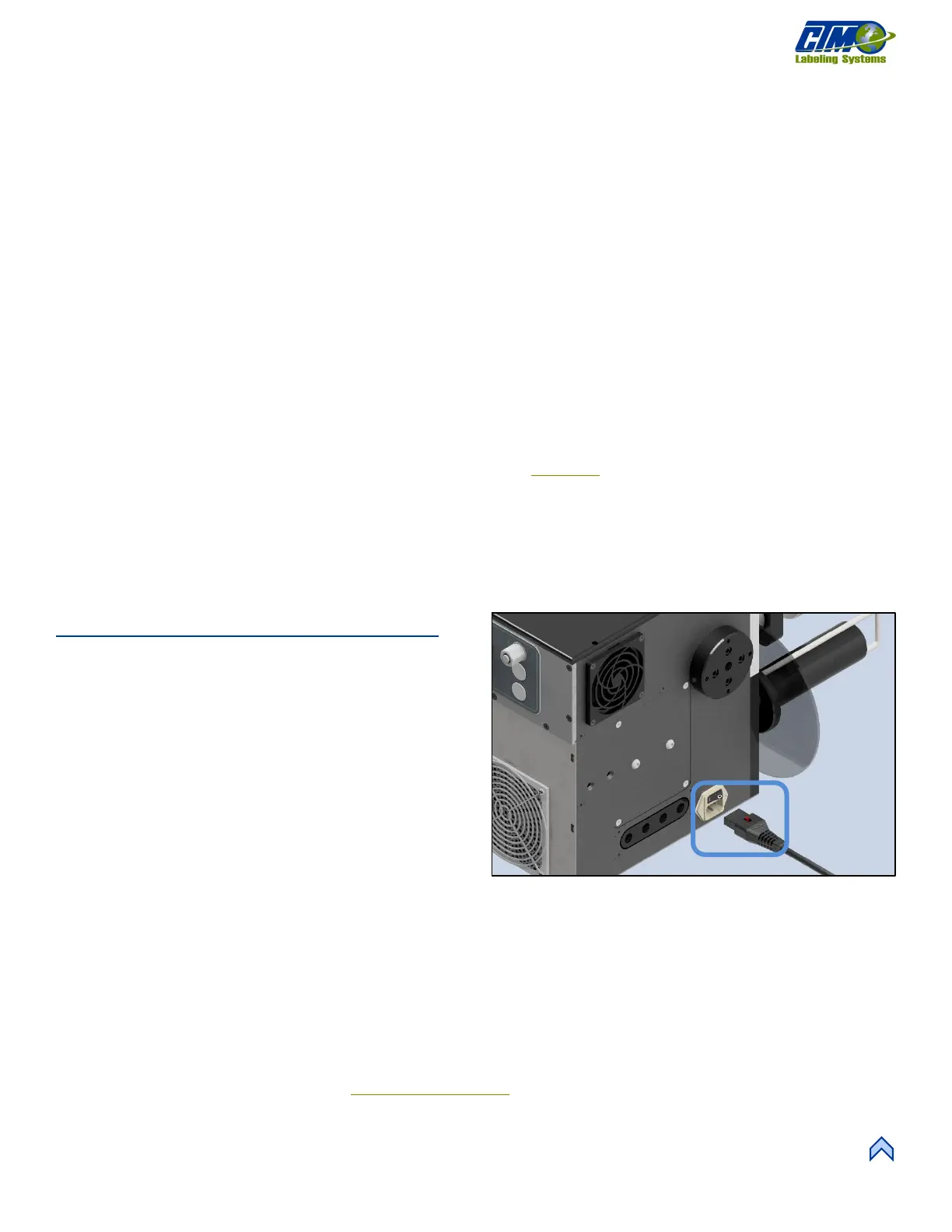
1. Plug the power cable to the applicator on the side frame
on the opposite side of the Nose assembly [6].
2. Plug in the display cable to the display slot on the
faceplate [7I].
3. Plug in additional cables to the applicator. If you don’t
have any more cables to plug in, move on to Step 4.
a. Plug in the cable connected to the valve bank to
the VALVE slot [7A]
b. Plug in the cable connected to the light stack to
the ALARM slot [7B].
c. Plug in the encoder cable to the ENCODER slot
[7C].
d. Plug in the end of web cable to the WEB/TMP slot [7D].
e. Plug in the low label cable to the LOW LBL slot [7E]. The low label sensor and end of web sensors come already
mounted to the applicator (if purchased).
f. Plug in the product detect sensor cable to the PRODUCT slot [7F].
g. Plug in the crossover cable to the LINK slot [7G]. If your applicator has this cable
h. Plug in the I/O cable to the I/O slot [7H].
i. Plug in the Safety cable to the Safety slot [7J].
4. Plug the power cable to an outlet. See System Requirements
s
ection for power information.
5. Turn on air pressure, if needed. Your applicator is ready to be powered on.



 To Next Page