Operator’s Manual: Standard 360a Model Y (360y) Label Applicator
17
360y HMI Applicator Display
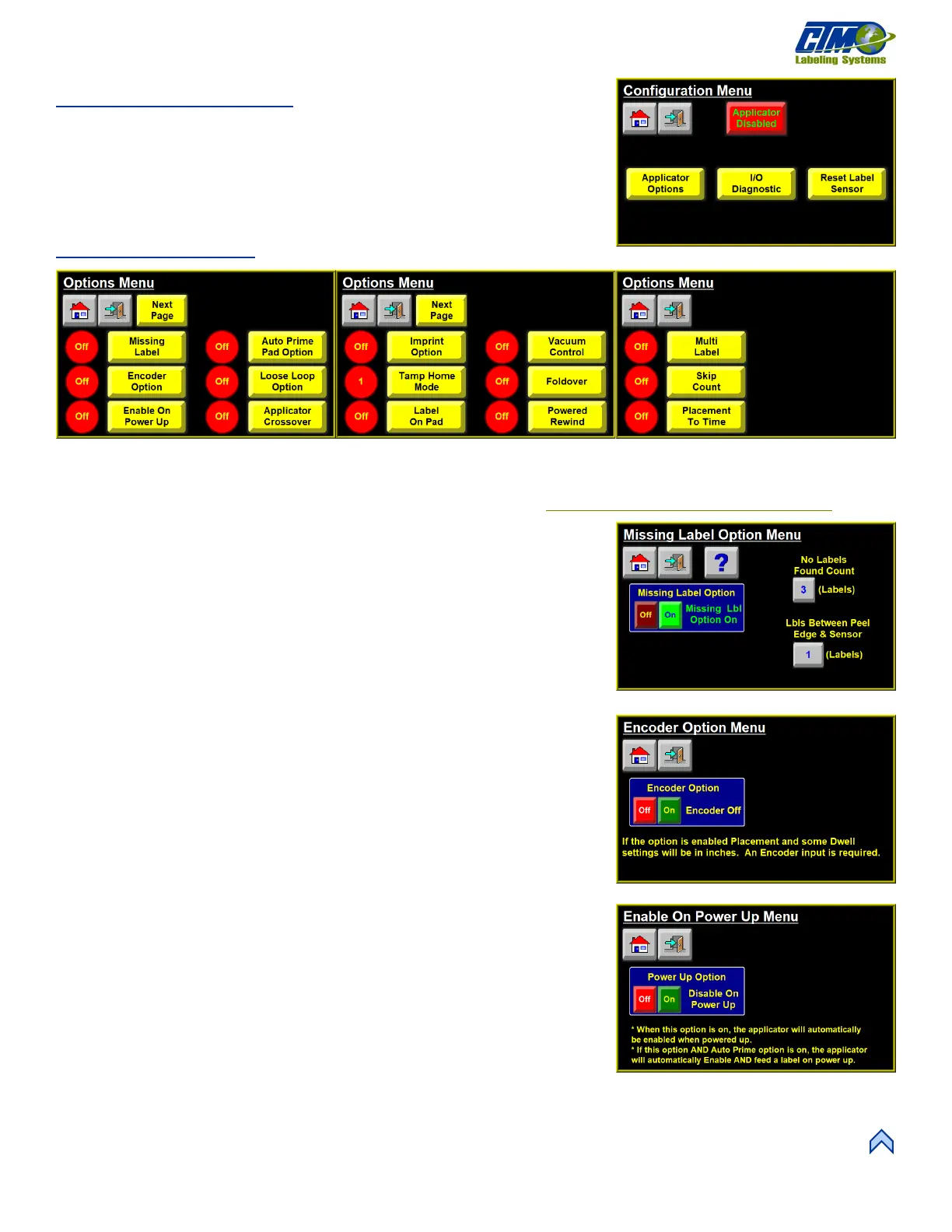
Configuration Menu
The Configuration Menu [34] is accessed from the Setup Menu while the applicator
is disabled and provides access to the following:
• Applicator Options
• I/O Diagnostic
• Reset Label Sensor
Applicator Options:
This Options menu [35] allows the operator to turn various options on or off. Options that are shown with a red circle next to them are
currently off while options with a green circle are currently on. Some options are not compatible with each other and will turn off
other options when enabled. For more information about compatibility see the Applicator Options Compatibility Chart
in
Appendix A.
Missing Label Option Menu
This menu [36] allows the applicator to track missing labels between the label sensor
and the peel edge. When the label sensor detects a missing label, and the number of
labels between sensor and peel edge is set up correctly, the applicator tracks the
position of the missing label. When the missing label reaches the peel edge, the
applicator advances the web at slew speed to move a label in its place.
• Labels Between Sensor and Peel Edge: Number of labels from the label
sensor (counting any label currently under it) to the peel edge (counting any
label hanging past the edge).
Encoder Option
This menu [37] allows the operator to turn the Encoder Option on and off. If the option
is on, Label Placement and some Dwell settings are in inches. An Encoder Input is
required to turn the option on.
Enable On Power Up
This menu [38] allows the operator to turn on the Power Up Option which
automatically enables the applicator when it is powered on. If this option and the Auto
Prime Option is on, the applicator is automatically enabled and feeds label when it is
powered on.
[34] Configuration Setup Menu
[38] Enable On Power Up Menu
[35] Applicator Options Menu



 To Next Page