Operator’s Manual: Standard 360a Model Y (360y) Label Applicator
9
Label Sensor Setup
The label sensor needs to be positioned correctly and “taught” the correct way to detect labels. There are two different ways to “teach”
label sensors: Auto Teach and Manual Teach.
Auto Teach: The applicator automatically sets the label sensitivity, label length, and label stop values. It also calculates the short feed
distance if the multi-panel apply option is enabled prior to running auto setup. Refer to the Sensor Teach
section to select whether
you want to sense the leading or trailing edge of the label and follow the instructions.
Manual Teach: Manual teach function is used instances where auto teaching does not work. It adds in extra steps to teach the same
variables taught in the auto teach. See the Sensor Teach
section for more information.
The label sensor is connected to a U-shaped optical receptacle via fiber optic cable. Ensure there are no sharp bends in the fiber optic
cable for proper operation of the label sensor. The U-shaped receptacle is also referred to as sensor forks which contain a light emitter
and receiver. Keep both surfaces free of contaminants to ensure accuracy. The light emitter should be the lower fork.
1. Position the web liner inside the forks so the sensor sees the label surface. The contrast inside the label should be uniform to
avoid false edge detections.
2. If any part of the web liner is visible, move the forks in or out so the sensor does not detect this area on the label.
3. Select the edge option that gives the most reliable performance for your label. The label sensor has two detection modes:
leading edge and trailing edge detection.
Label Length Setup
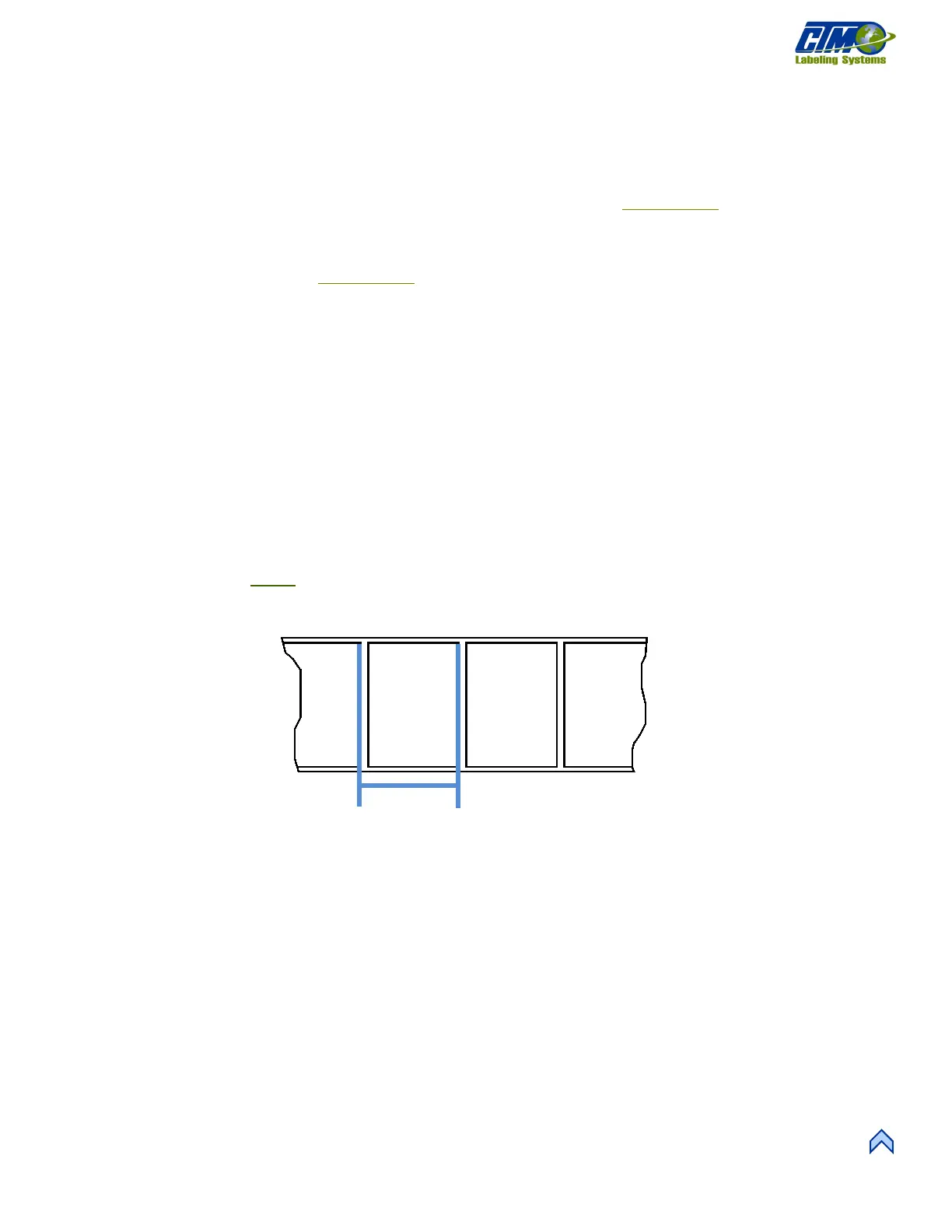
The label length can manually be put into the applicator instead of doing a teach. The length needs to include the gap between labels
as shown in Figure [18].
NOTE: Set the label length to exactly what it is. If there is a missing label on the web liner, it travels the label length distance. This
is important because of the label sensor’s position relative to the peel edge. If a value is entered outside of the allowable
values, the display resets the value to its previous number.



 To Next Page