Operator’s Manual: Standard 360a Model Y (360y) Label Applicator
4
Diffused Setup
1. Ensure that the sensor is properly mounted.
2. Place the product in front of the sensor and adjust the sensitivity of the sensor until the lights on the sensor are fully on and
not blinking.
3. Remove the product and verify that the sensor turns off. If the product has multiple colors on it, set the gain using the darkest
part of the product.
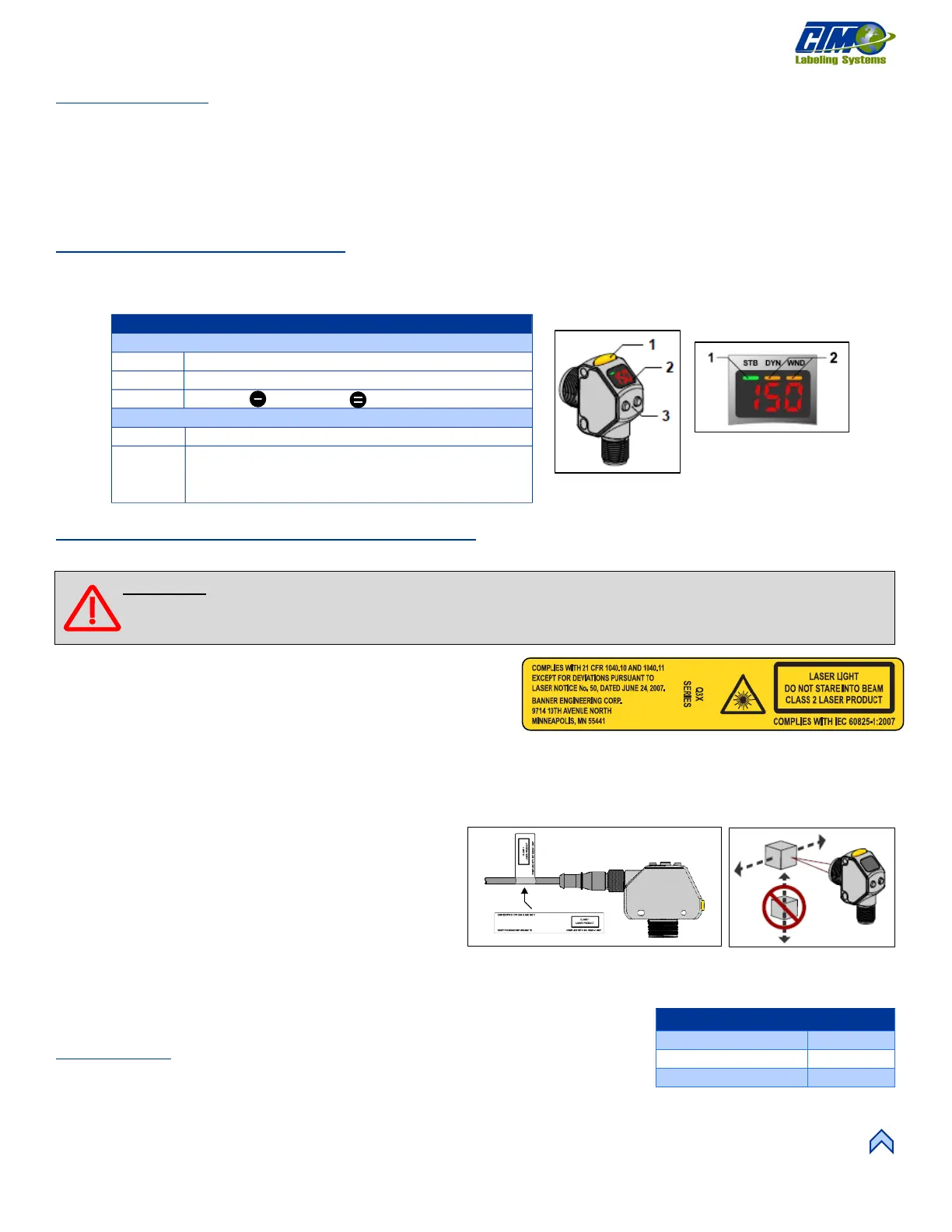
Banner Q3X Laser sensor
This laser sensor [7] senses products on a system. Basic instructions and descriptions are listed in this section. If additional
information is required refer to the manufacture instruction literature.
Laser Description and Safety Information
Class 2 Lasers
Class 2 lasers emit visible radiation in the wavelength range from
400nm to 700nm, where eyes are protected by aversion responses such
as blinking. This reaction provides adequate protection under
reasonably foreseeable conditions of operation, including the use of
optical instruments for intrabeam viewing.
Safety Notes
Low-power lasers are, by definition, incapable of causing eye injury within the duration of a blink (aversion response) of 0.25
seconds. They also must emit only visible wavelengths (400 to 700 nm). Therefore, an ocular hazard may exist only if individuals
overcome their natural aversion to bright light and stare
directly into the laser beam.
The safety label [9] must be installed on Q3X sensors that are
used in the United States.
1. Remove the protective cover from the adhesive on the
label.
2. Wrap the label around the Q3X cable [10].
3. Press the two halves of the label together.
NOTE: Position the label on the cable in a location that has minimal chemical exposure.
Installation
Correct sensor-to-target orientation is important to ensure proper sensing. To ensure reliable
detection, orient the sensor in relation to the target to be detected [11].
[7] Baner Q3X Laser
Sensor
[8] Banner Q3X Laser
Sensor Display
[11] Safety Label Installation
Orientation
Stability Indicator: (STB: Green)
• DYN: Dynamic TEACH
• WND: Symmetric window active (Amber)
WARNING: Use of controls or adjustments or performance of procedures other than those specified herein may
result in hazardous radiation exposure. Do NOT attempt to disassemble.



 To Next Page