104 Configuring System Information
Defining General Device Information
The General menu page contains links to pages that allow you to configure device parameters. Use this
page to access the following features:
•Asset
• System Health
•Versions
•System Resources
• Time Zone Configuration
• Summer Time Configuration
•Clock Detail
• Reset
Asset
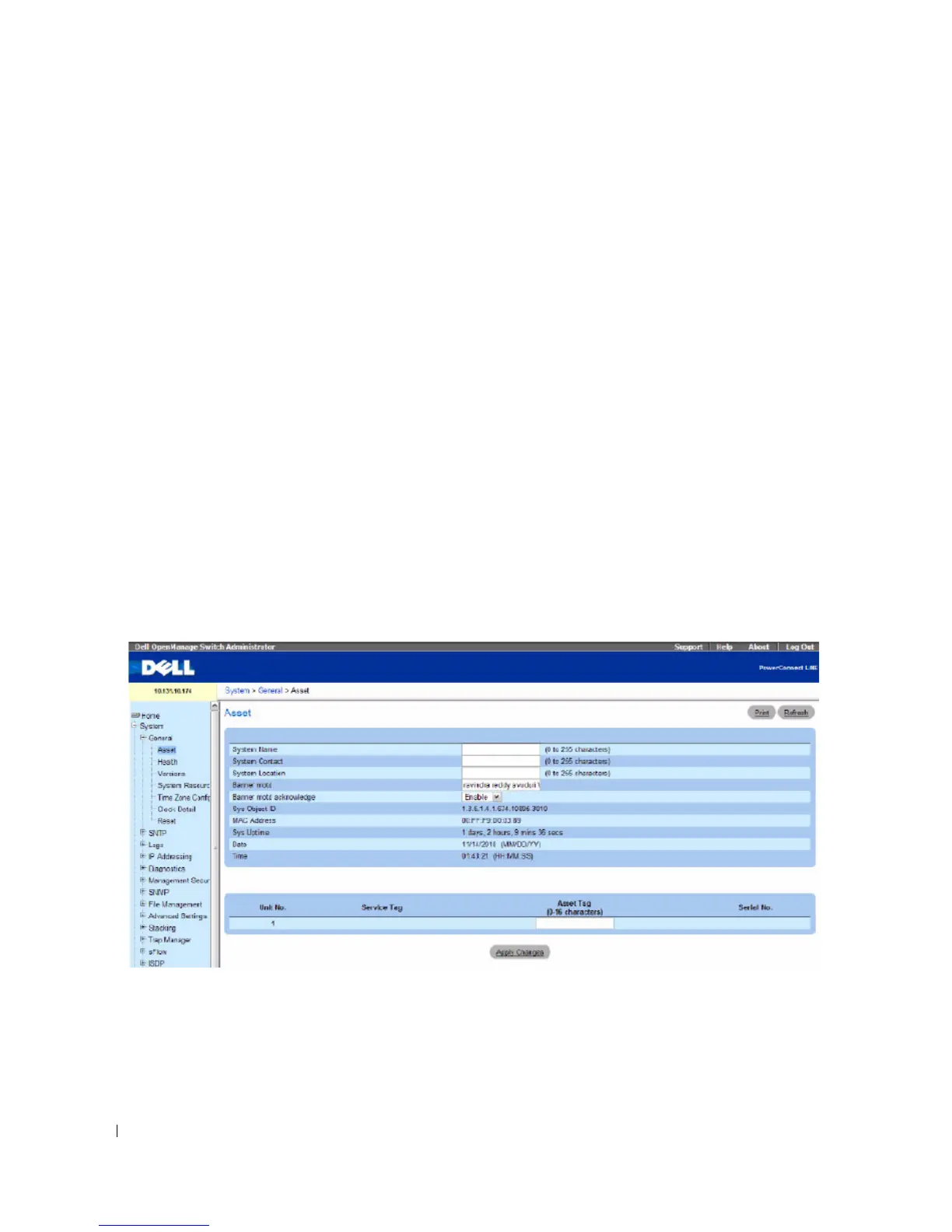
Use the Asset page fields to configure and view general device information.
To display the Asset page, click System > General > Asset in the tree view.
Figure 6-1. Asset
The Asset page contains the following fields:
•
System Name (0
–
255 characters) —
Use to assign device system name.
•
System Contact (0
–
255 characters) —
Use to assign the
contact person’s name.
•
System Location (0
–
255 characters)
— Use to specify a system location.



 To Next Page