134 Configuring System Information
Defining Out of Band Interface Parameters Using CLI Commands
For information about the CLI commands that perform this function, see the following chapter in the
CLI Reference Guide
:
• IP Addressing Commands.
Domain Name Server (DNS)
The Domain Name System converts user-defined domain names into IP addresses. Each time a domain
name is assigned, this service translates the name into a numeric IP address. For example,
www.ipexample.com is translated to 192.87.56.2. Domain Name System servers maintain domain name
databases and their corresponding IP addresses.
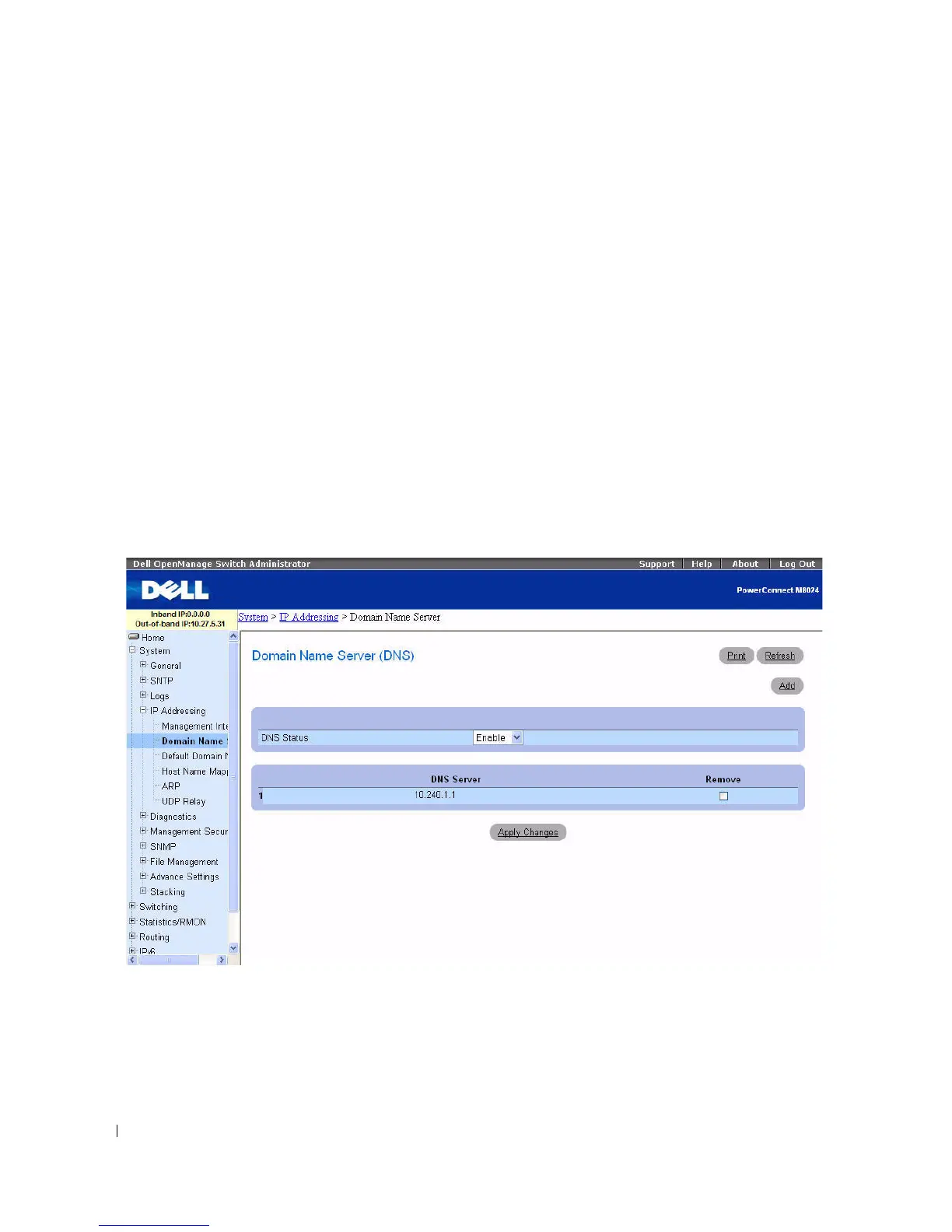
Use the Domain Name Server (DNS) page to enable and activate specific DNS servers.
To display th e Domain Name Server page, click System > IP Addressing > Domain Name Server in the
tree view.
Figure 6-25. Domain Name Server
The Domain Name Server (DNS) page contains the following fields:
•
DNS Status —
Enables or disables translating DNS names into IP addresses.
•
DNS Server —
Contains a list of DNS servers. DNS servers are added in the
Add DNS Server
page.
•
Remove —
When selected, removes the selected DNS server.



 To Next Page