724 Configuring IP Multicast
RP Set Summary
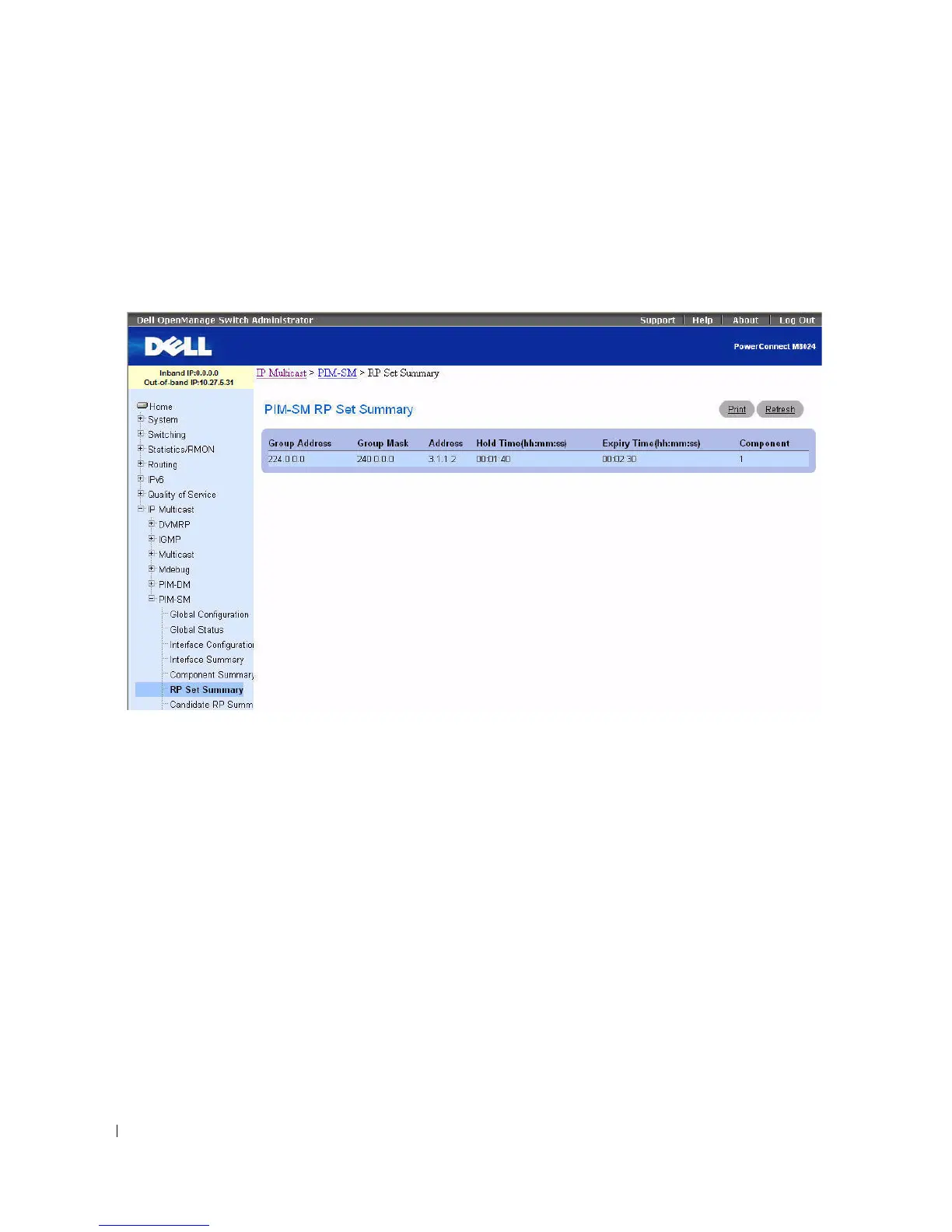
Use the PIM-SM RP Set Summary
page to display the static RP information for the PIM-SM router.
To display the page, click Multicast > PIM-SM > RP Set Summary in the tree view.
Figure 12-51. PIM-SM RP Set Summary
The PIM-SM RP Set Summary page displays the following fields in a table:
•
Group Address
— Displays IP multicast group address.
•
Group Mask
— Displays Multicast group address mask.
•
Address
— Displays IP address of the Candidate-RP.
•
Hold Time (hh:mm:ss)
— The holdtime of a Candidate-RP. If the local router is not the BSR, this
value is 0.
•
Expiry Time (hh:mm:ss)
— The minimum time remaining before the Candidate-RP is declared down.
•
Component
— A number which uniquely identifies the component. Each protocol instance
connected to a separate domain should have a different index value.
Displaying RP Set Summary using the CLI Commands
For information about the CLI commands that perform this function, see the following chapter in the
CLI Reference Guide:
• PIM-SM Commands



 To Next Page