292 Configuring Switching Information
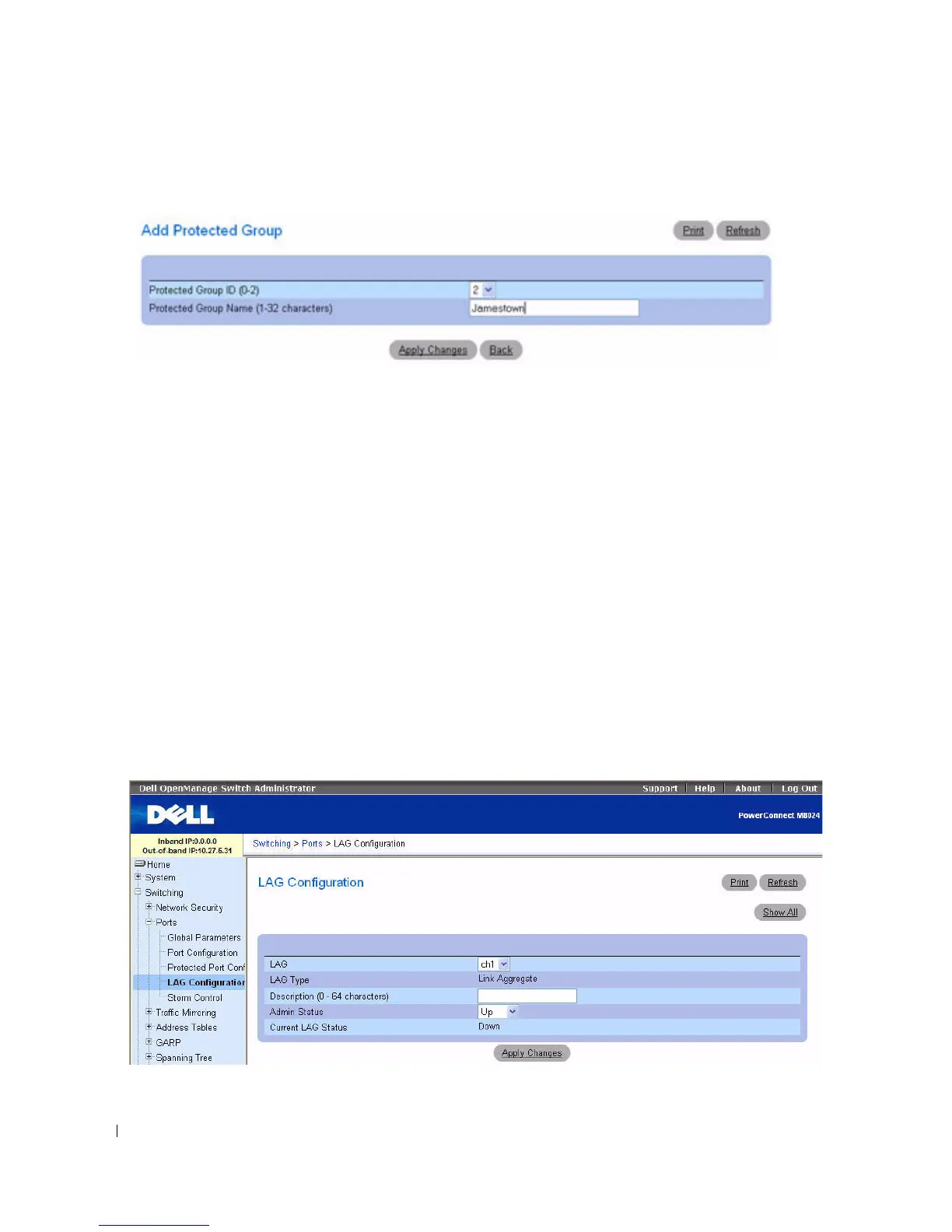
Figure 7-24. Add Protected Port
3.
Use the drop-down menu to assign the numeric designation 0, 1, or 2 to the
Protected Group ID
.
4.
Enter a
Protected Group Name (1–32 characters)
.
5.
Click
Apply Changes
.
The Protected Group settings are copied, and the device is updated.
Configuring Protected Ports With CLI Commands
For information about the CLI commands that perform this function, see the following chapter in the
CLI Reference Guide
:
• Switchport Protected Commands
LAG Configuration
Link Aggregation allows one or more full duplex Ethernet links to be aggregated together to form a Link
Aggregation Group (LAG). The switch can treat LAG as if it were a single link.
To display t he LAG Configuration page, click Switching > Ports > LAG Configuration in the tree view.
Figure 7-25. LAG Configuration
The LAG Configuration page contains the following fields:



 To Next Page