372 Configuring Switching Information
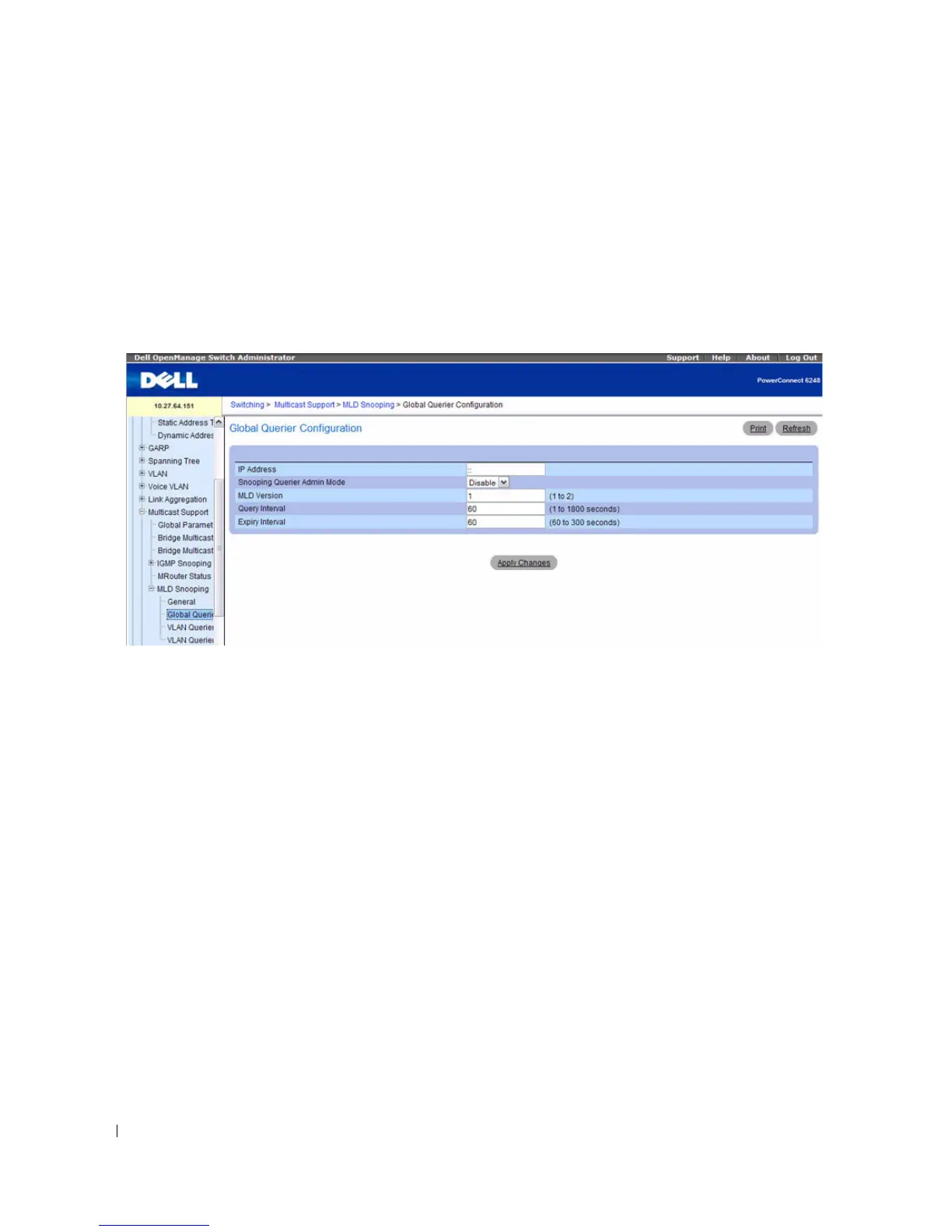
MLD Snooping Global Querier Configuration
Use the
MLD Snooping
Global Querier Configuration page to configure the parameters for the MLD
Snooping Querier.
To display the Global Querier Configuration
page, click Switching > Multicast Support > MLD
Snooping > Global Querier Configuration in the tree view.
Figure 7-88. MLD Snooping Global Querier Configuration
The
MLD Snooping
Global Querier Configuration page contains the following fields:
•
IP Address—
Specifies the Snooping Querier IPv6 Address which will be used as the source address in
periodic MLD queries. This address is used when no address is configured for the VLAN on which the
query is being sent.
•
Snooping Querier Admin Mode
— Enables or disables the administrative mode for MLD Snooping
for the switch.
•
MLD Version
— Specifies the version of MLD protocol used in periodic MLD queries.
•
Query Interval (1–1800)
— Specifies the time interval in seconds between periodic queries sent by the
Snooping Querier. The default value is 60.
•
Expiry Interval (60–300)
— Specifies the time interval in seconds after which the last querier
information is removed. The default value is 60.
Configuring Global Querier MLD Snooping Settings with CLI Commands
For information about the CLI commands that perform this function, see the following chapter in the
CLI Reference Guide:
• MLD Snooping Commands



 To Next Page