Configuring System Information 161
Password Management
Password management provides increased network security and improved password control. Passwords
for SSH, Telnet, HTTP, HTTPS, and SNMP access are assigned security features, including:
• Defining minimum password lengths (the minimum password length is 8 when password length-
checking is enabled)
• Password expiration
• Preventing frequent password reuse
• Locking out users out after failed login attempts
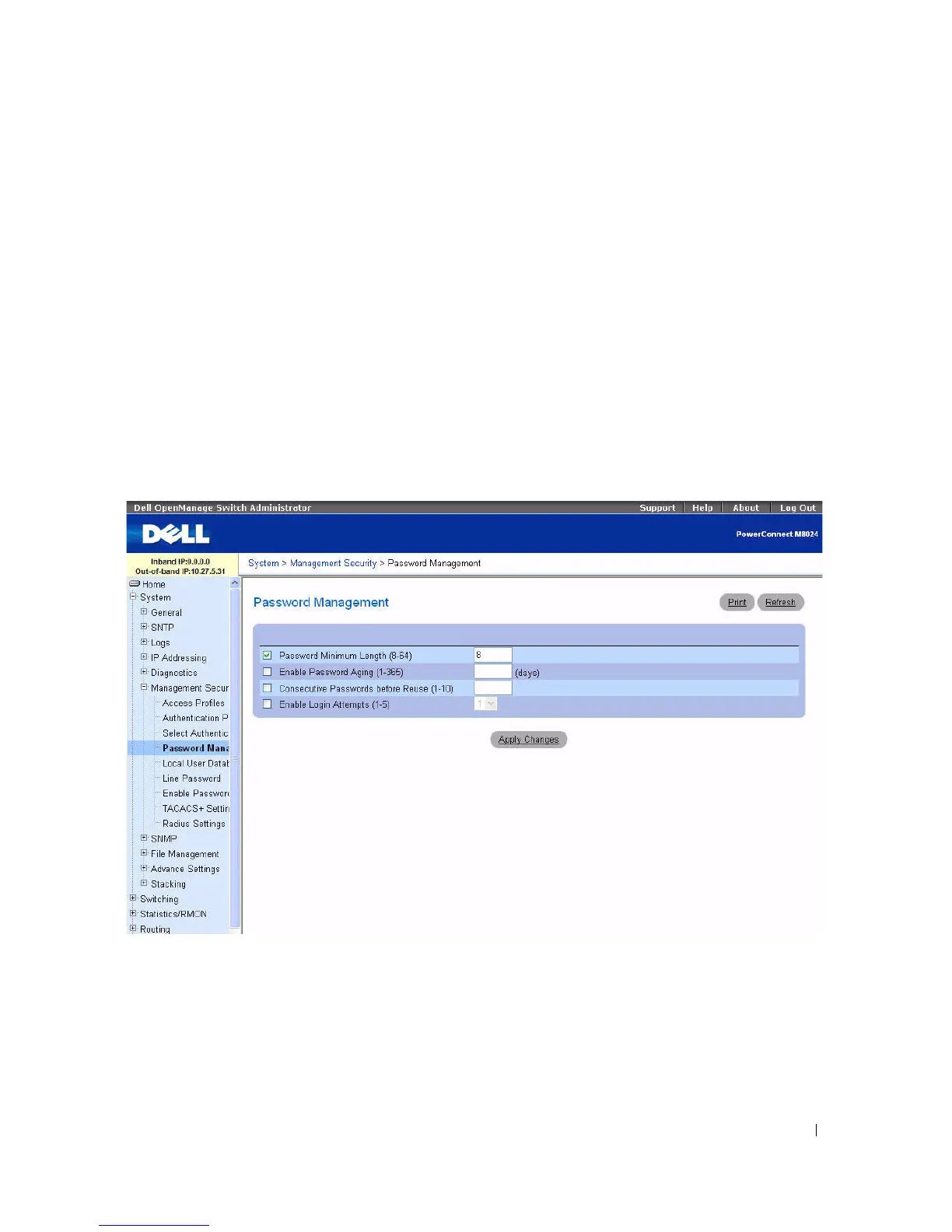
To display the Password Management page, click System > Management Security > Password
Management in the tree view.
Figure 6-47. Password Management
The Password Management page contains the following fields:
•
Password Minimum Length (8
–
64)
— Indicates the minimum password length, when checked. For
example, the administrator can define that all line passwords must have at least 10 characters. If you
clear the check box and apply the changes, no minimum password length is required. This means that
users can be created without a password.



 To Next Page