Configuring System Information 157
Configuring an Authentication Profile Using CLI Commands
For information about the CLI commands that perform this function, see the following chapter in the
CLI Reference Guide
:
• AAA Commands.
Select Authentication
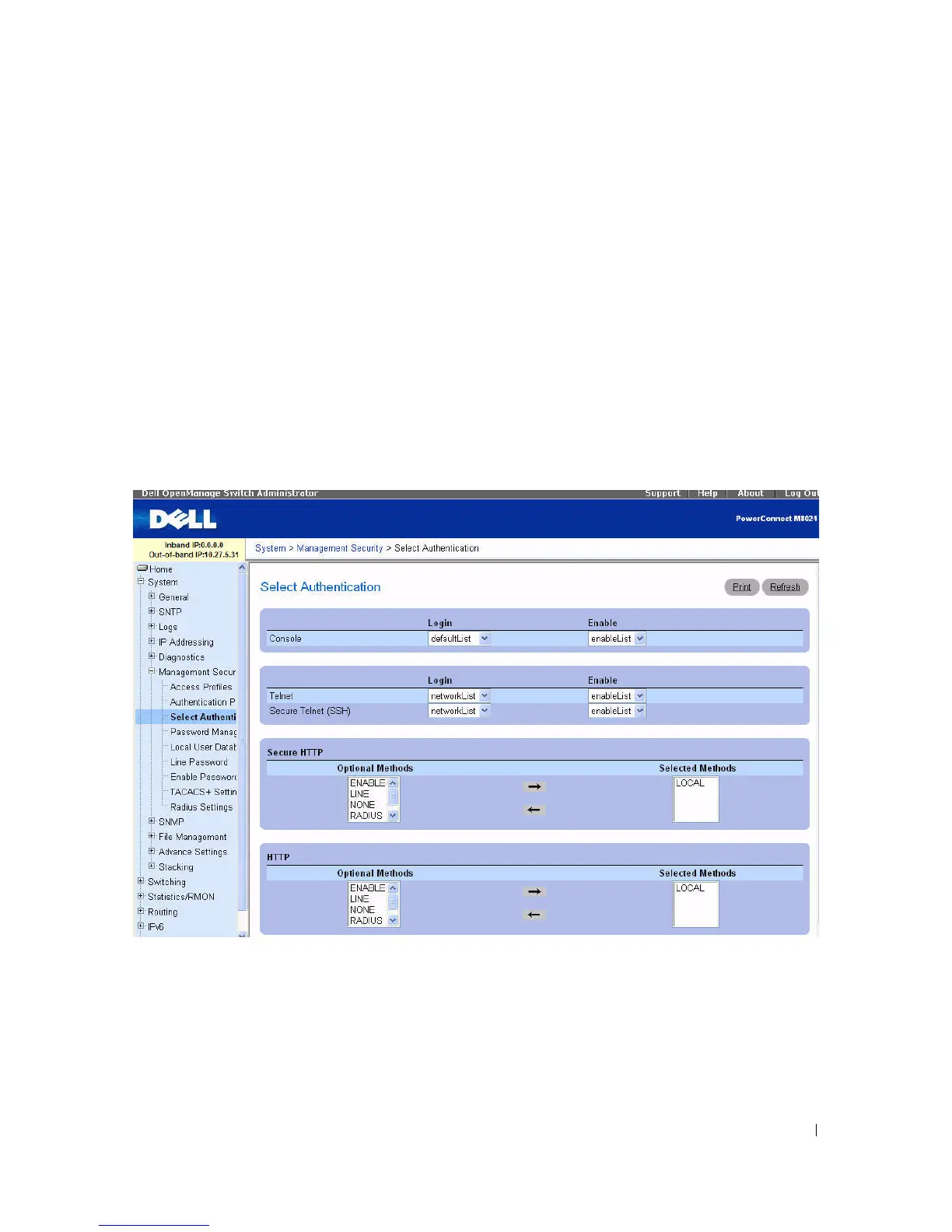
After authentication profiles are defined, you
can apply them to management access
methods. For
example, console users can be authenticated by Authentication Profile List 1, while Telnet users are
authenticated by Authentication Profile List 2.
To display the Select Authentication page, click System > Management Security > Select
Authentication in the tree view.
Figure 6-46. Select Authentication
The Select Authentication page contains the following fields:
•
Console —
Authentication profiles used to authenticate console users.
•
Telnet
— Authentication profiles used to authenticate Telnet users.
•
Secure Telnet (SSH
) — Authentication profiles used to authenticate Secure Shell (SSH) users.
SSH
provides clients secure and encrypted remote connections to a device.



 To Next Page