Configuring IPv6 607
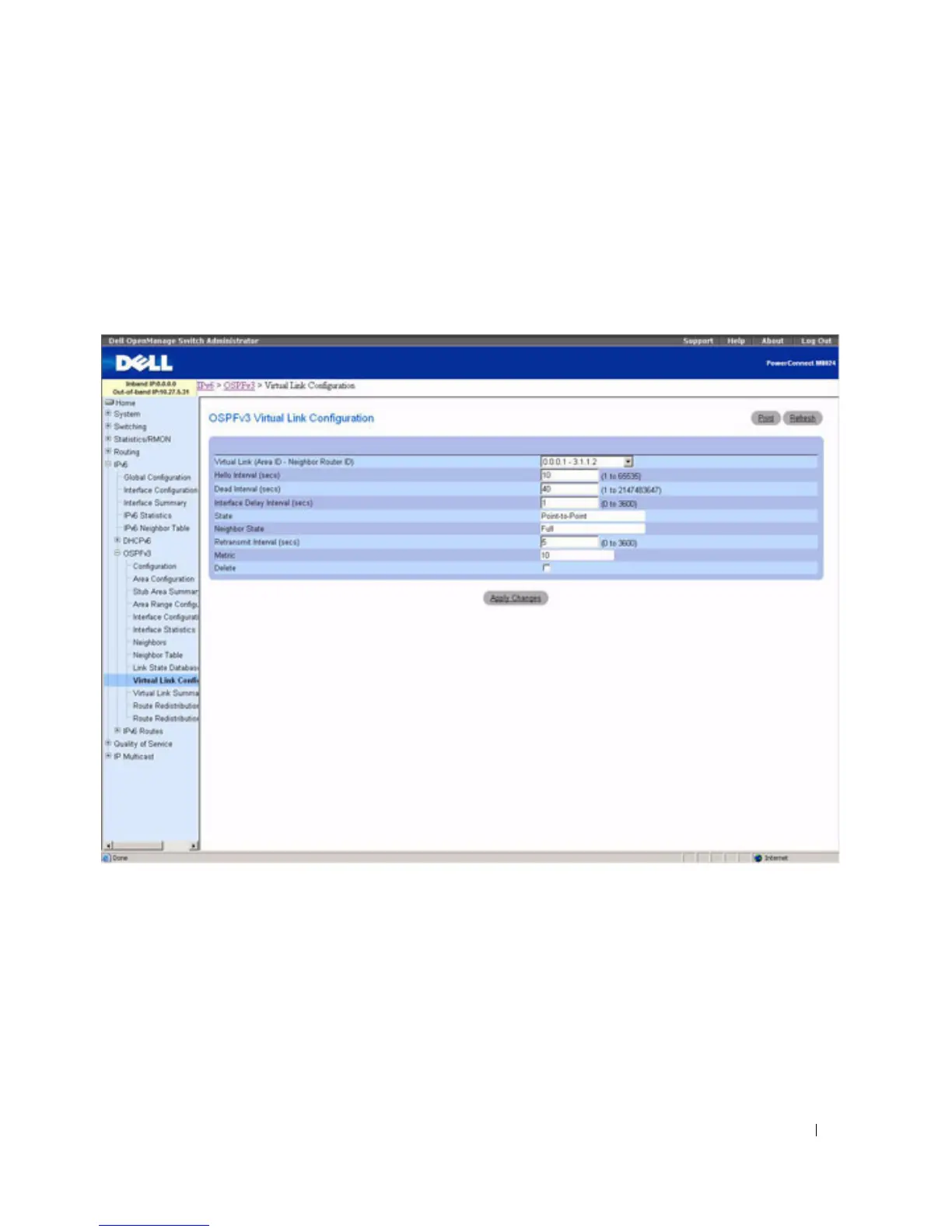
OSPFv3 Virtual Link Configuration
Use the OSPFv3 Virtual Link Configuration
page to define a new or configure an existing virtual link.
To display this page, a valid OSPFv3 area must be defined through the OSPFv3 Area Configuration page.
To display the page, click IPv6 > OSPFv3 > Virtual Link Configuration in the tree view.
Figure 10-28. OSPFv3 Virtual Link Configuration
The OSPFv3 Virtual Link Configuration page contains the following fields:
•
Create New Virtual Link
— Select this option from the drop-down menu to define a new virtual link.
The area portion of the virtual link identification is fixed: you are prompted to enter the Neighbor
Router ID on a new screen.
•
Virtual Link (Area ID - Neighbor Router ID)
— Select the virtual link for which you want to display
or configure data. It consists of the Area ID and Neighbor Router ID.
•
Hello Interval
(secs)
— Enter the OSPF hello interval for the specified interface in seconds. This
parameter must be the same for all routers attached to a network. Valid values range from 1 to 65,535.
The default is 10 seconds.



 To Next Page