Configuring System Information 109
– One minute
–Five minutes
Displaying System Resources Using the CLI
For information about the CLI commands that perform this function, see the following chapter in the
CLI Reference Guide
:
• System Management Commands
Time Zone Configuration
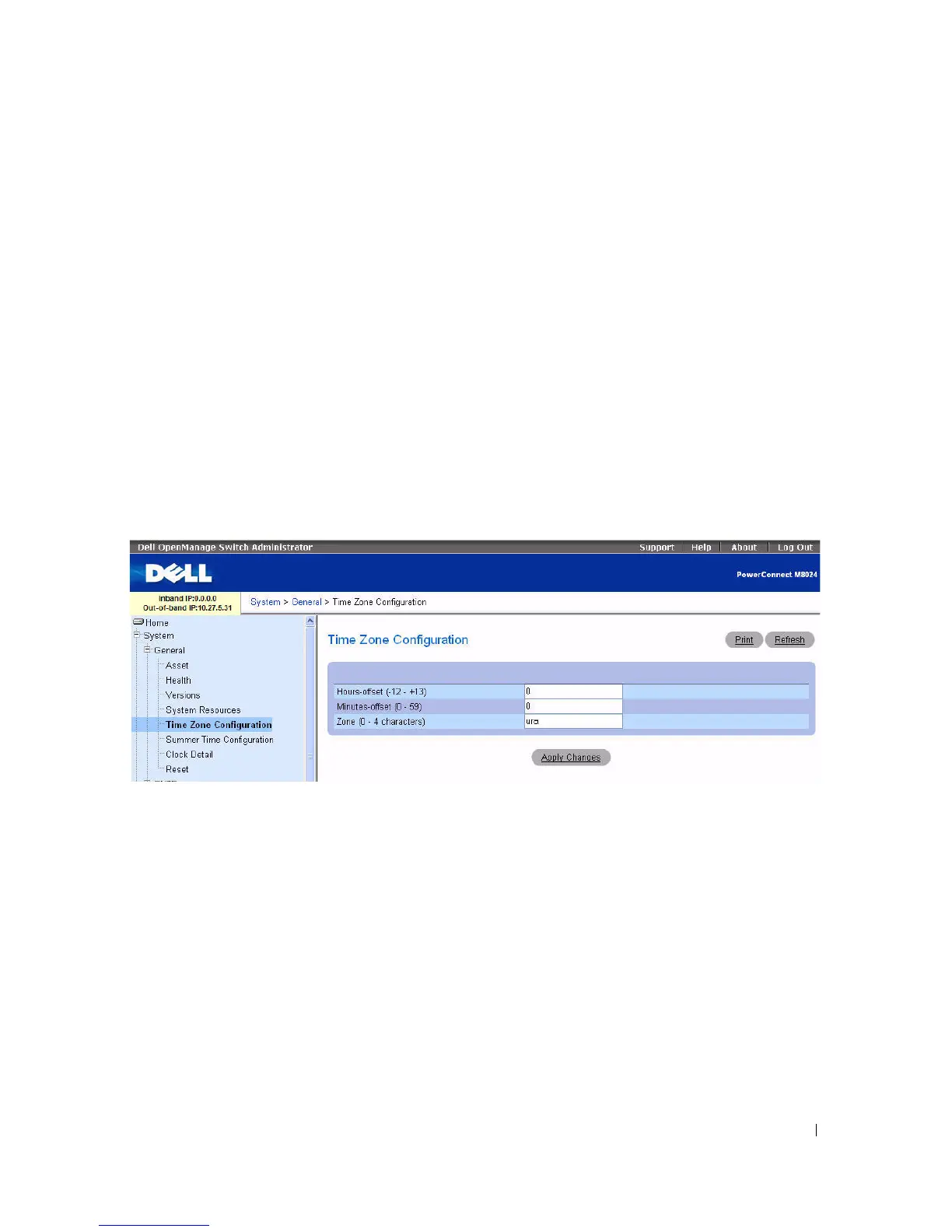
Use the Time Zone Configuration to configure the time zone difference from Coordinated Universal
Time (UTC).
To display the Time Zone Configuration page, click System > General > Time Zone Configuration in
the tree view.
Figure 6-5. Time Zone Configuration
The Time Zone Configuration page contains the following fields:
•
Hours-offset
— Set the hours difference from UTC. (Range: -12 to +13)
•
Minutes-offset
— Set the minutes difference from UTC. (Range: 0
–
59)
•
Zone
— Set the acronym of the time zone. (Range: 0
–
4 characters)
Defining the Time Zone Parameters
1.
Open the
Time Zone Configuration
page.
2.
Define the
fields as needed.
3.
Click
Apply Changes
.
The time zone settings are modified, and the device is updated.



 To Next Page