318 Configuring Switching Information
MSTP Settings
The Multiple Spanning Tree Protocol (MSTP) supports multiple instances of Spanning Tree to
efficiently channel VLAN traffic over different interfaces. MSTP is compatible with both RSTP and STP;
a MSTP bridge can be configured to behave entirely as a RSTP bridge or a STP bridge.
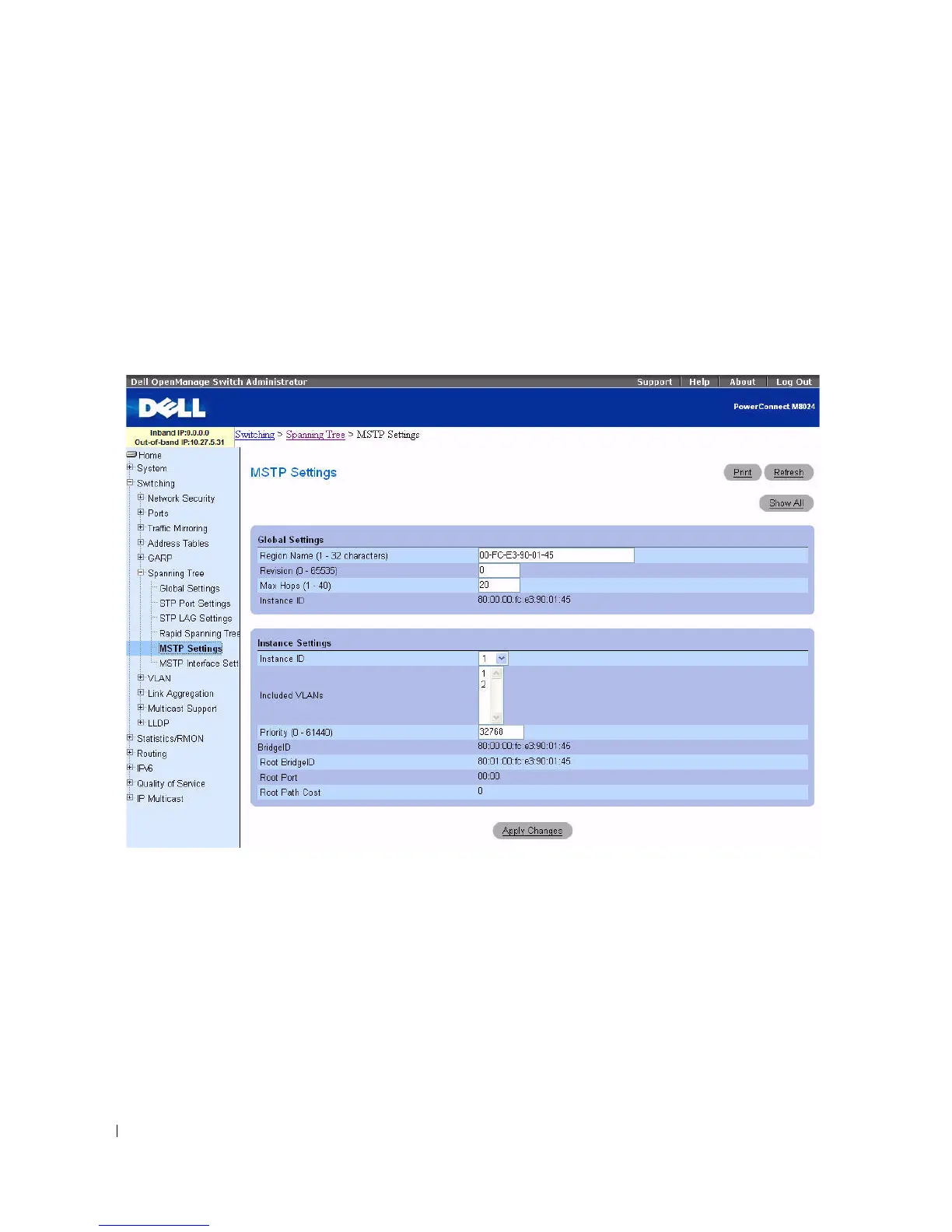
To display the MSTP Settings page, click Switching > Spanning Tree > MSTP Settings in the tree
view.
Figure 7-45. MSTP Settings
The MSTP Settings page contains the following fields divided into two sections, Global Settings and
Instance Settings:
•
Region Name (1–32 characters) —
Specifies a user-defined MST region name.
•
Revision (0–65535) —
Specifies unsigned 16-bit number that identifies the revision of the current
MST configuration. The revision number is required as part of the MST configuration. Default is 0.
•
Max Hops (1–40) —
Specifies the total number of hops that occur in a specific region before the
BPDU is discarded. Once the BPDU is discarded, the port information is aged out. Default is 20.
•
Instance ID —
Specifies the ID of the spanning tree instance. The field range is 1–15, and default is 1.



 To Next Page