Configuring Switching Information 369
The MFDB IGMP Snooping Table page contains the following fields:
•
VLAN
— Displays the VLAN ID associated with an IGMP group entry in the MFDB table.
•
MAC Address
— Displays the MAC Address associated with an IGMP group entry in the MFDB table.
•
Ty p e
— Displays the type of the entry.
Static
entries are those that are configured by the user.
Dynamic
entries are added to the table as a result of a learning process or protocol.
•
Description
— The text description of this multicast table entry. Possible values are
Management
Configured
,
Network Configured
and
Network Assisted
.
•
Ports
— The list of interfaces designated for forwarding (Fwd:) for a corresponding MFDB entry.
The Forbidden Ports section of the page contains the following fields:
•
VLAN
— Displays the VLAN ID associated with an IGMP group entry in the MFDB table.
•
MAC Address
— Displays the MAC Address associated with an IGMP group entry in the MFDB table.
•
Ports
— The list of interfaces that are designated for filtering (Flt:) for a corresponding MFDB entry.
MRouter Status
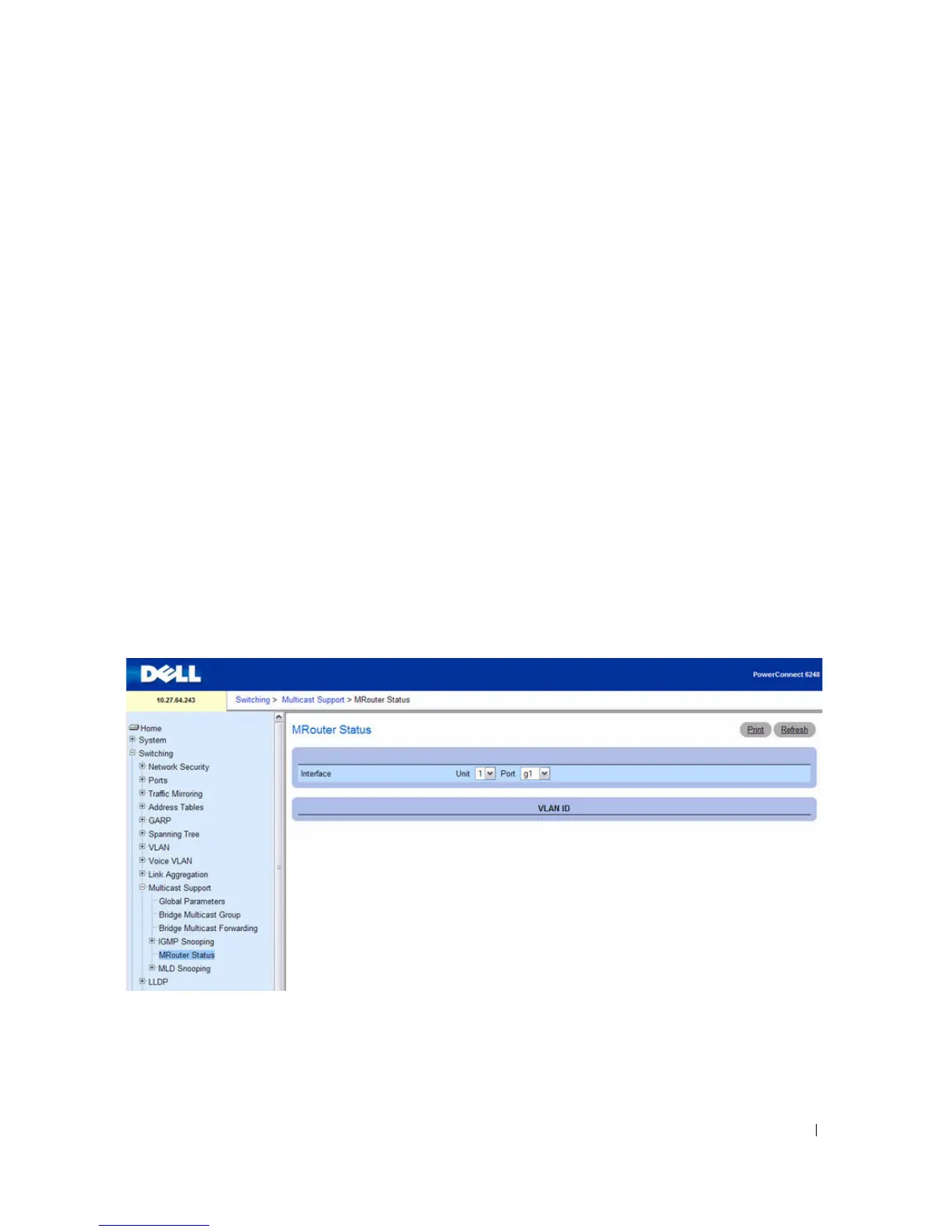
Use the MRouter Status page to display the status of dynamically learned multicast router interfaces.
To access this page, click Switching > Multicast Support > MRouter Status in the navigation tree.
Figure 7-85. MRouter Status
The MRouter Status page contains the following fields:
•
Interface
— Select the interface for which you want to display the status.
•
VLAN ID —
Displays the dynamically learned multicast router interfaces.



 To Next Page