94 Configuring Dell PowerConnect
Initial Connection
1.
Using the RS-232 port, connect the switch to the workstation.
2.
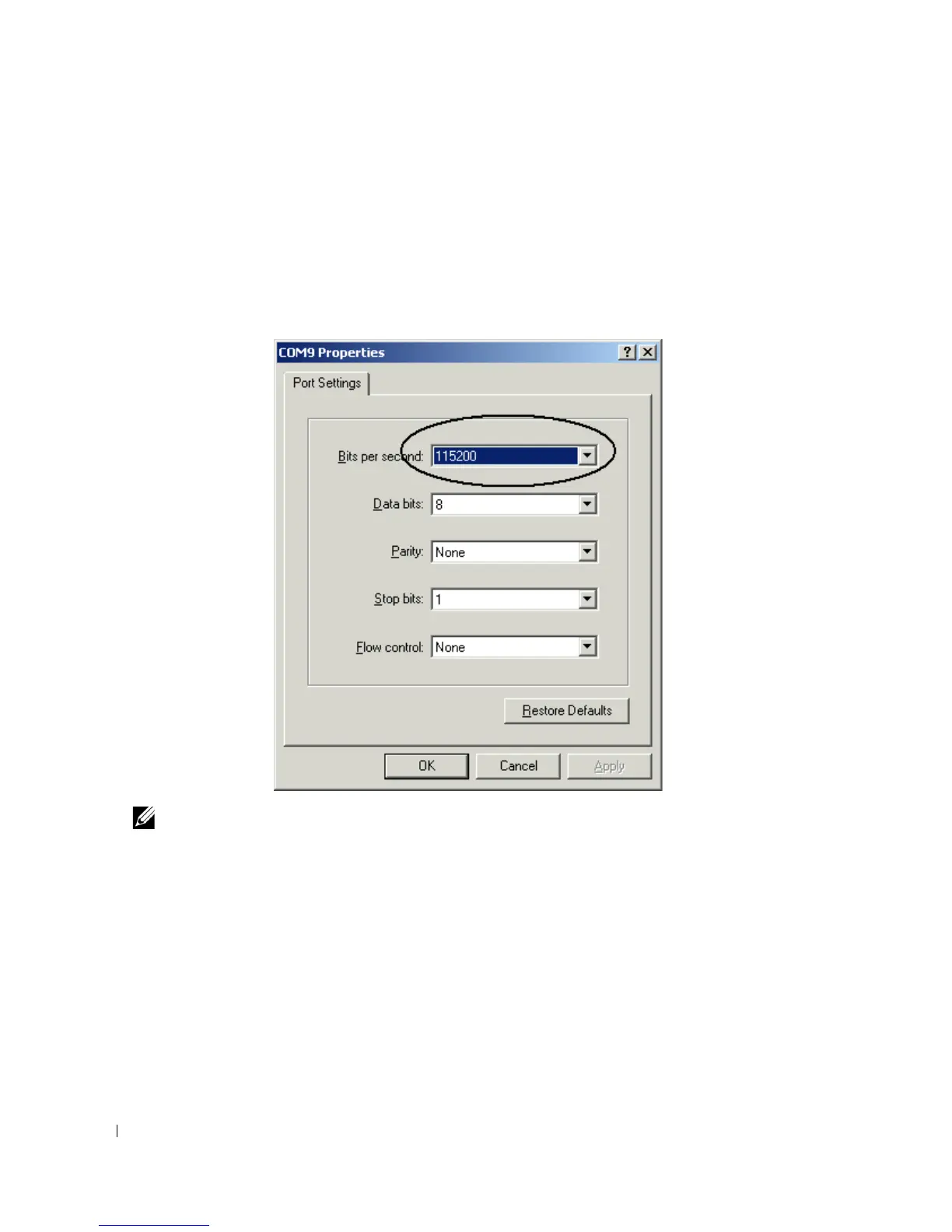
Set the ASCII terminal with the following settings and select the appropriate COM port.
The sample screen uses the HyperTerminal.
Figure 5-3. HyperTerminal Properties Window
Note: 9600 is the default baud rate for a new switch. The switch may have another baud rate. If using the
default baud rate does not result in viewing the switch terminal, try another baud rate.
3.
Use the provided serial cable to connect the workstation to the switch.
4.
Connect the switch power cord and power up the switch. The system begins the boot process. When
the following displays, you can enter the
Boot
menu by selecting
2
, if necessary, to run special
procedures.
Select an option. If no selection in 10 seconds then operational code
will start.
1 - Start operational code.
2 - Start Boot Menu.
Select (1, 2):2



 To Next Page