Configuring System Information 123
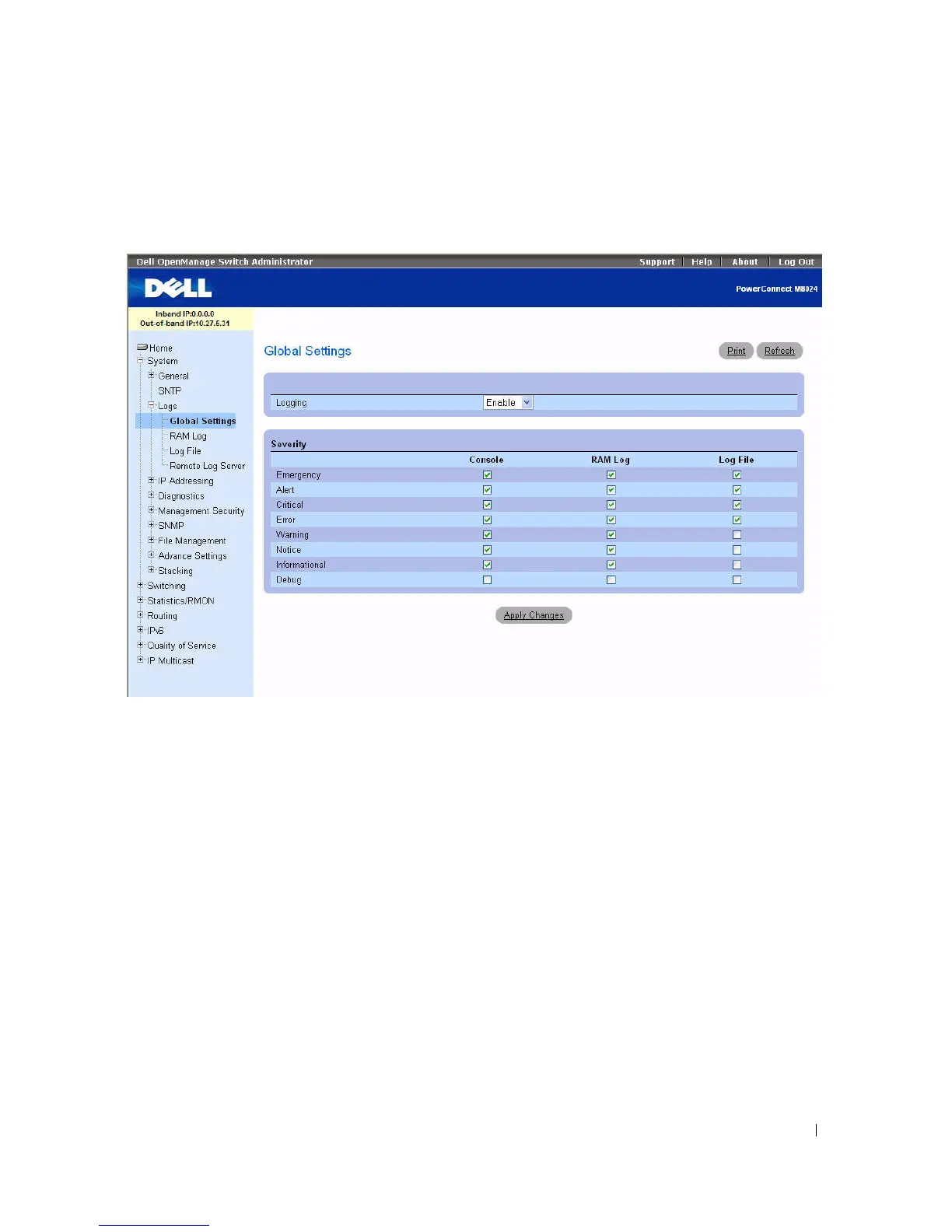
To display the Global Settings page, click System > Logs > Global Settings in the tree view.
Figure 6-16. Global Settings
The Global Settings page contains the following fields:
•
Logging
— Enables device global logs for Cache, File, and Server Logs. All logs which are printed to
the console are saved to the log files. The possible field values are:
–
Enable —
Enables saving logs in Cache (RAM), File (FLASH), and an External Server.
–
Disable
— Disables saving logs. It is not possible to disable logging of logs that are printed to
console.
Severity
Use the check boxes in this section to adjust the sensitivity of the console, persistent memory, and log
files.
When you select a specific level, all of the levels above it are automatically selected. For example, if you
select Error, the system automatically selects Error, Critical, Alert, and Emergency. If you deselect Error,
all of the levels below (for example, Error, Warning, Notice, Informational, Debug) are deselected.
•
Emergency
— The highest level warning level. If the device is down or not functioning properly, an
emergency log is saved to the device.



 To Next Page