Configuring System Information 239
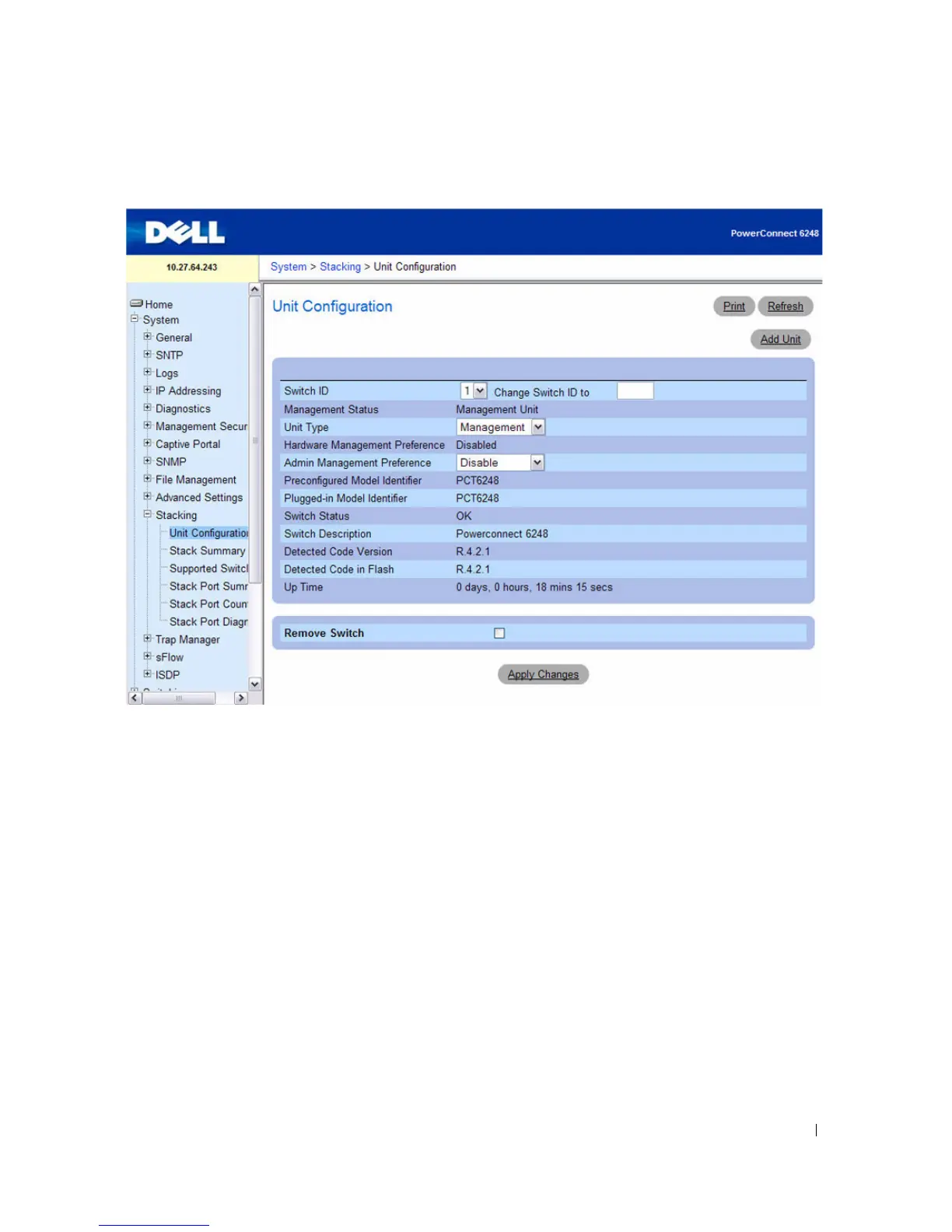
Figure 6-115. Unit Configuration
The Unit Configuration page contains the following fields:
•
Switch ID —
Specifies unit to be configured.
•
Change Switch ID to
—
Changes the unit number of the selected unit.
•
Management Status —
Shows whether the selected unit is a Management Unit or a Stack Member.
•
Unit Type
— Specify whether the select unit is the Management Unit (Stack Master), a Stack
Member, or the Standby Switch.
•
Hardware Management Preference —
Management preference by hardware configuration to be
considered for selection as Management unit.
•
Admin Management Preference —
Determines whether this unit is capable of becoming the master
switch. Values range from
Disable
(the unit cannot support Master Switch function) to
Preference 15
.
The higher value means that the unit is more desirable than another unit with lower value for running
the management function. An additional value is
Unassigned
, which means that preference is not
configured, and election of the Master is left to the stack units.
•
Preconfigured Model Identifier —
A 16-byte character string to identify the pre-configured model of
the selected unit.



 To Next Page