Configuring Switching Information 261
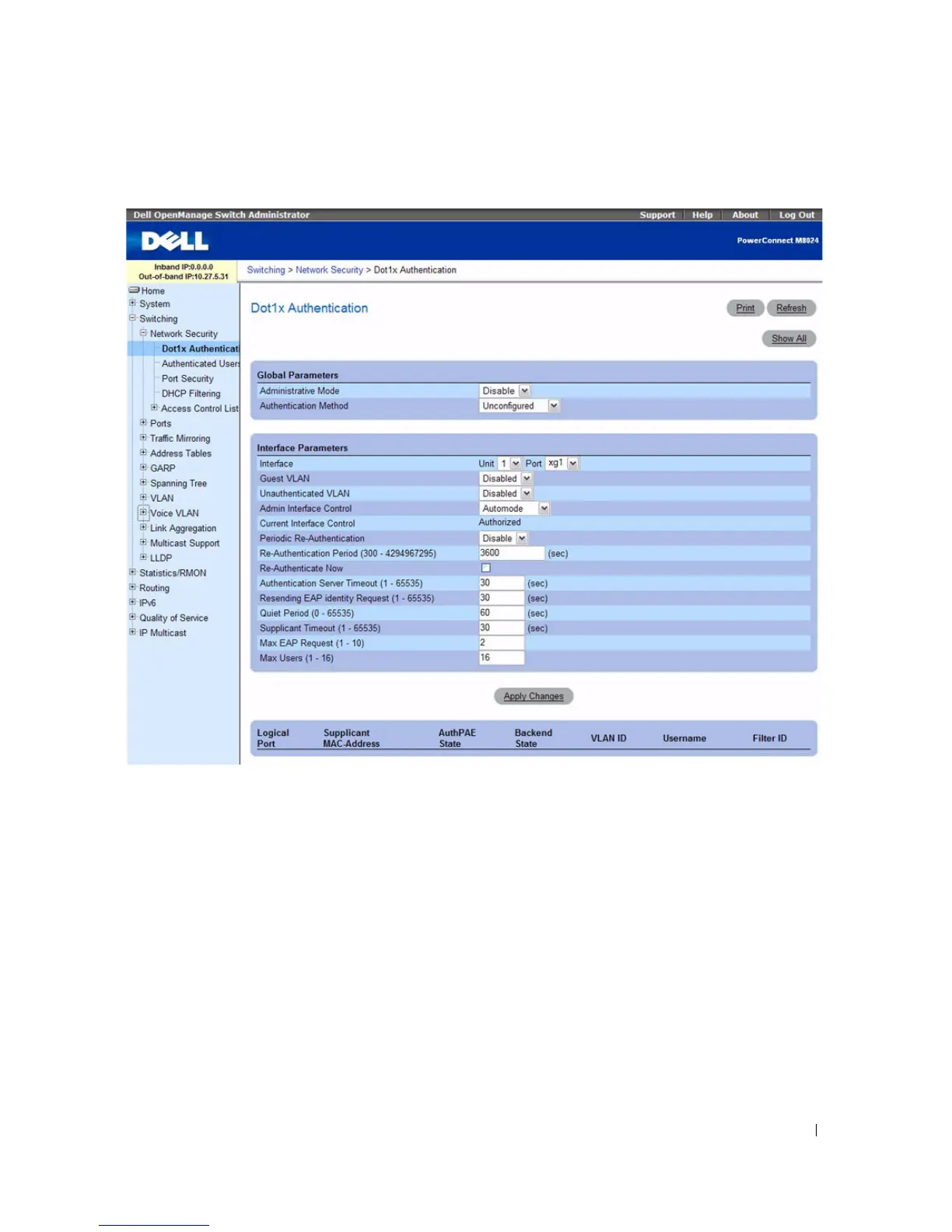
Figure 7-1. Dot1x Authentication
The Dot1x Authentication page contains the following fields:
Global Parameters
•
Administrative Mode
— Permits 802.1X port-based authentication on the switch. The possible field
values are:
–
Enable
— Enables 802.1X authentication on the switch.
–
Disable
— Disables 802.1X authentication on the switch.
•
Authentication Method
— Selects the Authentication method used. The possible field values are:
–
Unconfigured
— Indicates that an authentication method has not been selected.
–
None
— Indicates that no authentication method is used.
–
RADIUS
— Indicates that authentication occurs at the RADIUS server.



 To Next Page