280 Configuring Switching Information
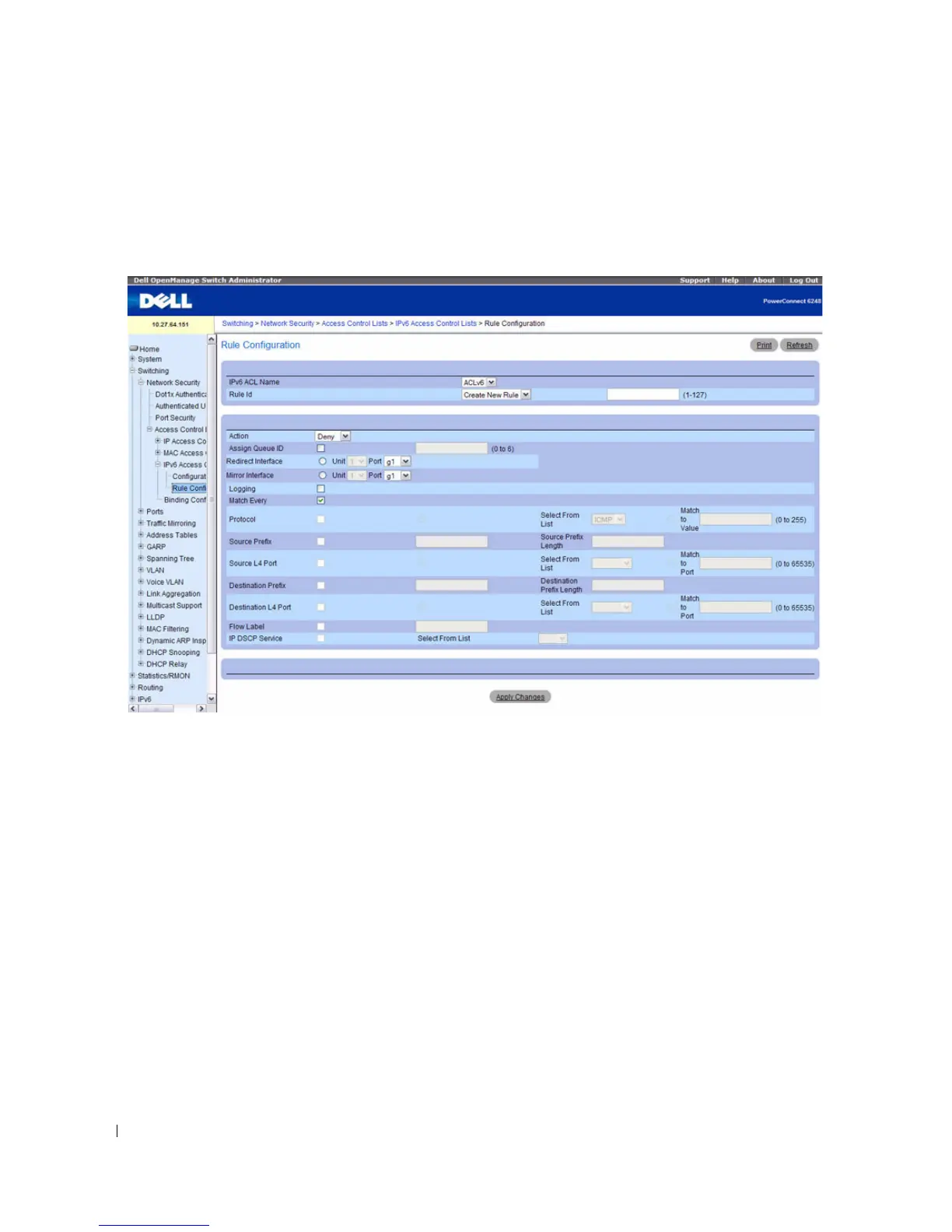
To display the IPv6 ACL Rule Configuration page, click Switching > Network Security > Access
Control Lists > IPv6 Access Control Lists > Rule Configuration in the navigation menu.
Figure 7-17. IPv6 ACL - Rule Configuration
The IPv6 ACL Configuration page contains the following fields:
•
IPv6 ACL Name
— Select the ACL you want to configure.
•
Rule ID
— Select an existing Rule ID to modify or select Create Rule to configure a new ACL Rule. To
create a new rule, enter a rule ID from 1–127 in the available field. New rules cannot be created if the
maximum number of rules has been reached. For each rule, a packet must match all the specified
criteria in order to be true against that rule and for the specified rule action (Permit/Deny) to take
place.
•
Action
— Specify what action should be taken if a packet matches the rule’s criteria. The choices are
Permit or Deny.
•
Assign Queue ID
— Specifies the hardware egress queue identifier used to handle all packets
matching this IPv6 ACL rule. Valid range of Queue IDs is 0 to 6.
•
Redirect Interface
— Specifies the egress interface where the matching traffic stream is forced,
bypassing any forwarding decision normally performed by the device. This field cannot be set if a
Mirror Interface is already configured for the ACL rule.



 To Next Page