Configuring Switching Information 311
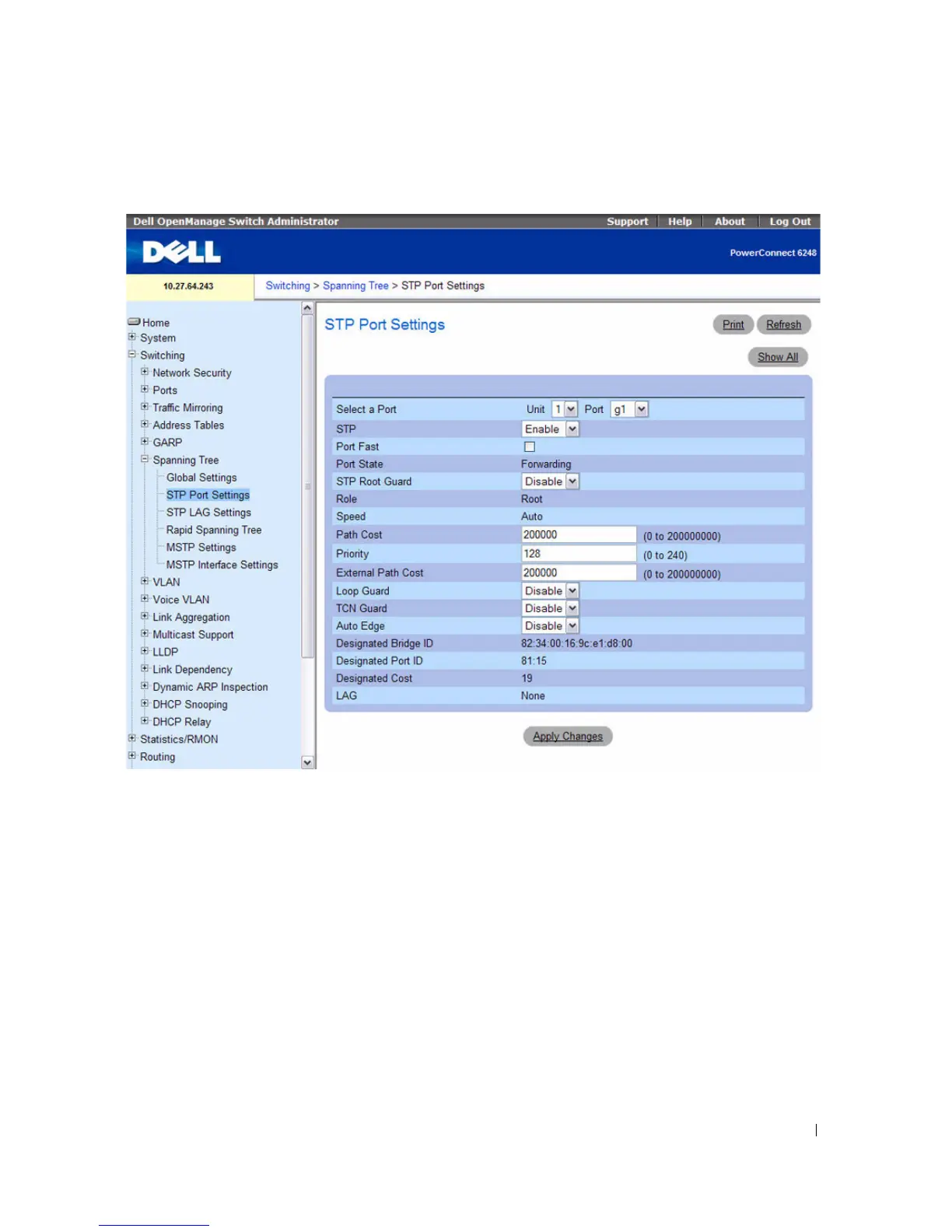
Figure 7-39. STP Port Settings
The STP Port Settings page contains the following fields:
•
Select a Port
— Specifies the Unit and Port on which STP is enabled.
•
STP
— Enables or disables STP on the port.
•
Port Fast
— Enables Port Fast mode for the port when checked. If Port Fast mode is enabled for a port,
the
Port State
is automatically placed in the
Forwarding
state
when the port link is up. STP
convergence can take 30–60 seconds in large networks.
•
Port State
—Indicates the current STP state of a port. If enabled, the port state determines what
forwarding action is taken on traffic. Possible port states are:
–
Disabled
— STP is currently disabled on the port. The port forwards traffic while learning MAC
addresses.



 To Next Page