Configuring Switching Information 325
There are two tables in this section of the page:
•
Ports
— Displays and assigns VLAN membership to ports. To assign membership, click in
Static
for a
specific port. Each click toggles between U, T, and blank. See the following table for definitions.
•
LAGs
— Displays and assigns VLAN membership to LAGs. To assign membership, click in
Static
for a
specific LAG. Each click toggles between U, T, and blank. See the following table for definitions.
Adding New VLANs
1.
Open the
VLAN Membership
page.
2.
Click
Add
.
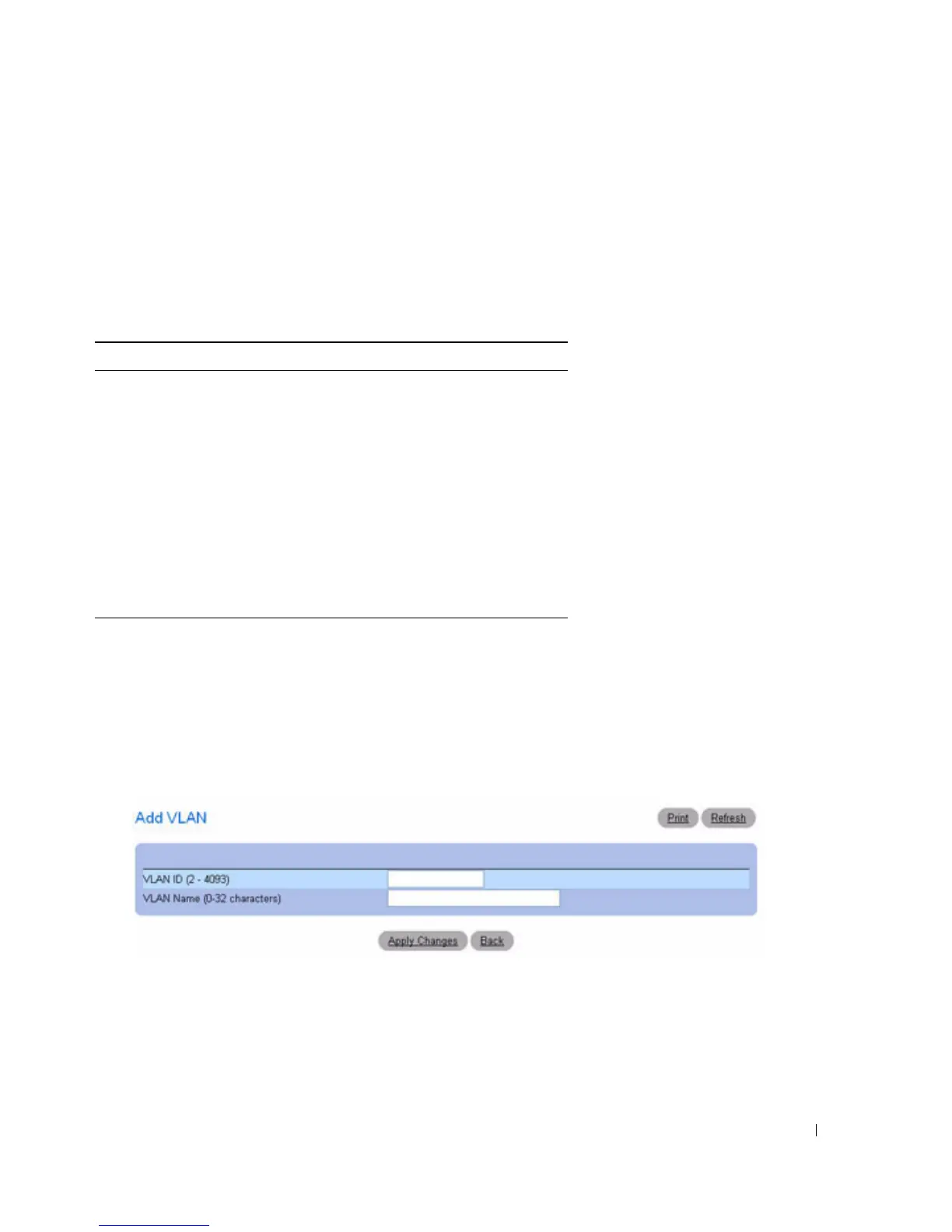
The
Add VLAN
page displays.
Figure 7-50. Add VLAN
3.
Enter a new VLAN ID and VLAN Name.
4.
Click
Apply Changes
.
The new VLAN is added, and the device is updated.
Table 7-1. VLAN Port Membership Definitions
Port Control Definition
T Tagged: the interface is a member of a VLAN. All
packets forwarded by the interface are tagged.
The packets contain VLAN information.
U Untagged: the interface is a VLAN member.
Packets forwarded by the interface are untagged.
F Forbidden: indicates that the interface is
forbidden from becoming a member of the
VLAN.
Blank Blank: the interface is not a VLAN member.
Packets associated with the interface are not
forwarded.



 To Next Page