348 Configuring Switching Information
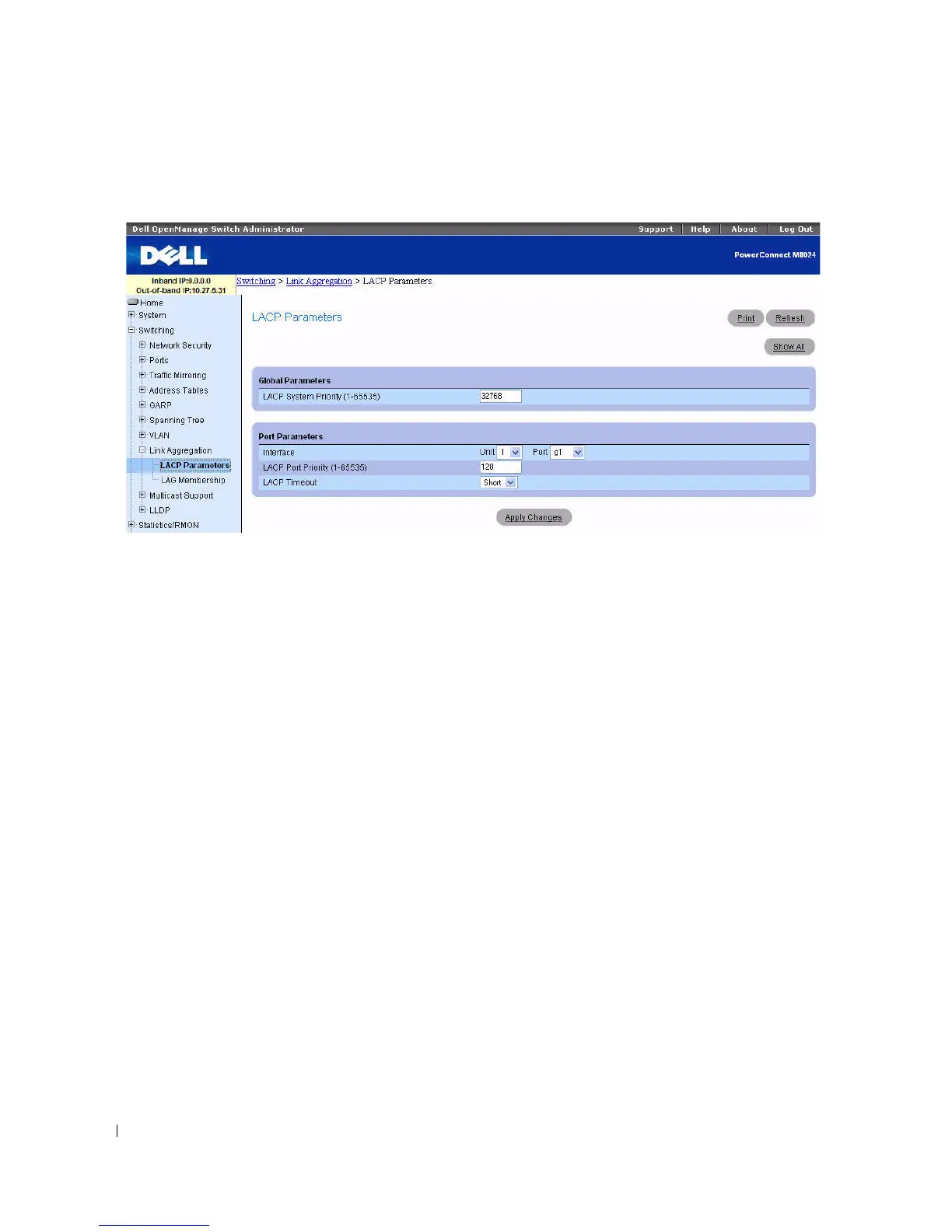
Figure 7-68. LACP Parameters
The LACP Parameters page is divided into two sections: Global Parameters and Port Parameters.
Following are the fields on this page:
Global Parameters
•
LACP System Priority (1–65535)
— Indicates the LACP priority value for global settings. The default
value is 1.
Port Parameters
•
Interface
— Specifies the unit and port number to which timeout and priority values are assigned.
•
LACP Port Priority (1–65535)
— Specifies LACP priority value for the specified port. The default
value is 1.
•
LACP Timeout
— Specifies Administrative LACP timeout. Possible values are:
–
Short
— Specifies a short timeout value.
–
Long
— Specifies a long timeout value. This is the default.
Defining Link Aggregation Parameters
1.
Open the
LACP Parameters
page.
2.
Complete the
fields as needed.
3.
Click
Apply Changes
.
The parameters are defined, and the device is updated.



 To Next Page