366 Configuring Switching Information
Adding a New VLAN and Configuring its VLAN Querier Settings
1.
Open the
VLAN Querier
page.
2.
Click
Add
.
The page refreshes, and the
Add VLAN
page displays.
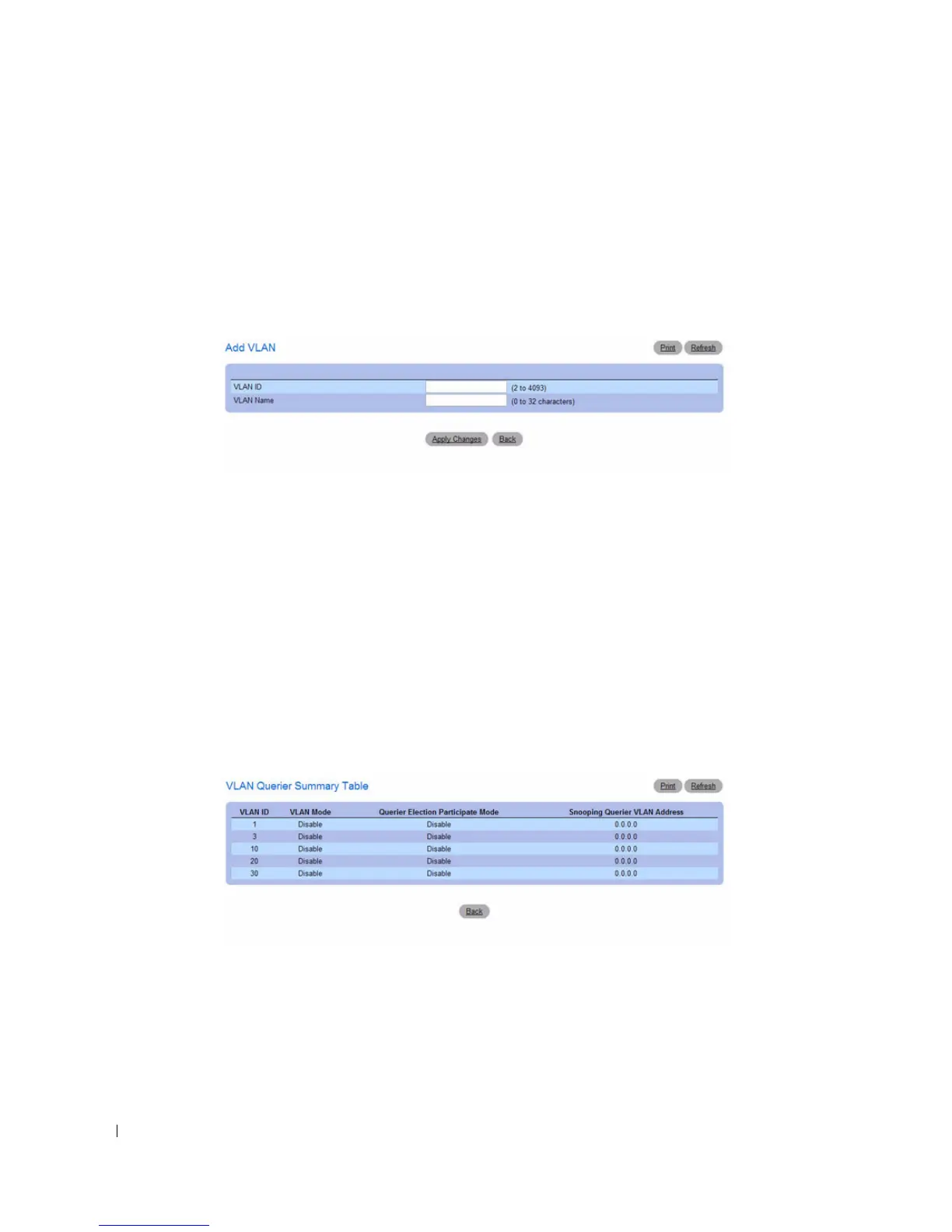
Figure 7-81. Add VLAN Querier
3.
Enter the VLAN ID and, if desired, an optional VLAN name.
4.
Complete the fields on the page as needed.
5.
Click
Apply Changes
.
The VLAN Querier settings are modified, and the device is updated.
Displaying the VLAN Querier Summary Table
1.
Open the
VLAN Querier
page.
2.
Click
Show All
.
The
VLAN Querier Summary Table
displays.
Figure 7-82. VLAN Querier Summary Table
Configuring VLAN Querier Settings with CLI Commands
For information about the CLI commands that perform this function, see the following chapter in the
CLI Reference Guide:
• IGMP Snooping Commands



 To Next Page