448 Viewing Statistics and Remote Monitoring
LAG Statistics
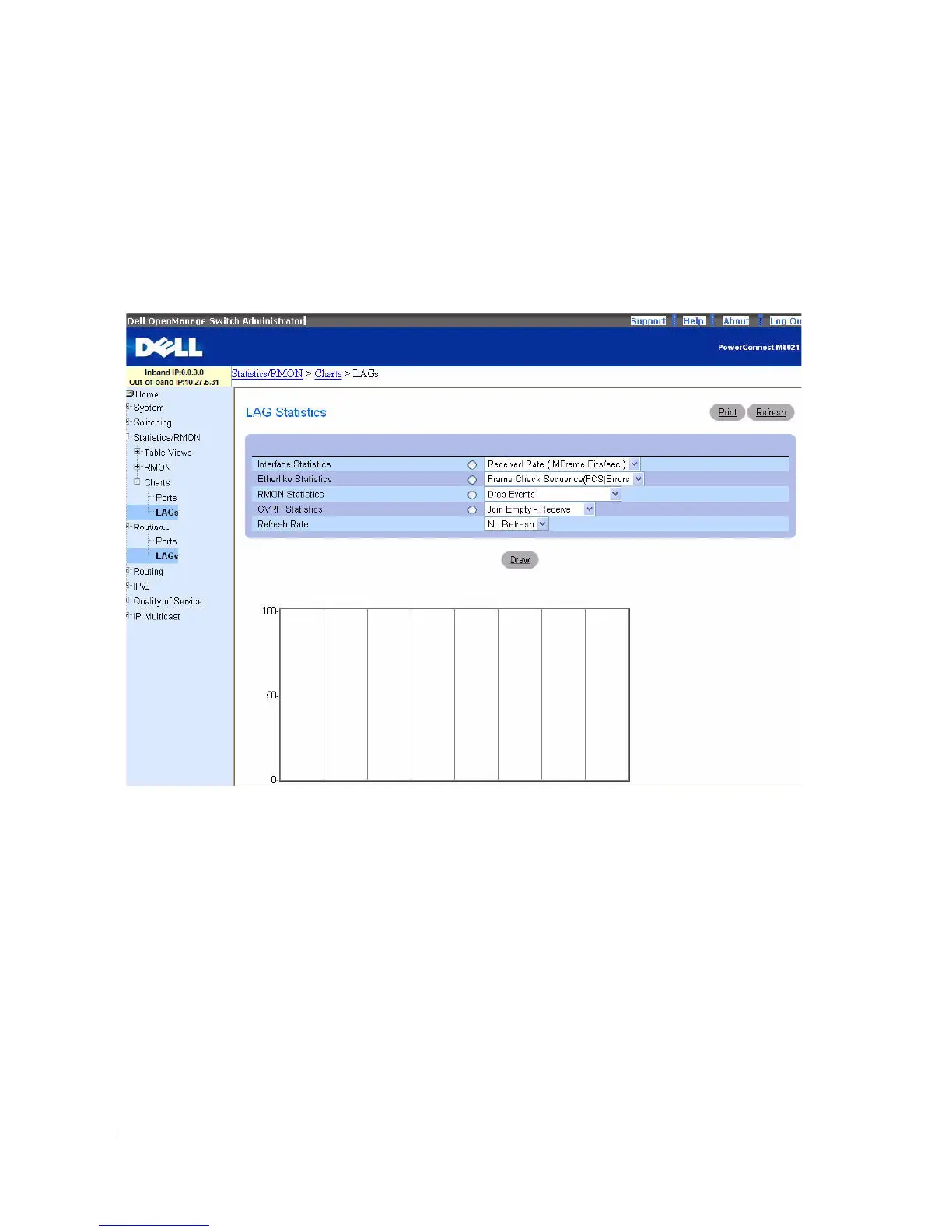
Use the LAG Statistics page to chart LAG-related statistics on a graph.
To display the page, click Statistics/RMON > Charts > LAGs in the tree view.
Figure 8-20. LAG Statistics
The LAG Statistics page contains the following fields:
•
Interface Statistics
— Selects Interface Statistics when clicked, and specifies the type of interface
statistics to graph from the drop-down menu. The default is Received Rate.
•
Etherlike Statistics
— Selects Etherlike Statistics when clicked, and specifies the type of etherlike
statistics to graph from the drop-down menu. The default is Frame Check Sequence Errors.
•
RMON Statistics
— Selects RMON Statistics when clicked, and specifies the type of RMON statistics
to graph from the drop-down menu. The default is Drop Events.
•
GVRP Statistics
— Selects GVRP Statistics when clicked, and specifies the type of GVRP statistics to
graph from the drop-down menu. The default is Join Empty - Receive.
•
Refresh Rate
— Selects the amount of time that passes before statistics are refreshed. The possible
field values are No Refresh, 15, 30 and 60 seconds. The default rate is 15 seconds.



 To Next Page