470 Configuring Routing
Displaying an OSPF Area Configuration
1.
Open the
OSPF Area Configuration
page.
2.
Select the OSPF area to display from the drop-down menu.
The OSPF area configuration is displayed for this area.
Deleting an OSPF Area Configuration
Use these steps to delete NSSA configuration or Stub area configuration.
1.
Open the
OSPF Area Configuration
page.
2.
Select the OSPF area configuration to delete from the drop-down menu.
The configuration displays.
3.
Click
Delete
.
The OSPF area configuration is removed.
Configuring OSPF Area CLI Commands
For information about the CLI commands that perform this function, see the following chapter in the
CLI Reference Guide:
• OSPF Commands
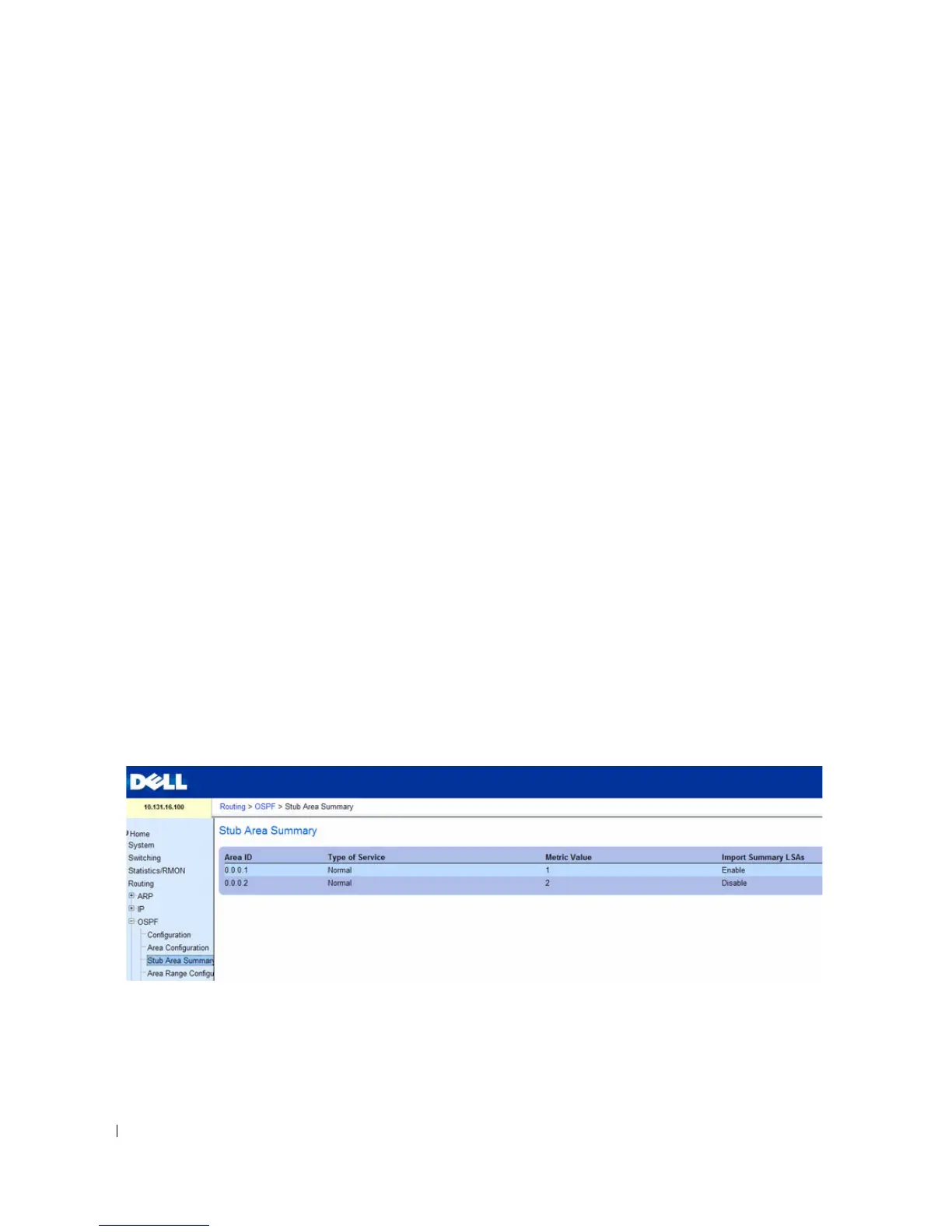
Stub Area Summary
The OSPF Stub Area Summary page displays OSPF stub area detail.
To display the page, click Routing > OSPF > Stub Area Summary in the tree view.
Figure 9-8. OSPF Stub Area Summary


 To Next Page