522 Configuring Routing
Route Table
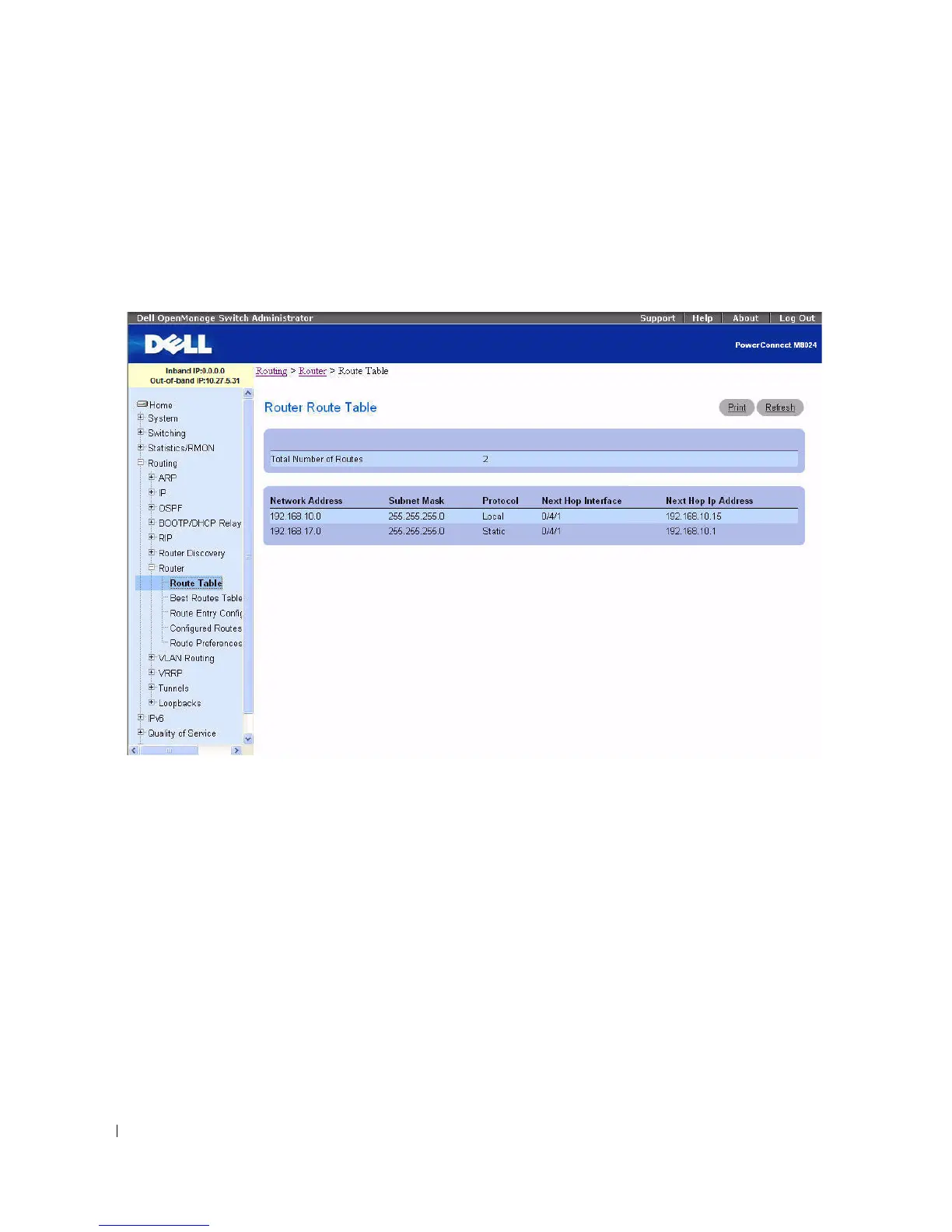
Use the Router Route Table
page to display the route table configuration.
To display the page, click Routing > Router > Route Table in the tree view.
Figure 9-35. Router Route Table
The Router Route Table page displays the following fields:
• Total Number of Routes — The total number of routes in the route table.
•
Network Address
— The IP route prefix for the destination.
•
Subnet Mask
— Also referred to as the subnet/network mask, this indicates the portion of the IP
interface address that identifies the attached network.
•
Protocol
— This field tells which protocol created the specified route. The possibilities are one of the
following:
–Local
– Static
–Default
–OSPF Intra
–OSPF Inter


 To Next Page