Configuring IPv6 589
•
Area LSA Checksum
— The 32-bit unsigned sum of the link-state advertisements' LS checksums
contained in this area's link-state database. This sum excludes external (LS type 5) link-state
advertisements. The sum can be used to determine if there has been a change in a router's link state
database, and to compare the link-state database of two routers. This value is in hexadecimal.
Configuring OSPFv3 Area
1.
Open the
OSPFv3 Area Configuration
page.
2.
Modify the fields as needed.
3.
Click
Apply Changes
.
The configuration is saved and the device is updated.
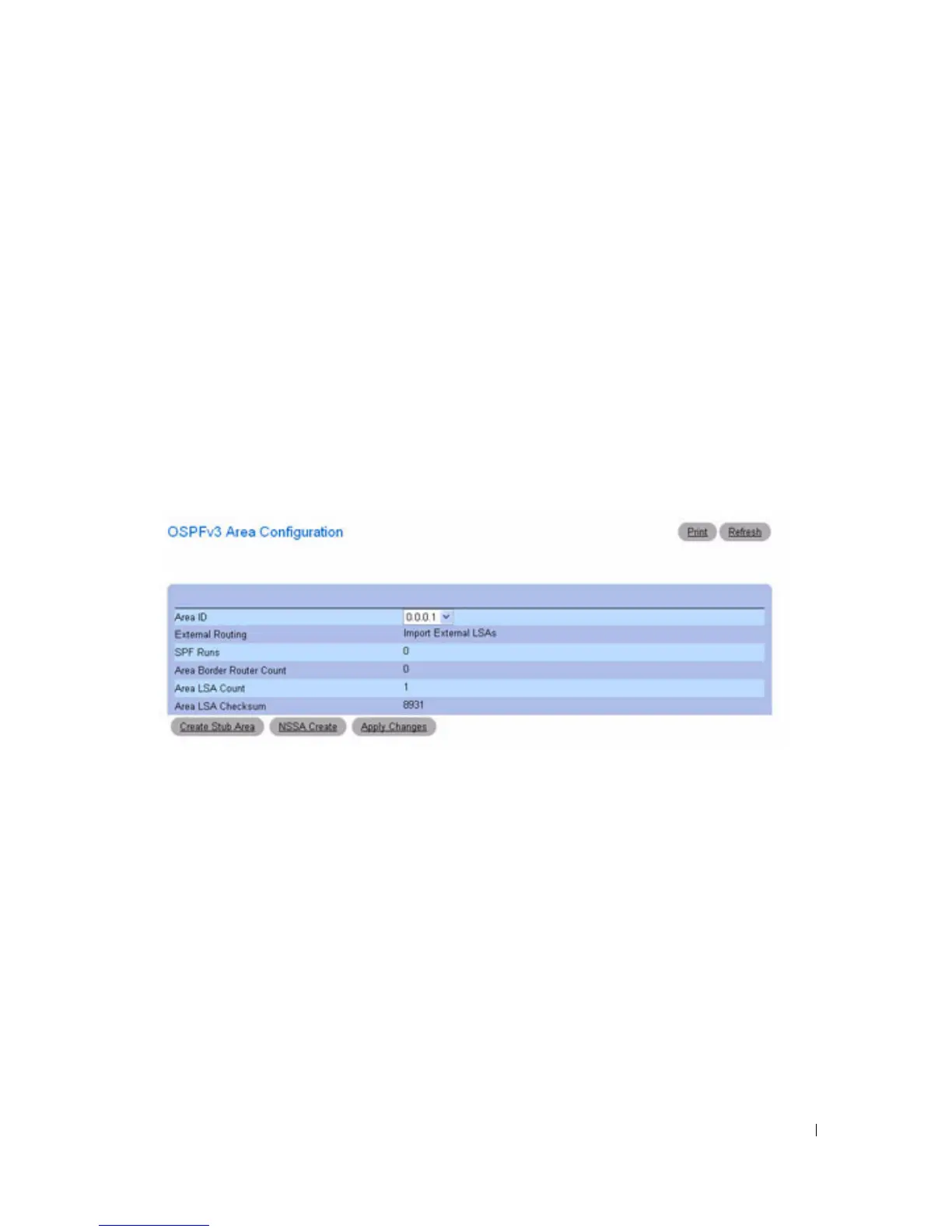
The web page reappears with
Create Stub Area
and
NSSA Create
buttons.
Figure 10-18. OSPFv3 Area Configuration - Create Stub Area and NSSA Create
Configuring OSPFv3 Stub Area
1.
Open the
OSPFv3 Area Configuration
page.
2.
Modify the fields as needed.
3.
Click
Apply Changes
.
The web page reappears with
Create Stub Area
and
NSSA Create
buttons. See Figure 10-18.
4.
Click
Create Stub Area.
The
Stub Area Information
fields display.



 To Next Page