Configuring Quality of Service 625
– All — All the various match criteria defined for the class should be satisfied for a packet match.
All
signifies the logical
AND
of all the match criteria.
•
Protocol
— Indicates how to interpret Layer 3. This field displays the types of packets supported by
DiffServ. The Layer 3 Protocol option is available only when you select Class Type. Options are:
–
IPv4
— A class where the match criteria is based on fields in an IPv4 packet.
–
IPv6
— A class where the match criteria is based on fields in an IPv6 packet.
The protocol is chosen on the A
dd DiffServ Class
page. See "Adding a DiffServ Class
" on page 625
.
•
Remove
— Deletes the displayed class name when checked and
Apply Changes
is clicked.
Adding a DiffServ Class
1.
Open the
Diffserv Class Configuration
page.
2.
Click
Add
.
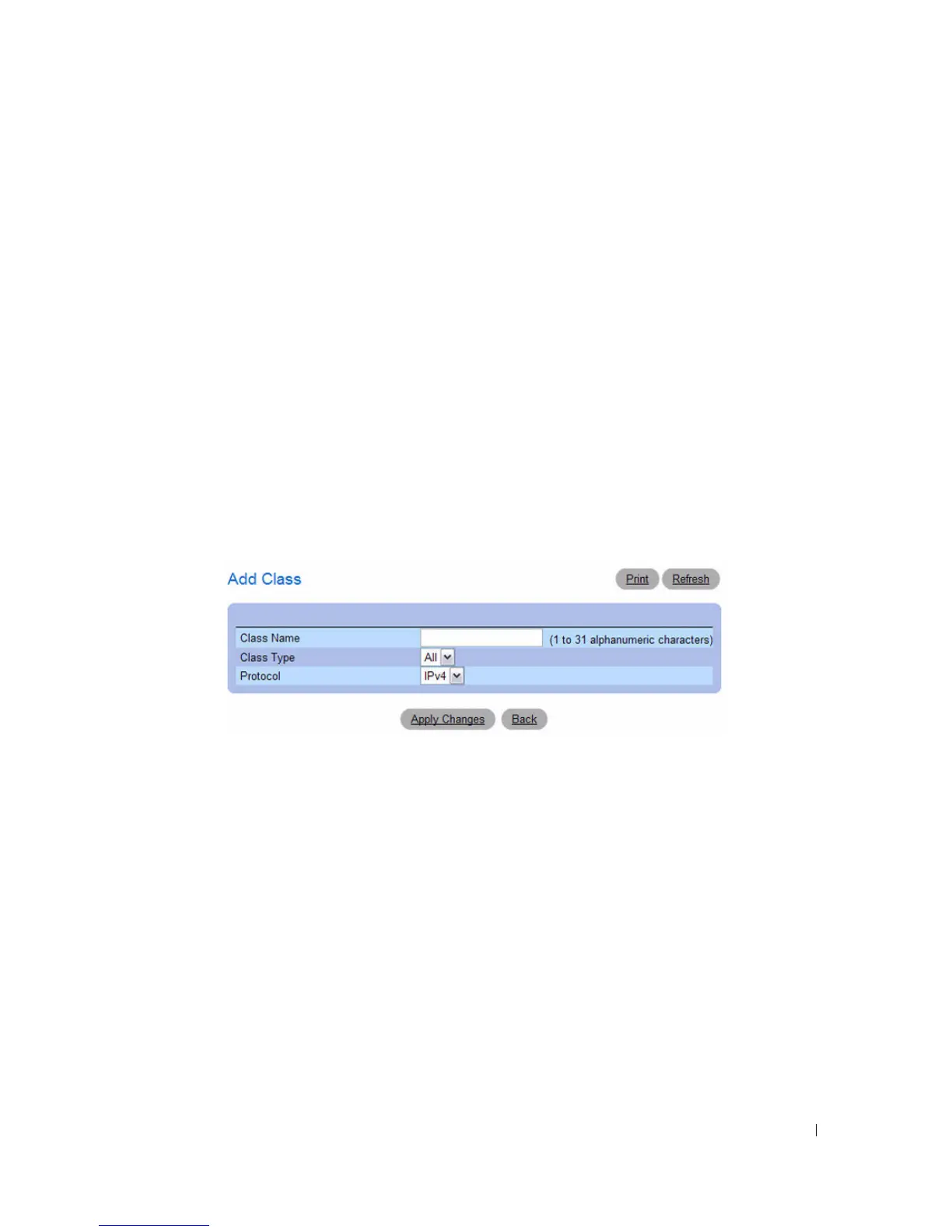
The
Add DiffServ Class
page displays
Figure 11-3. Add DiffServ Class
Enter a name for the class and select the protocol to use for class match criteria.
3.
Click
Apply Changes
.
The new class is added and the device is updated.
Adding a Class Configuration Using the CLI Commands
For information about the CLI commands that perform this function, see the following chapter in the
CLI Reference Guide:
• QoS Commands



 To Next Page