634 Configuring Quality of Service
–
Policing
: Allows you to configure how policing is performed, as well as configure what happens to
packets that are considered conforming and non-conforming. For more information on the fields
that display when
Policing
is selected, see "Policing Traffic Condition."
•
Redirect Interface
— Displays whether Redirect Interface applies to this policy-class, and specifies the
interface or LAG used.
•
Flow Based Mirroring
— Displays whether Flow Based Mirroring applies to this policy-class, and
specifies the interface or LAG used.
Defining a Policy-Class Instance
1.
Open the
Diffserv Policy Class Definition
page.
2.
Select a policy and member class to associate.
3.
Specify attributes to apply to this policy-class instance using the remaining fields on the page.
4.
Click
Apply Changes
.
The policy-class is defined, and the device is updated.
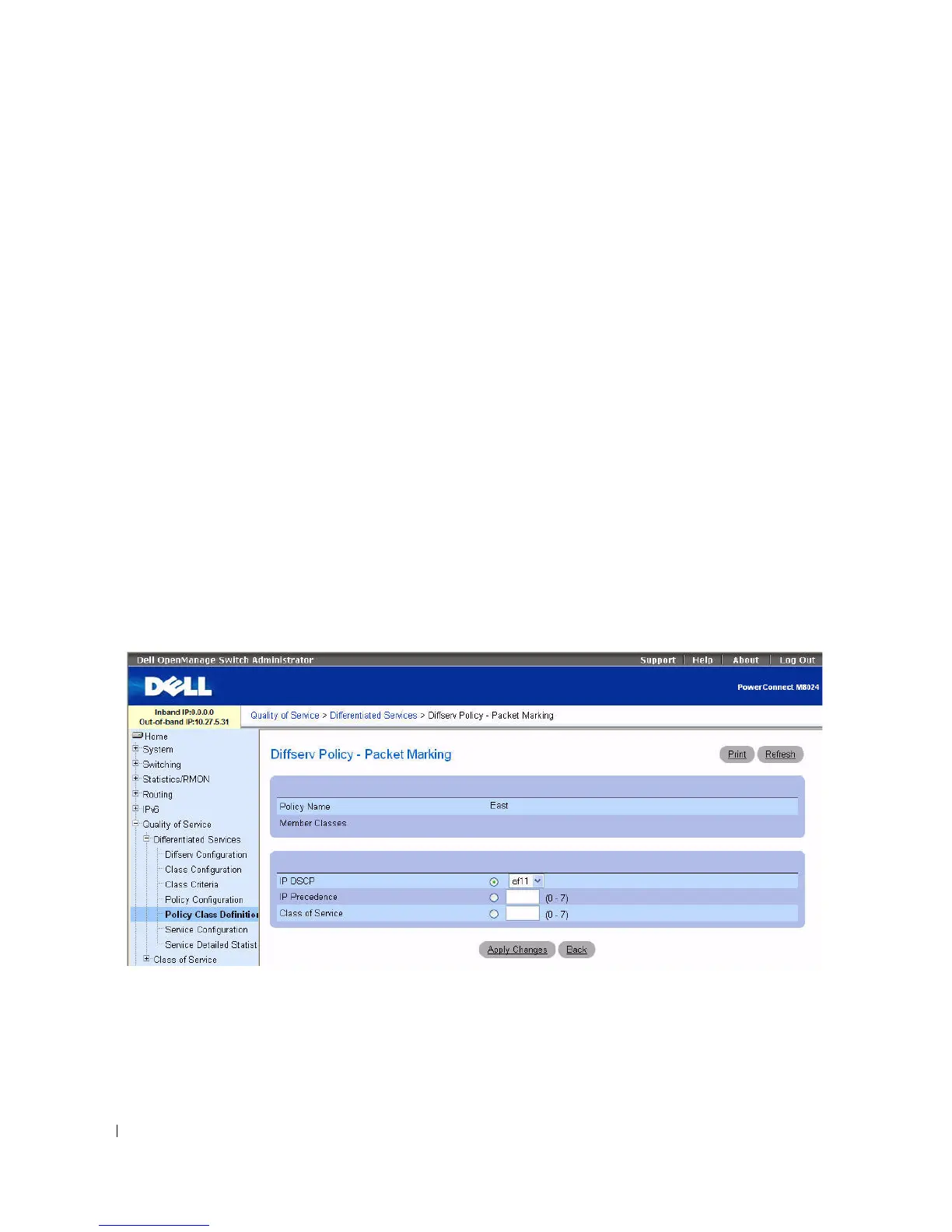
Packet Marking Traffic Condition
When Marking is chosen as the Traffic Condition, the following Packet Marking page displays.
Figure 11-10. Policy Class Definition - Packet Marking
The Diffserv Policy - Packet Marking page contains the following fields:
•
Policy Name
— Displays the policy associated with a member class.
•
Member Classes
— Displays the member class associated with this policy name.
You have the option of marking one of the following fields in the packet:



 To Next Page