Configuring IP Multicast 681
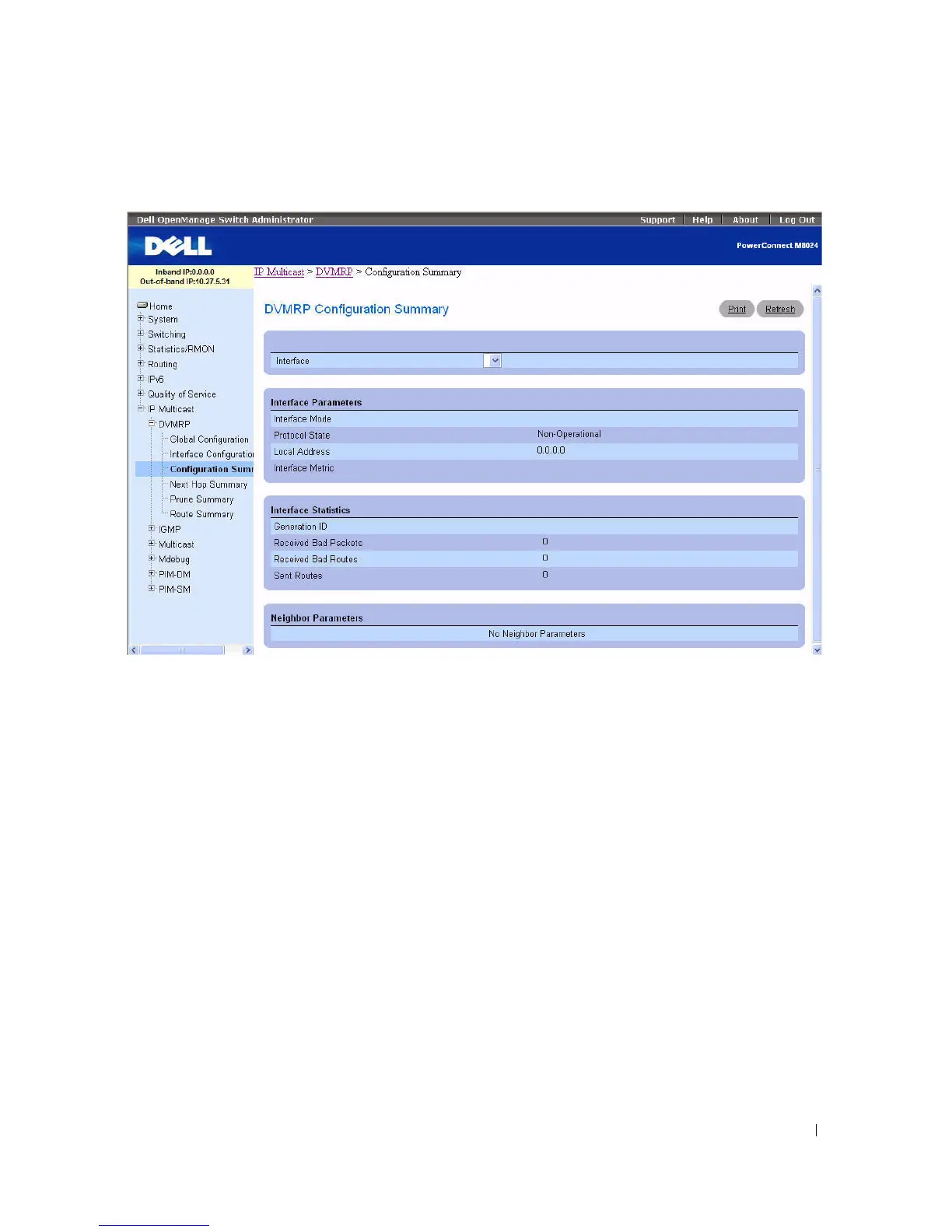
Figure 12-21. DVMRP Configuration Summary
The DVMRP Configuration Summary page contains the following fields:
•
Interface
— Select the interface for which data is to be displayed. You must configure at least one
router interface before you can display data for a DVMRP interface.
Interface Parameters
•
Interface Mode
— Displays the administrative mode of the selected DVMRP routing interface, either
Enable or Disable.
•
Protocol State
— Displays the operational state of the DVMRP protocol on the selected interface,
either Operational or Non-operational.
•
Local Address
— Displays the IP address used as a source address in packets sent from the selected
interface.
•
Interface Metric
— Displays the metric used to calculate distance vectors for the selected interface.
Interface Statistics
•
Generation ID
— Displays the DVMRP generation ID used by the router for the selected interface.
This value is reset every time an interface is (re)started and is placed in prune messages. A change in
generation ID informs the neighbor routers that any previous information about this router should be
discarded.
•
Received Bad Packets
— The number of invalid packets received on the selected interface.



 To Next Page