690 Configuring IP Multicast
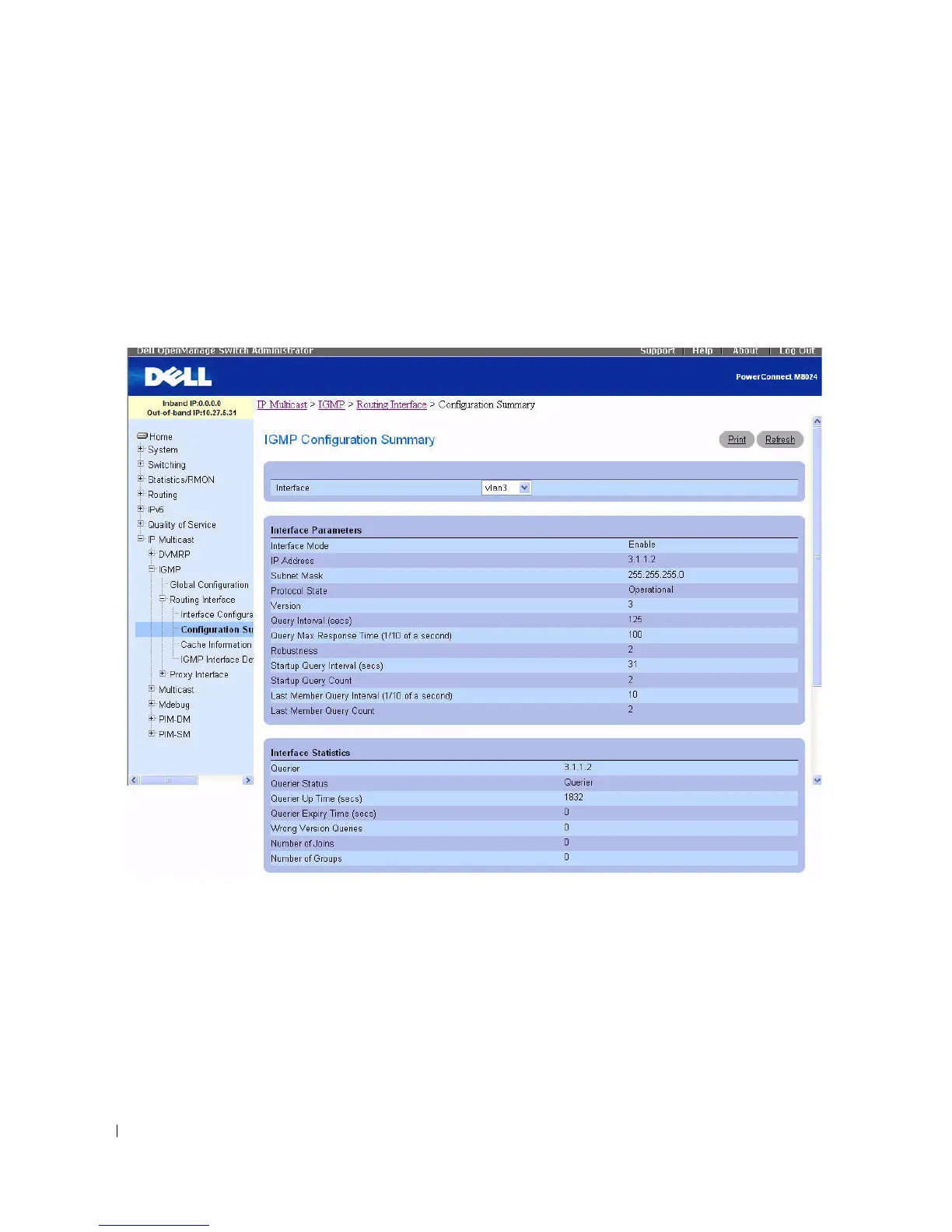
IGMP Configuration Summary
Use the IGMP Configuration Summary
page to display IGMP routing parameters and data. You must
configure at least one IGMP router interface to access this page.
To display the pag e, click IP Multicast > IGMP > Routing Interface > Configuration Summary in the
tree view.
Figure 12-27. IGMP Configuration Summary
The IGMP Configuration Summary page displays the following fields:
•
Interface
— Select the interface for which data is to be displayed.
• Interface Parameters
•
Interface Mode
— The administrative status of IGMP on the selected interface.
•
IP Address
— The IP address of the selected interface.
•
Subnet Mask
— The subnet mask for the IP address of the selected interface.
•
Protocol State
— The operational state of IGMP on the selected interface.



 To Next Page