702 Configuring IP Multicast
PIM-DM Global Configuration
Use the PIM-DM Global Configuration
page to configure the administrative status of PIM-DM or
PIM-SM on the switch.
To display the page, click IPv4 Multicast > PIM > Global Configuration or IPv6 Multicast > PIM >
Global Configuration in the navigation tree.
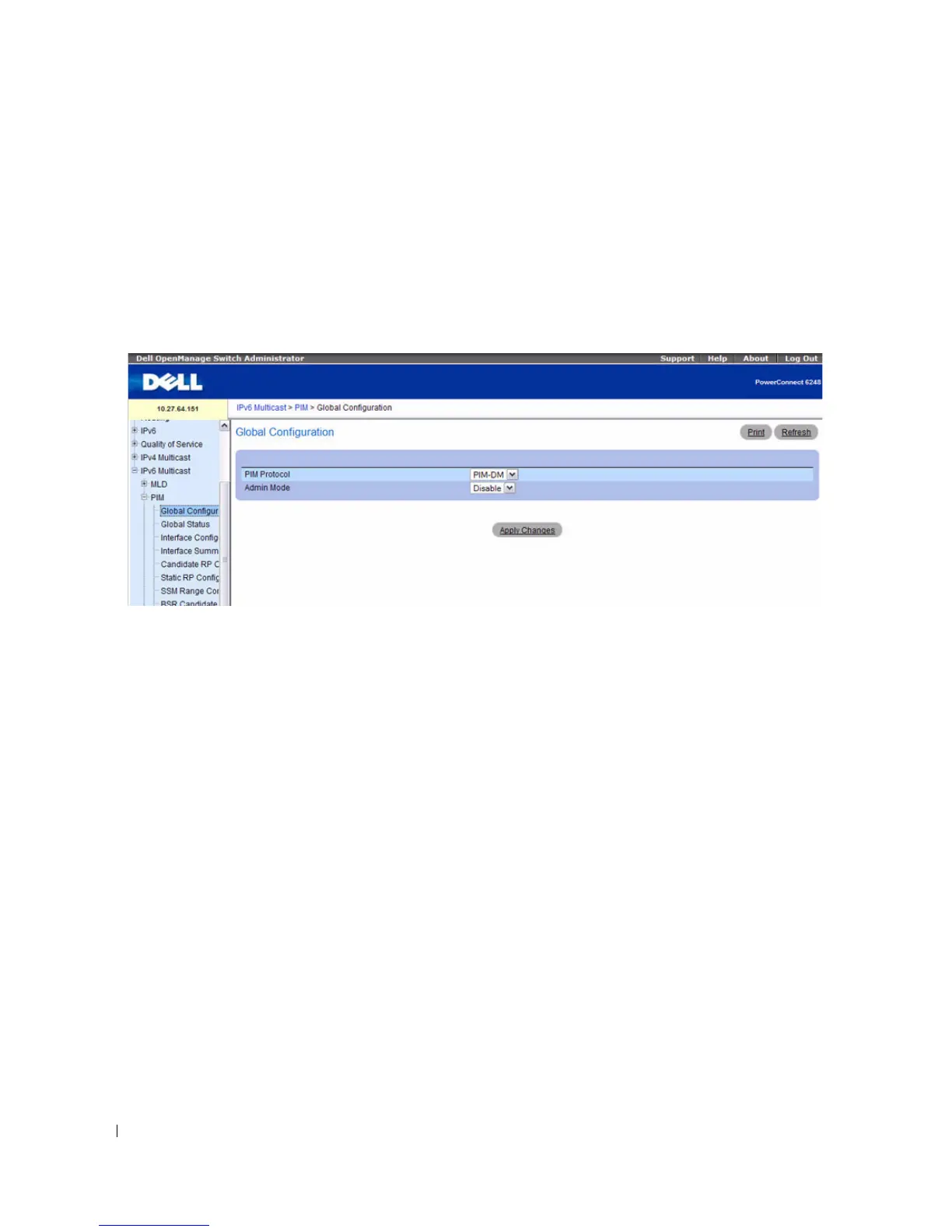
Figure 12-34. PIM Global Configuration
The PIM Global Configuration page contains the following fields:
•
PIM Protocol
— Select PIM-DM or PIM-SM. Only one PIM protocol can be enabled on the switch at
a time. If you select PIM-SM, additional fields appear.
•
Admin Mode
— Select Enable or Disable from the drop-down menu to set the administrative status
of PIM on the system. The default is Disable.
•
Data Threshold Rate
— If PIM-SM is selected as the protocol, enter the minimum source data rate in
K bits/second above which the last-hop router switches to a source-specific shortest path tree. The
valid values are from 0 to 2000 K bits/sec. The default value is 0. This field is not available for PIM-
DM.
Register Threshold Rate
— If PIM-SM is selected as the protocol, enter the minimum source data rate in K
bits/second above which the Rendezvous Point router switches to a source-specific shortest path tree. The
valid values are from 0 to 2000 K bits/sec. The default value is 0. This field is not available for PIM-DM.
Configuring PIM-DM
1.
Open the
PIM-DM Global Configuration
page.
2.
Set
Admin Mode
to Enable or Disable, to turn PIM-DM on or off.
3.
Click
Apply Changes
.
The PIM-DM configuration is saved, and the device is updated.



 To Next Page