718 Configuring IP Multicast
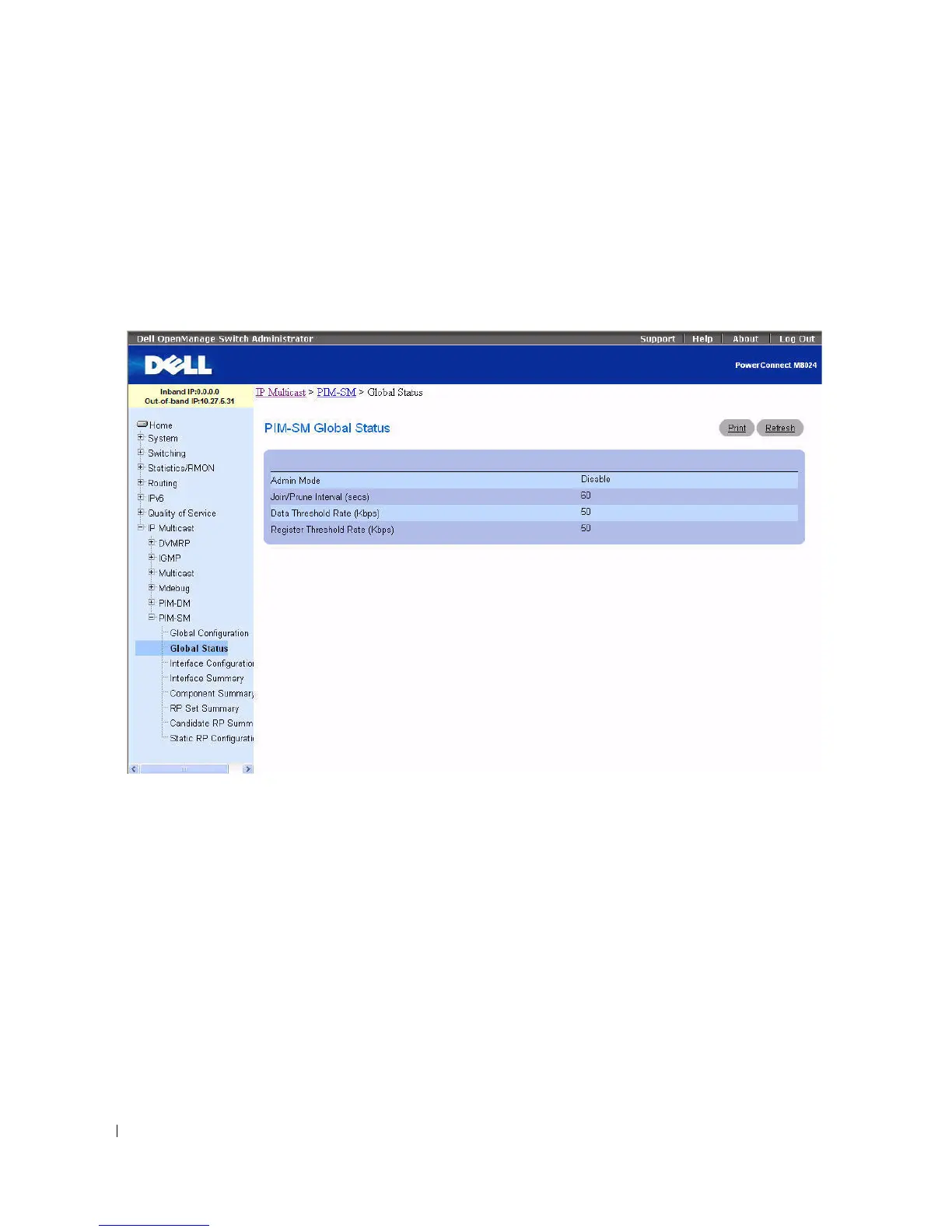
PIM-SM Global Status
Use the PIM-SM Global Status
page to display the global settings selected on the PIM-SM Global
Configuration page.
To display the page, click Multicast > PIM-SM > Global Status in the tree view.
Figure 12-47. PIM-SM Global Status
The PIM-SM Global Status page displays the following fields:
•
Admin Mode
— The administrative status of PIM-SM in the router: either Enable or Disable.
•
Join/Prune Interval (secs)
— The interval between the transmission of PIM-SM Join/Prune messages.
•
Data Threshold Rate (Kbps)
— The minimum source data rate in K bits/second above which the last-
hop router switches to a source-specific shortest path tree.
•
Register Threshold Rate (Kbps)
— The minimum source data rate in K bits/second above which the
Rendezvous Point router switches to a source-specific shortest path tree.
Displaying PIM-SM Global Status using the CLI Command
For information about the CLI command that performs this function, see the following chapter in the
CLI Reference Guide:
• PIM-SM Commands



 To Next Page