Configuring IP Multicast 721
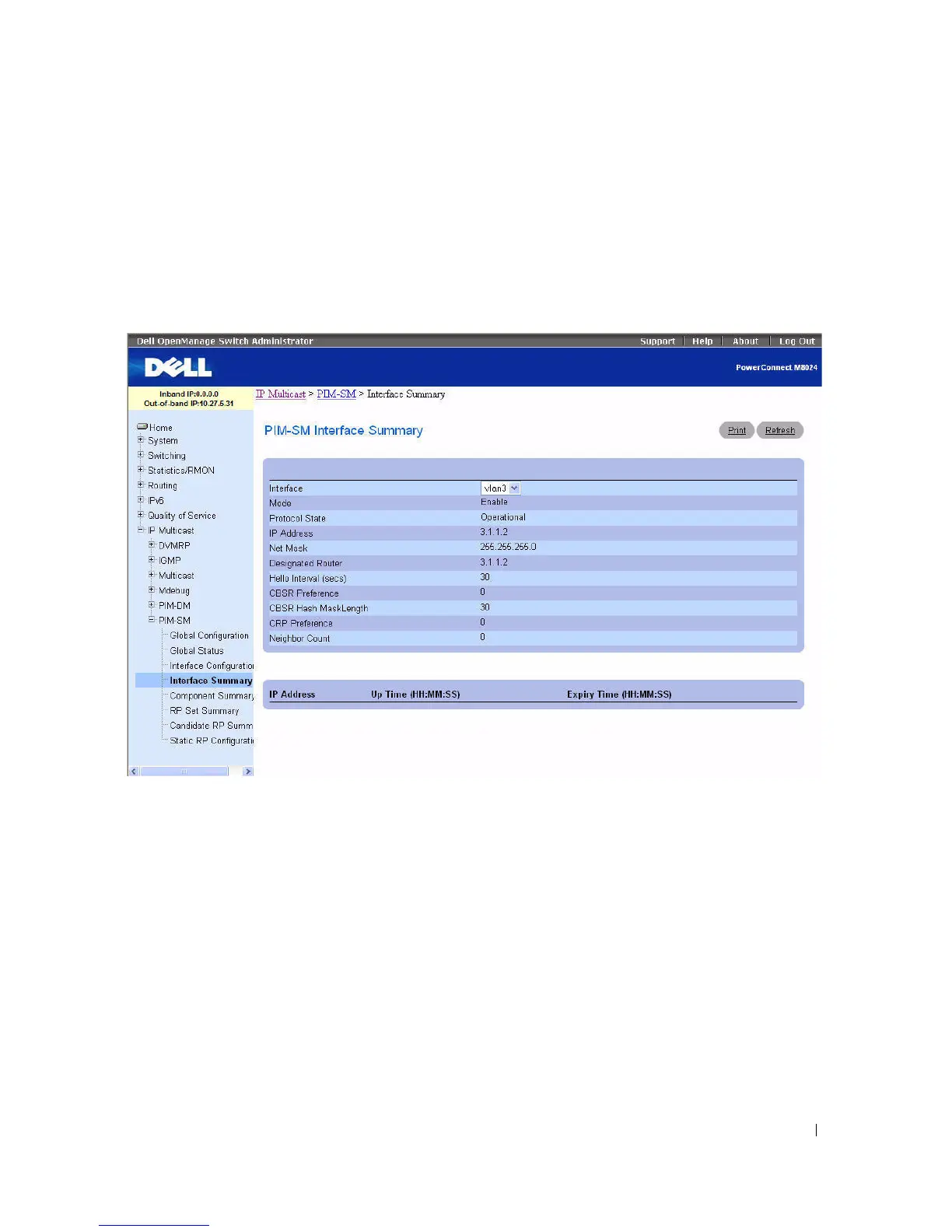
PIM-SM Interface Summary
Use the PIM-SM Interface Summary
page to display a PIM-SM interface and its settings. At least one
interface on this router must be set up as PIM-SM for this page to display.
To display the page, click Multicast > PIM-SM > Interface Summary in the tree view.
Figure 12-49. PIM-SM Interface Summary
The PIM-SM Interface Summary page displays the following fields:
•
Interface
— Select the interface for which data is to be displayed.
•
Mode
— The administrative status of PIM-SM in the router: either Enable or Disable.
•
Protocol State
— The operational state of the PIM-SM protocol on the selected interface, either
Operational or Non-operational.
•
IP Address
— The IP address of the selected PIM interface.
•
Net Mask
— The network mask for the IP address of the selected PIM interface.
•
Designated Router
— The Designated Router on the selected PIM interface. For point-to- point
interfaces, this object has the value 0.0.0.0.
•
Hello Interval (secs)
— The frequency at which PIM Hello messages are transmitted on the selected
interface.



 To Next Page