Chapter 4 Connect the Front End
98 Storage Center SC8000 Controller Deployment Guide
See Also
FibreChannelZoningonpage 10 2
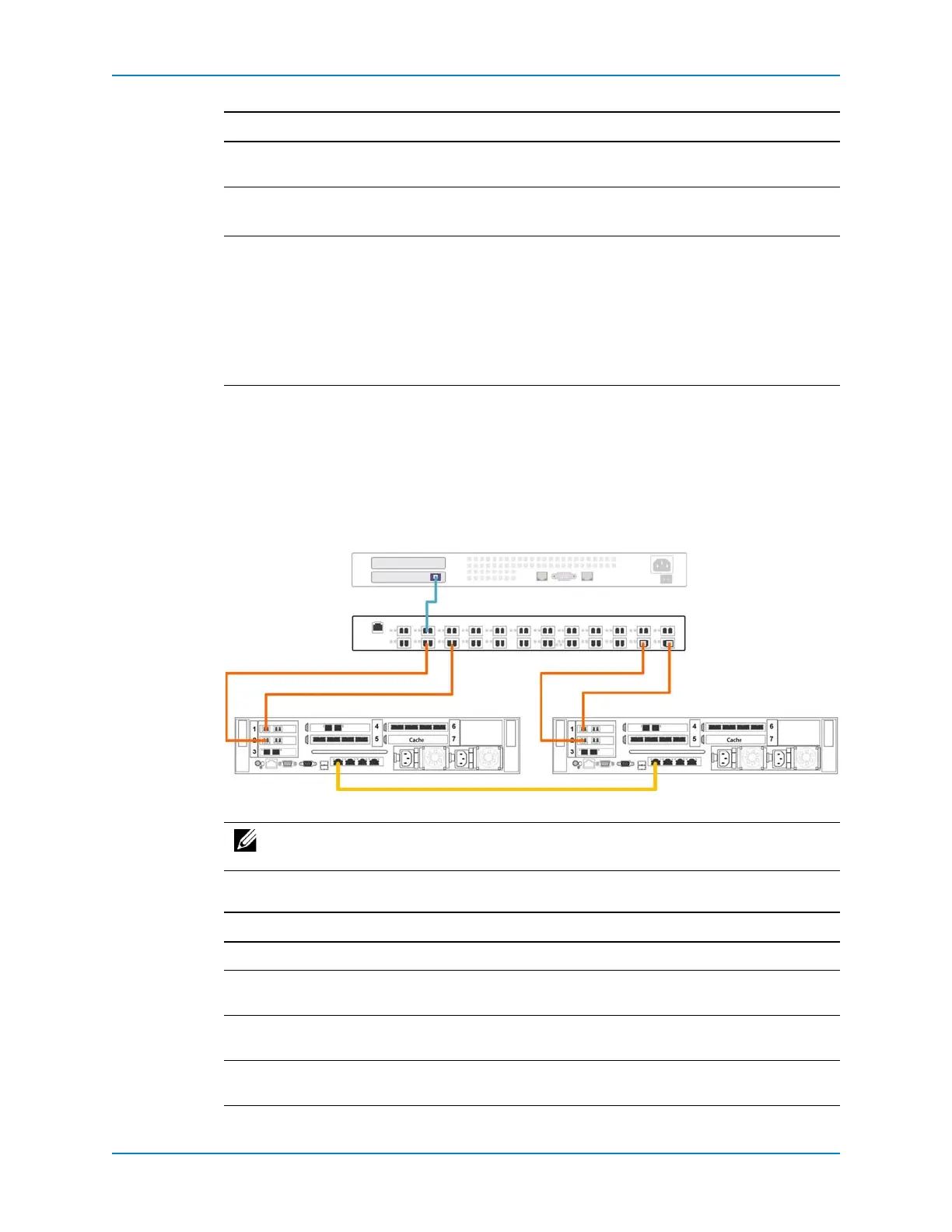
Example Virtual Port Mode Configuration
Thefollowingfigureshowsadual‐controllerStorageCenterinvirtualportmode
connectedtoaFibreChannelserverwithasinglefaultdomain.Allportsbelongtoasingle
faultdomainbecausetheyareconnectedtothesameFCswitch.
Figure 88. Virtual Ports Example with FC
Thefollowingtablesummarizesthefailoverbehaviorsforthis
configuration.
Multipathing Ifmultipleactivepathsareavailabletoaserver,theservermustbe
configuredforMPIOtousemorethanonepathsimultaneously.
iSCSInetworks • NATmustbedisabledforiSCSIreplicationtraffic.
•CHAPauthenticationmustbedisabled.
FibreChannelfabrics • TheFCtopologymustbeswitchedfabric.Point‐to‐pointandarbitrated
loop
topologiesarenotsupported.
•FCswitchesmustbezonedtomeetthevirtualportmodezoning
requirements.
•FCswitchesmustsupportN_PortIDVirtualization(NPIV).
• PersistentFCIDmustbedisabledonFCswitches.
Note: AIXserversarenotsupported.
Note: Tousebothprimarypathssimultaneously,theservermustbeconfiguredto
useMPIO.
Scenario Failover Behavior
Normaloperatingconditions AllportsareactiveandpassIO.
ControllerAfails VirtualportsoncontrollerAfailoverbymovingtophysicalports
oncontrollerB.
ControllerBfails VirtualportsoncontrollerBfailoverbymovingtophysicalportson
controllerA.
Asingleportfails Thevirtualportassociatedwiththe
failedphysicalportmovesto
anotherphysicalportinthefaultdomain.
Requirement Description
FC Switch
Server
Controller A Controller B
Active Ports



 To Next Page