Chapter 2 Install the Hardware
50 Storage Center SC8000 Controller Deployment Guide
Install Drives in EN-SASx6x12/24 Enclosures
IfyouareinstallingEN‐SASx6x12and/orEN‐SASx6x24enclosures,installdrivesinthe
enclosures.
Wheninstallingdrivesintoa12‐driveenclosure,makesurethatalldrivesinacolumnare
ofthesamespindlerateasshowninthefollowingexample.Populatetheoutercolumns
first.
Installing 3.5" Drives
Install3.5ʺdrivecarriershorizontallyintothe12‐driveenclosure.Ifnecessary,remove
driveblanksfromtheenclosurestomakeroomforthedrives.
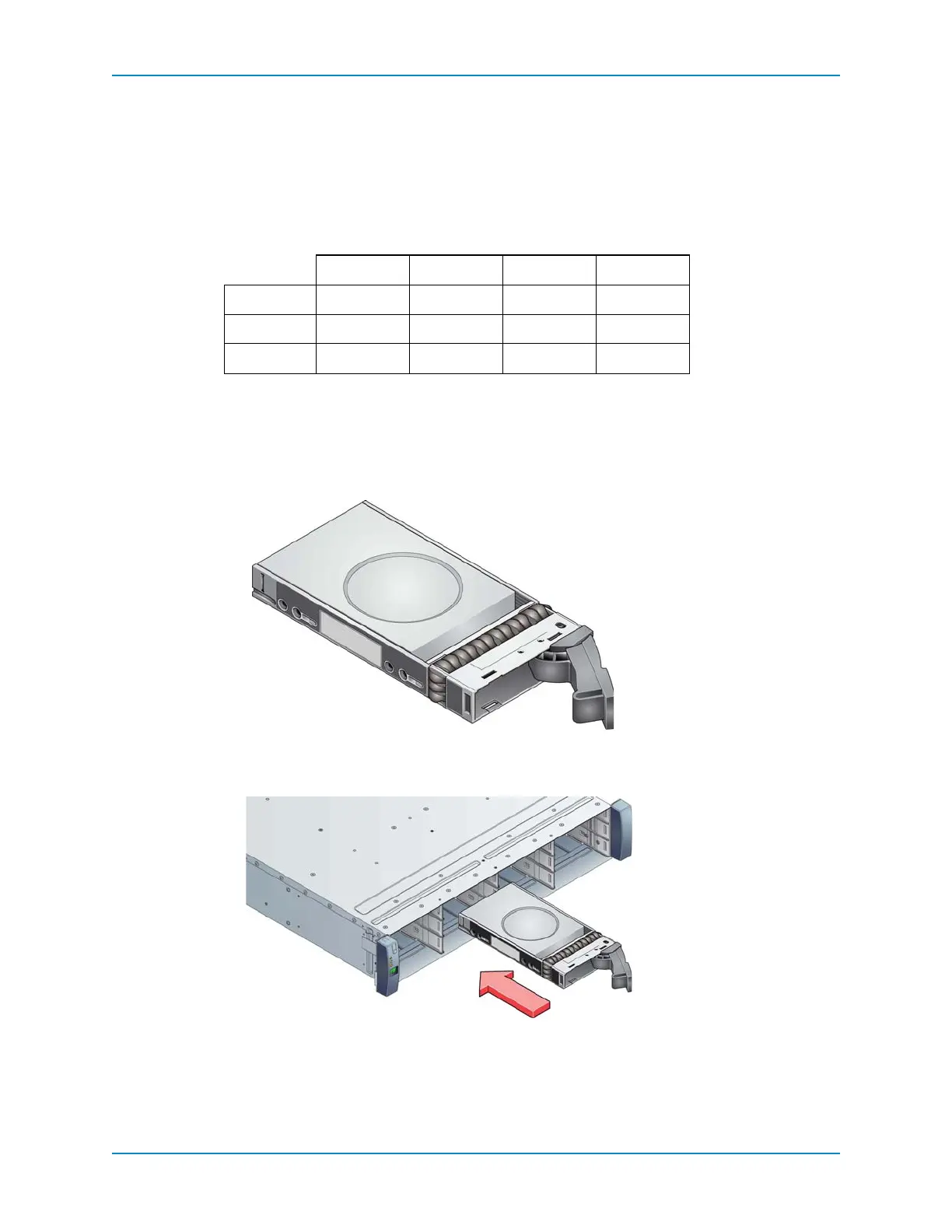
1 Releasethedrivecarrierhandlebydepressingthelatchinthehandle.
Figure 45. Release Drive Carrier Handle
2 InserttheDriveCarrierModuleintotheenclosure.
Figure 46. Installing a Drive Carrier Module
3 Makesurethatthedrivecarrier
isorientedsothatthedrivefacesupandthehandle
opensfromtheleft.
4 Gentlyslidethedrivecarrierallthewayintotheenclosure.
Column 1 Column 2 Column 3 Column 4
Row 1
7.2K 15K 10K 15K
Row 2
7.2K 15K 10K 15K
Row 3
7.2K 15K 10K 15K



 To Next Page