SC8000 Controller
Dell Compellent 7
SC8000 Front-Panel Features and Indicators
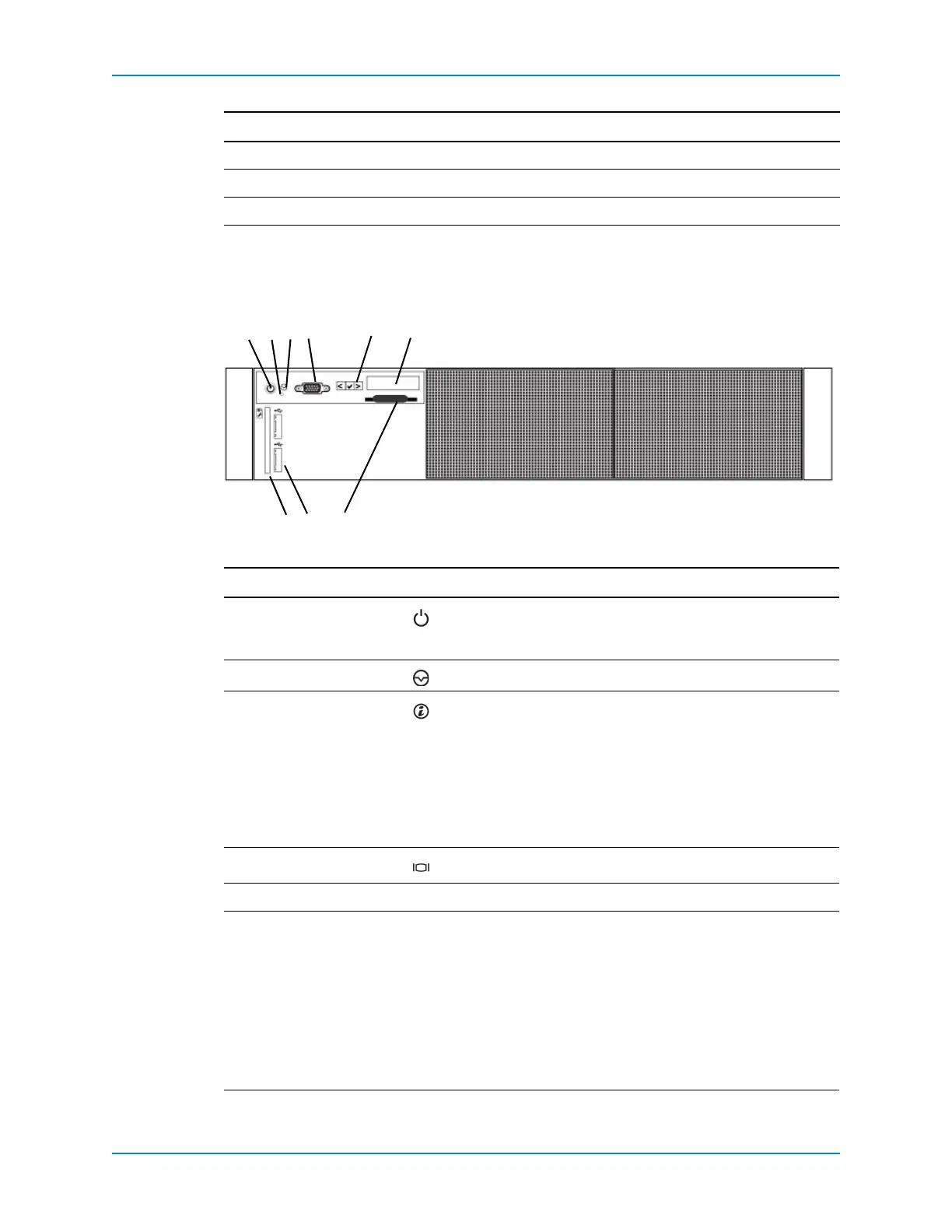
Thefrontpanelofthecontrollercontainspowerandresetswitches,andanLCDpanelthat
showssystemID,status,anderrorinformation.
Figure 4. Front Panel Features and Indicators
FormFactor 2U
PowerSupplies 2
Fans 6
Item Name Icon Description
1Power‐onindicator,
powerbutton
Thepower‐onindicatorisilluminatedwhenthecontroller
powerispoweredon.Thepowerbuttoncontrolsthepower
supplyoutputtothecontroller.
2NMIbutton FortheSC8000,thisbuttonisdisabledinthe BIOS.
3System
identification
button
Usedtolocateaparticularcontrollerwithinarack.When
a
SystemIDbuttononthefrontorbackpanelispressed,thefront
LCDpanelandthebacksystemstatusindicatorflashuntilone
ofthebuttonsispressedagain.
•PresstotogglethesystemIDonandoff.
•IfthecontrollerstopsrespondingduringPOST,pressand
holdthe
systemIDbuttonformorethanfivesecondstoenter
BIOSprogressmode.
4Videoconnector AllowsyoutoconnectaVGAmonitortothecontroller.
5LCDmenubuttons — AllowsyoutonavigatethecontrolpanelLCDmenu.
6LCDpanel — DisplayssystemID,statusinformation,andsystemerror
messages.
•TheLCDlightsblueduringnormalcontrolleroperation.
•TheLCDlightsamberwhenthecontrollerneedsattention,
andtheLCDpaneldisplaysanerrorcodefollowedby
descriptivetext.
Note: Ifthecontrollerisconnectedtoapowersourceandan
errorisdetected,theLCDlightsamberregardlessofwhether
thecontrolleristurnedonoroff.
Component Description



 To Next Page