Chapter 1 Introduction
8 Storage Center SC8000 Controller Deployment Guide
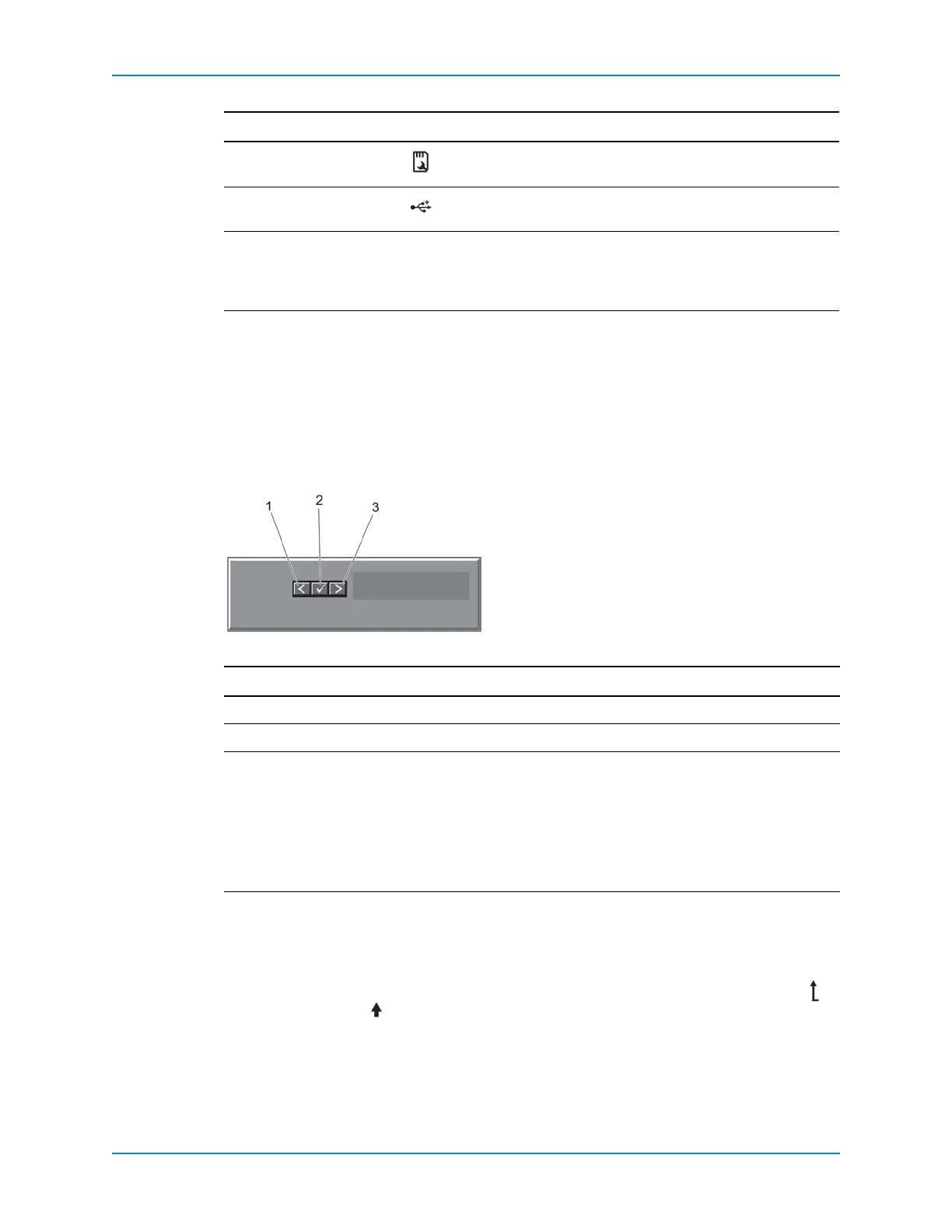
SC8000 LCD Panel Features
TheLCDpanelprovidescontrollerinformation,statusmessages,anderrormessagesto
indicatewhenthecontrollerisoperatingcorrectlyorwhenitneedsattention.
TheLCDbacklightlightsblueduringnormaloperatingconditionsandlightsamberto
indicateanerrorcondition.
TheLCDbacklightremainsoffifLCDmessagingisturnedoffthroughtheiDRAC,the
LCDpanel,orothertools.
Figure 5. LCD Panel Features
Home Screen
TheHomescreendisplaysuser‐configurableinformationaboutthecontroller.Thisscreen
isdisplayedduringnormaloperationwhentherearenostatusmessagesorerrors.
TonavigatetotheHomescreenfromanothermenu,continuetoselecttheuparrow
untiltheHomeiconisdisplayed,andthenselecttheHome
icon.
FromtheHomescreen,presstheSelectbuttontoenterthemainmenu.
7 vFlashmediacard
slot
NotusedfortheSC8000.
8USBconnectors(2) AllowsyoutoconnectUSBdevicestothecontroller.Theports
areUSB2.0‐compliant.
9ESTpanel — Aslide‐outpanelcontaininganinformationtagthatlists
systeminformationincludingtheExpressServiceTag,
embeddedNICport1MACaddress,andiDRAC7
Enterprise
cardMACaddress.
Item Button Description
1 Left Movesthecursorbackinone‐stepincrements.
2 Select Selectsthemenuitemhighlightedbythecursor.
3RightMovesthecursorforwardinone‐stepincrements.
Duringmessagescrolling:
•Pressoncetoincreasescrollingspeed
•Pressagaintostop
•Pressagaintoreturntodefaultscrollingspeed
•Pressagaintorepeatthecycle
Item Name Icon Description



 To Next Page