Chapter 4 Connect the Front End
116 Storage Center SC8000 Controller Deployment Guide
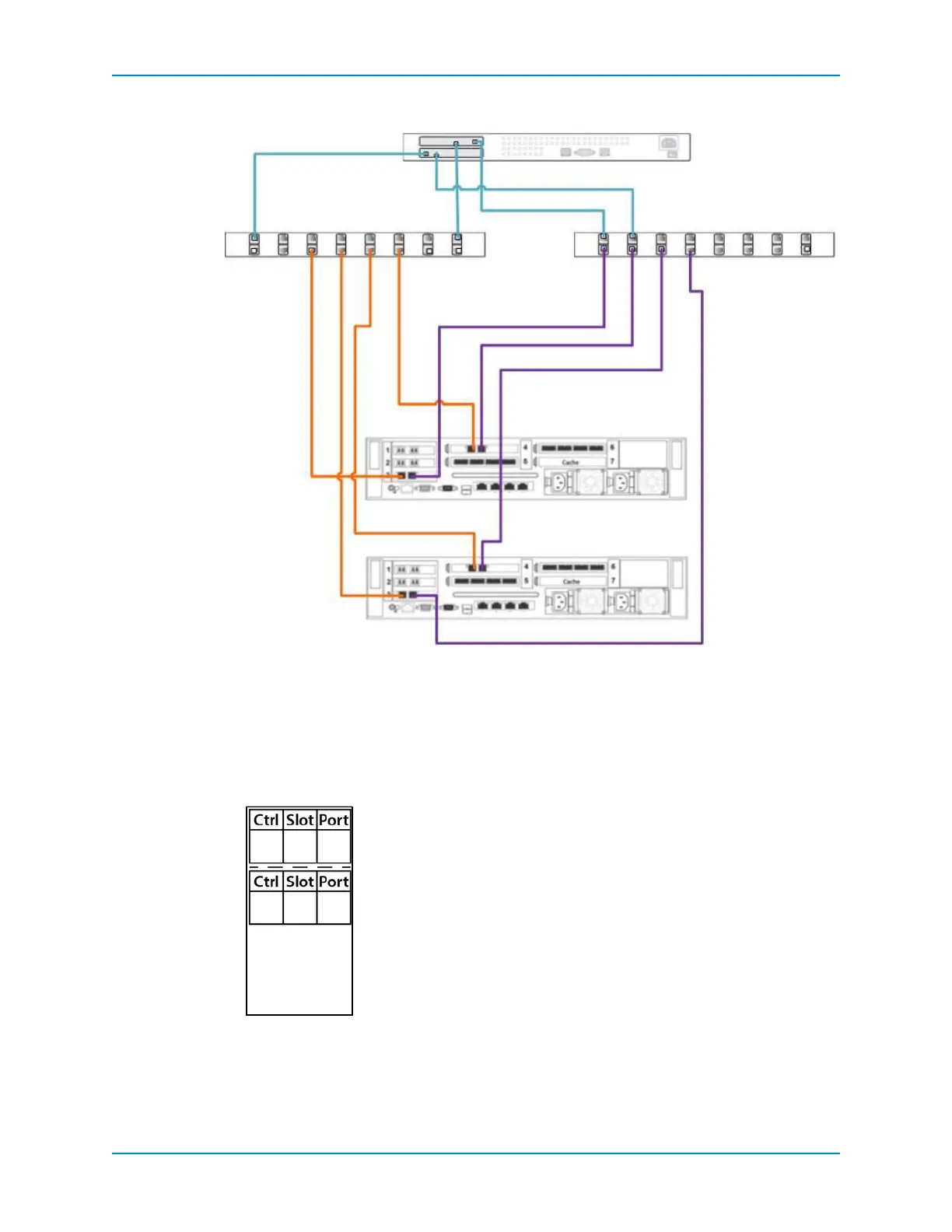
Figure 99. Dual-Controller with Dual-Network iSCSI in Virtual Port Mode
Label the Front-End Cables
Labelthefront‐endcables toindicatewhichcontrollertheyareconnectedto,aswellasthe
controllerslotandport.Pre‐madelabelsareshippedwithSC8000controllers.
1 Locate thepre‐madefront‐endcablesthatshippedwiththecontroller(s).
Figure 100. Front-End Cable Label
Ethernet Switch 1
iSCSI Network 1
Server
Ethernet Switch 2
iSCSI Network 2
Controller B
Controller A
4 3 21
4 3 21
12
12
21
21



 To Next Page